


Address Bar Not Retracting
Hello,
After updating to,
150.0 (Build #2016155439), 1a6c5c6f11fca486436075d92fd82d51f706c775 GV: 150.0-20260415192539 AS: 150.0.1 OS: Android 15
I have been having issues with the address on top of my phone (Motorola Edge 50 Neo).
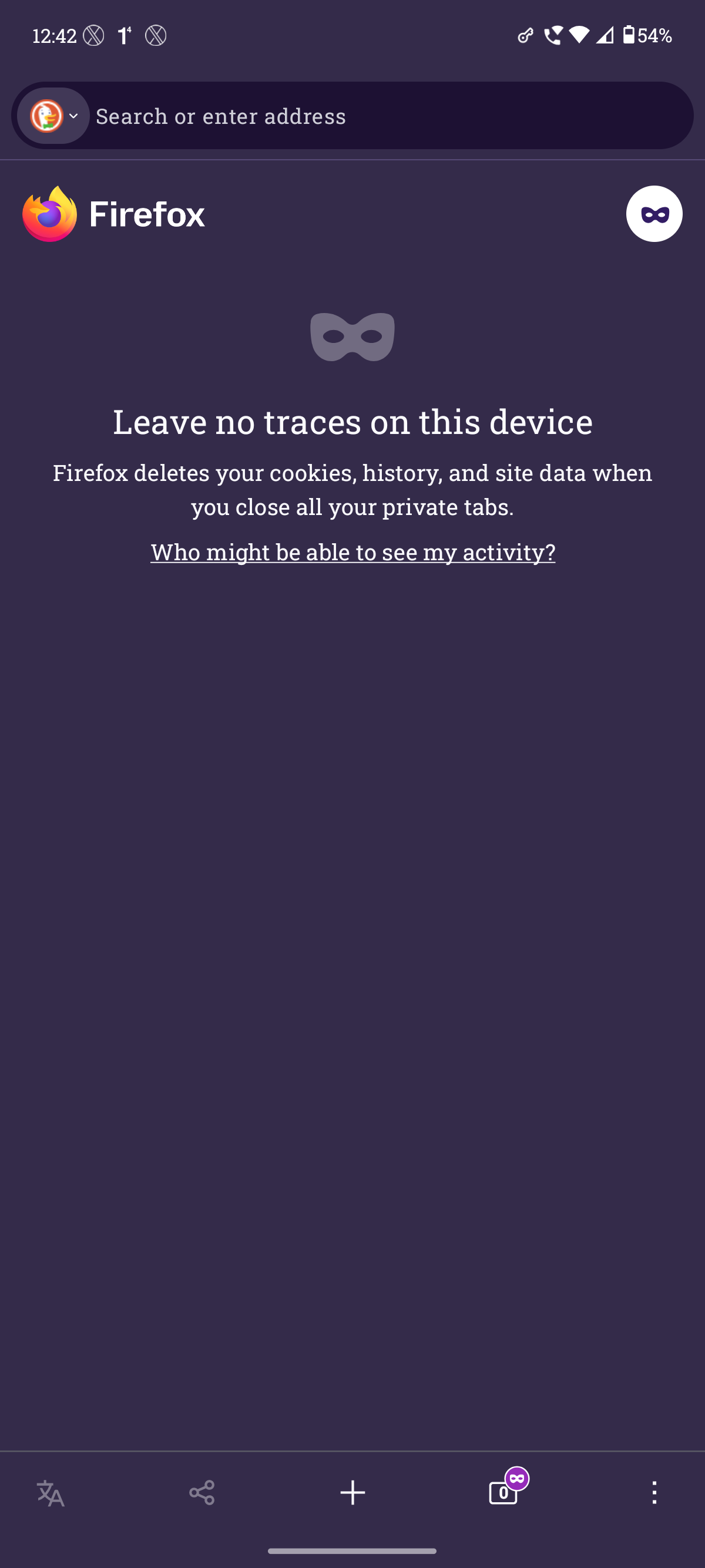
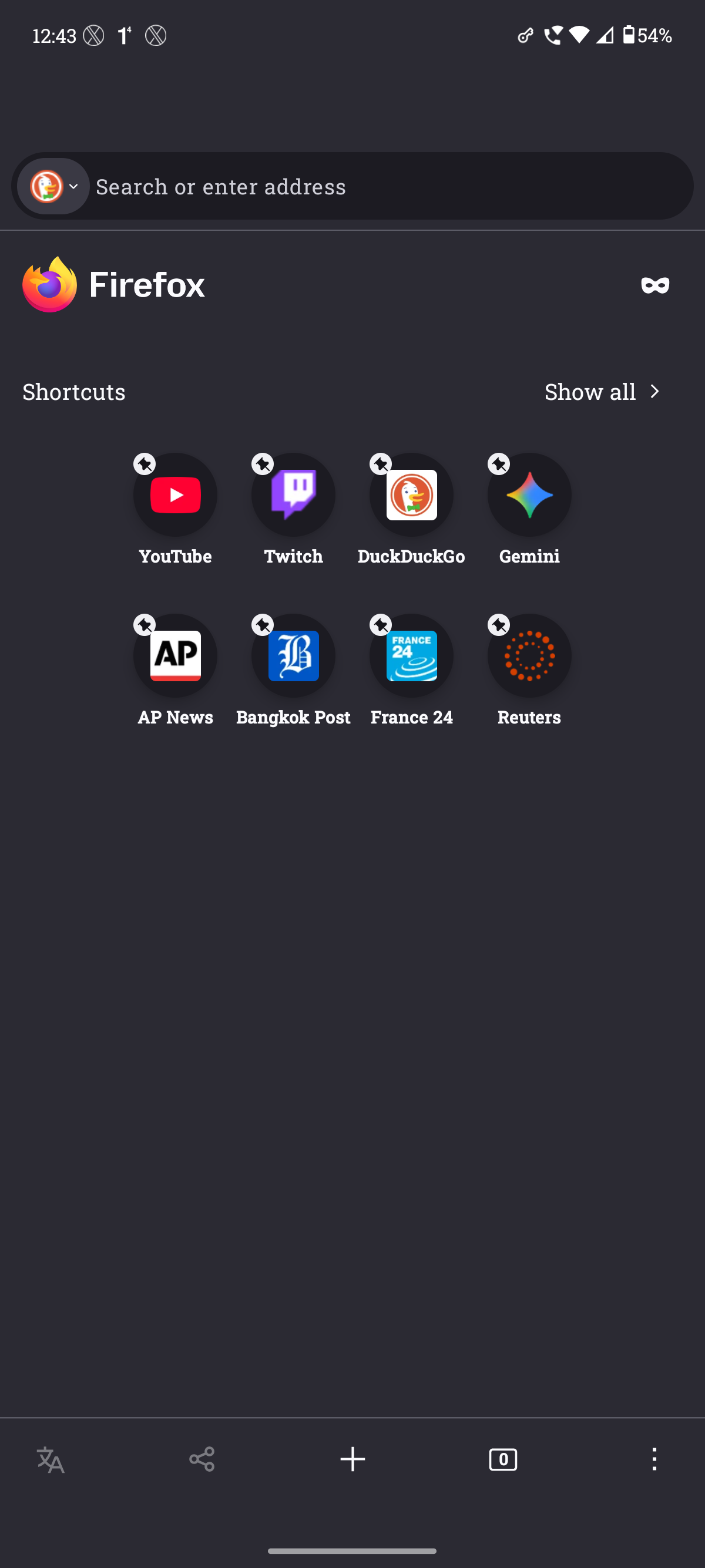
As you can see, as soon as I switch from Private Browsing to Normal Browsing, the address bar on the top shifts and never goes back to its original position.
It only resets back to its position when I close the App and open Firefox again but the issue persists whenever I try to switch from Private browsing to Normal browsing (vice-versa).
Избрано решение
Thank you Denys for your assistance.
The issue got resolved as my phone received Android 16 update for my region yesterday and since then the issue is not present.
150.0 (Build #2016155439), 1a6c5c6f11fca486436075d92fd82d51f706c775 GV: 150.0-20260415192539 AS: 150.0.1 OS: Android 16
Всички отговори (6)
Hi,
Could you please file a bug on Bugzilla with this info and the exact steps you perform, for the developers to take a look? Please also share a link to it here.
Hello Denys,
Thanks for reaching out. I've filed the bug on Bugzilla. Below is the link https://bugzilla.mozilla.org/show_bug.cgi?id=2034057
Променено на от ||||||
Thank you! I've moved the bug to a better component. Could you please also clarify how exactly you switch to the private browsing? (There are several different ways)
I mostly press the Private Browsing icon on the Homepage and sometimes use the Tab Button to switch from Normal to Private Browsing (vice-versa). In both the methods the same issue persists after switching.
Избрано решение
Thank you Denys for your assistance.
The issue got resolved as my phone received Android 16 update for my region yesterday and since then the issue is not present.
150.0 (Build #2016155439), 1a6c5c6f11fca486436075d92fd82d51f706c775 GV: 150.0-20260415192539 AS: 150.0.1 OS: Android 16
Got it, thank you for sharing!