


Windows 10 reached EOS (end of support) on October 14, 2025. If you are on Windows 10, see this article.

Търсене в помощните статии

Избягвайте измамите при поддръжката. Никога няма да ви помолим да се обадите или изпратите SMS на телефонен номер или да споделите лична информация. Моля, докладвайте подозрителна активност на "Докладване за злоупотреба".

Научете повече

Poor translation and setup

  • 1 отговор
  • 0 имат този проблем
  • 2 изгледи
  • Последен отговор от Denys

The browser recognizes Russian on the website as English and automatically translates it into "Russian," but what it actually produces is a jumble of letters that are neither Russian nor English. Essentially, the browser is translating from Russian—which I don't need to translate, since I'm from Russia—into an incomprehensible, non-existent language. And I can't turn off automatic translation of Russian because it's not available. There's a toggle switch: "Never translate English," but that doesn't work for Russian. You can click "Never translate this site" on the website itself, but the problem is that it's for a single website. It means I have to turn off translation and reload the website every time I visit a Russian-language website. This is very inconvenient. I ask you to add an option to disable translation of an entire language, not just English or a specific website.
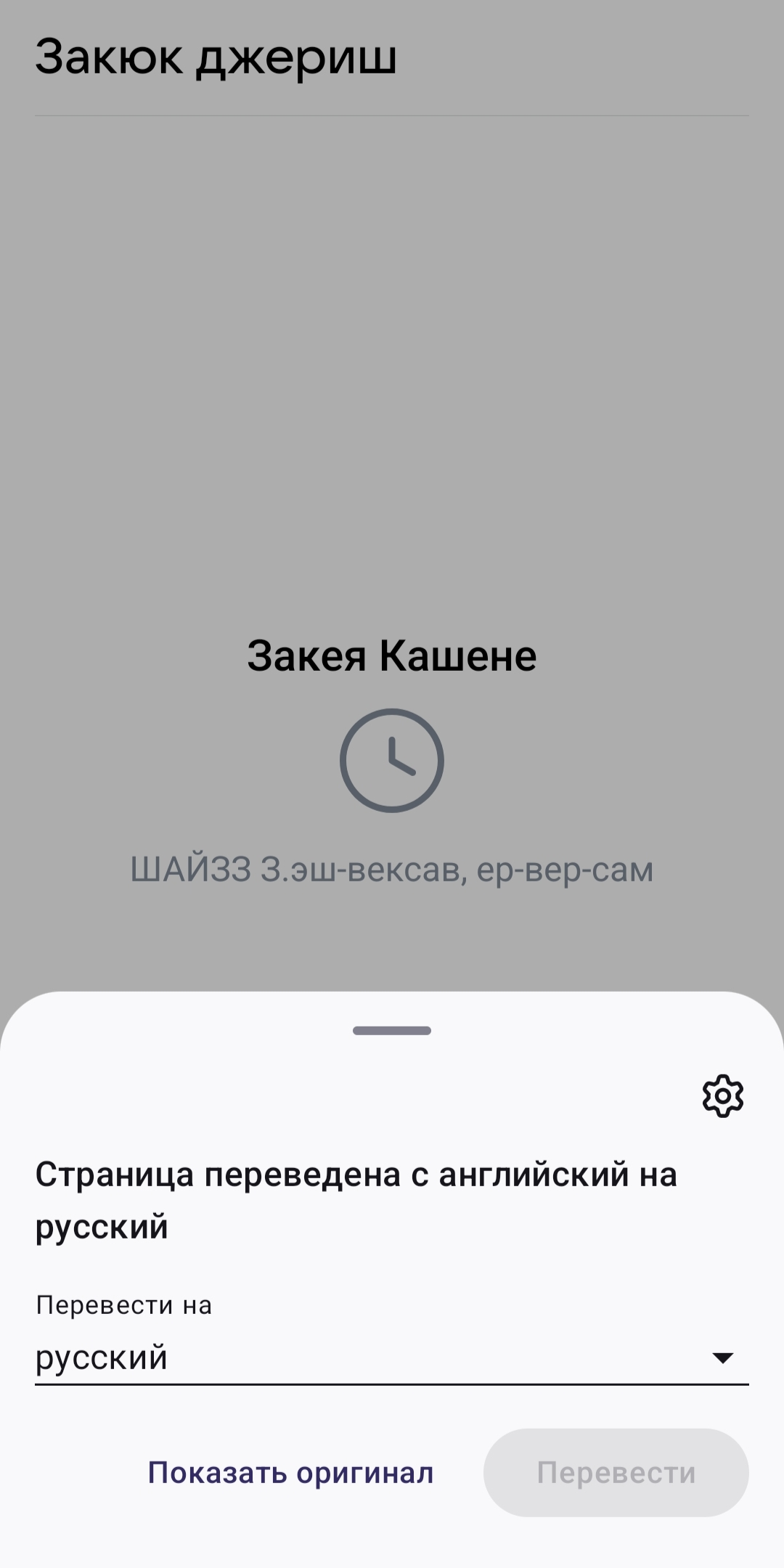
The browser recognizes Russian on the website as English and automatically translates it into "Russian," but what it actually produces is a jumble of letters that are neither Russian nor English. Essentially, the browser is translating from Russian—which I don't need to translate, since I'm from Russia—into an incomprehensible, non-existent language. And I can't turn off automatic translation of Russian because it's not available. There's a toggle switch: "Never translate English," but that doesn't work for Russian. You can click "Never translate this site" on the website itself, but the problem is that it's for a single website. It means I have to turn off translation and reload the website every time I visit a Russian-language website. This is very inconvenient. I ask you to add an option to disable translation of an entire language, not just English or a specific website.
Прикачени екранни снимки

Всички отговори (1)

Hi,

You can go to Settings > Translations > Automatic translation and adjust the settings there.

Does this happen to every website in Russian?

Задаване на въпрос

You must log in to your account to reply to posts. Please start a new question, if you do not have an account yet.