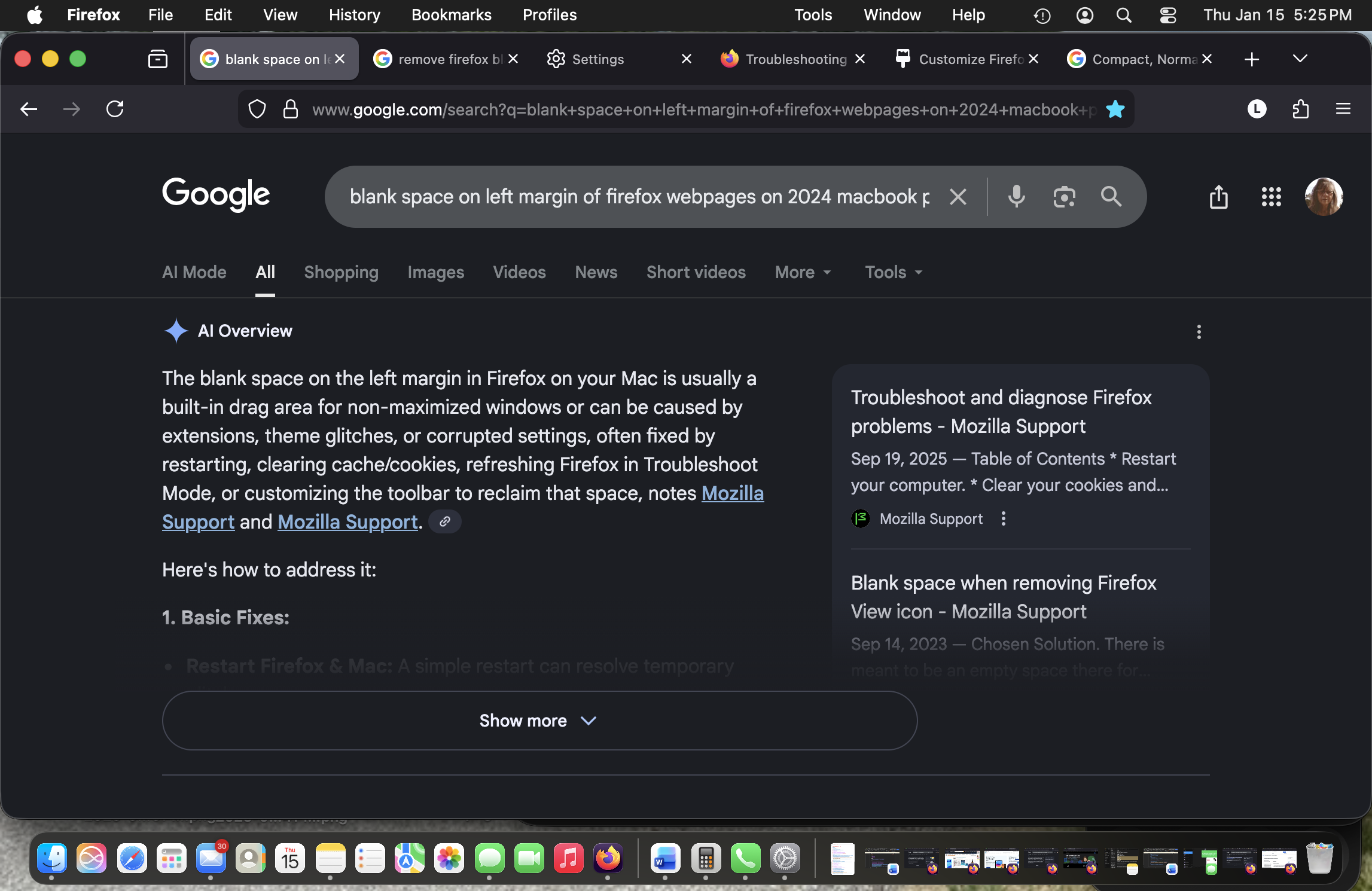
2" Blank Left Margin on Firefox Webpages

Yesterday on Firefox, I discovered that when I Googled questions, the tabs loaded with a blank 2” left margin indented space. See screenshot attached. This occurred after FF update 147.0, and I have Mac Tahoe 26.2. I see from researching this that it’s a problem after the last FF update, as follows:
The left margin indentation glitch in Firefox 147.0 on macOS Tahoe is a known issue, likely related to rendering or graphics settings conflicts within the new macOS version. Potential fixes include disabling hardware acceleration or checking specific feature flags in about:config.
I refreshed FF, and now all bookmarks I had minimized have the 2” blank margin. How do I get it back to normal so that the text has no huge left margin?
Yesterday on Firefox, I discovered that when I Googled questions, the tabs loaded with a blank 2” left margin indented space. See screenshot attached. This occurred after FF update 147.0, and I have Mac Tahoe 26.2. I see from researching this that it’s a problem after the last FF update, as follows:
The left margin indentation glitch in Firefox 147.0 on macOS Tahoe is a known issue, likely related to rendering or graphics settings conflicts within the new macOS version. Potential fixes include disabling hardware acceleration or checking specific feature flags in about:config.
I refreshed FF, and now all bookmarks I had minimized have the 2” blank margin. How do I get it back to normal so that the text has no huge left margin?