Тази тема беше архивирана.
Моля, задайте нов въпрос ако имате нужда от помощ.

Архивирани
E mail notice

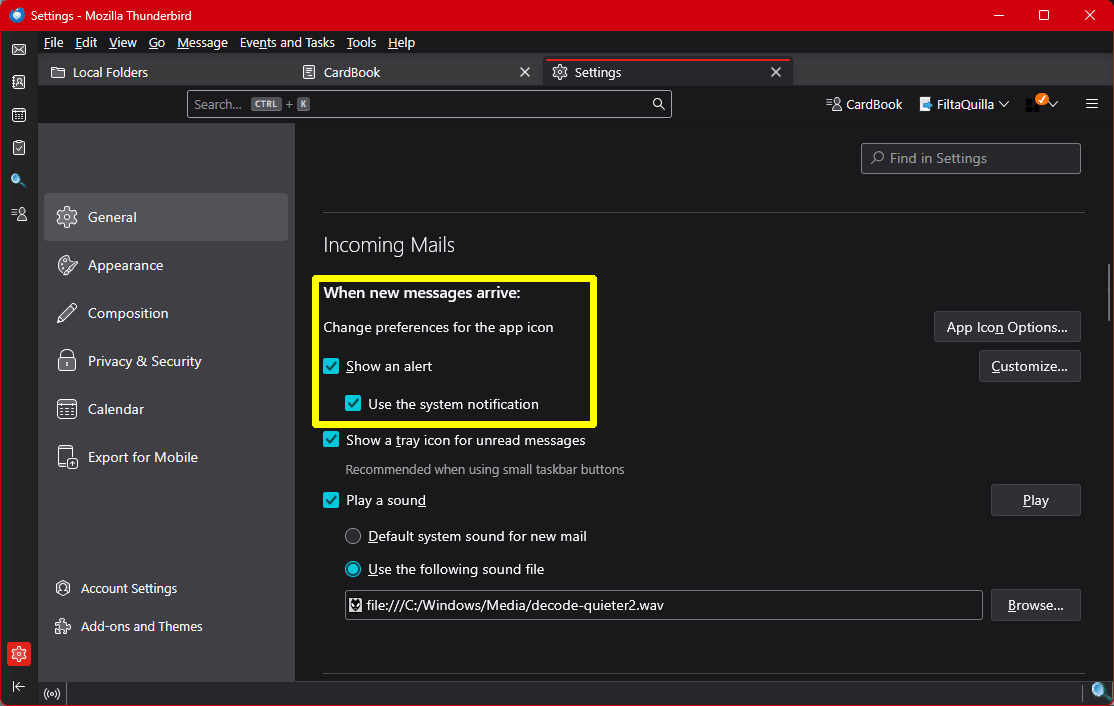
Every time a new email comes into my machine a little square pops up on the lower right hand corner of my screen and makes an annoying noise as it gives me the name of the sender of the email. I do not want these notices and I did not have them on my previous computer. How do I get rid of them?
Every time a new email comes into my machine a little square pops up on the lower right hand corner of my screen and makes an annoying noise as it gives me the name of the sender of the email. I do not want these notices and I did not have them on my previous computer. How do I get rid of them?
Всички отговори (1)

Assuming you are using Windows, look at menu item Tools | Settings | General | Incoming Mails. Play with the "Show an alert" settings to get what you like. You probably just need to uncheck "Use the system notification".