


sync completely stopped working, how to fix?

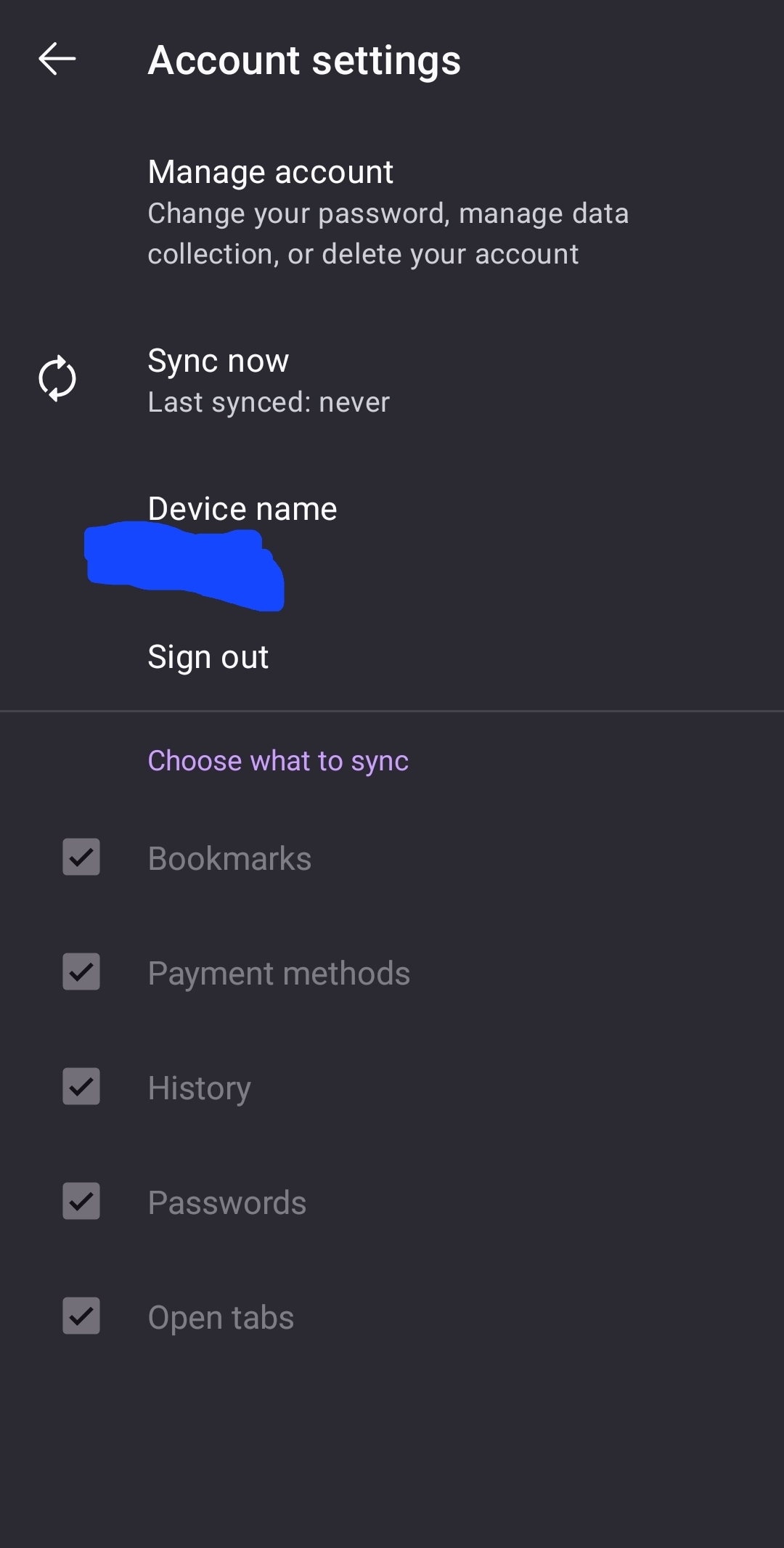
I have tried logging out and logging back in on my android firefox. accounts.firefox.com shows it is logged in, yet I do not see my firefox on android listed in my "Tabs from other devices"/"Synced tabs", in fact, I do not see any other device tabs listed. On my android firefox, it shows that I am logged in, yet the checkmarks for choosing what I want to sync are all disabled, the sync now button can be clicked but does nothing. I have tried logging out, forced stopping firefox app, and restarting android, nothing worked.
I have tried logging out and logging back in on my android firefox. accounts.firefox.com shows it is logged in, yet I do not see my firefox on android listed in my "Tabs from other devices"/"Synced tabs", in fact, I do not see any other device tabs listed.
On my android firefox, it shows that I am logged in, yet the checkmarks for choosing what I want to sync are all disabled, the sync now button can be clicked but does nothing.
I have tried logging out, forced stopping firefox app, and restarting android, nothing worked.
Всички отговори (2)
After a few hours, it is working again. I'm not sure what the issue was or how it started working again (for now). I'll wait to see if the issue comes back before marking this as resolved.