


Thunderbird

I'm trying to set up a new email account in Thunderbird. I entered folders and selected email. I entered my name and email address, but the display started spinning and only stopped if I did a restart.
Help, please.
Robin Webb.
Избрано решение
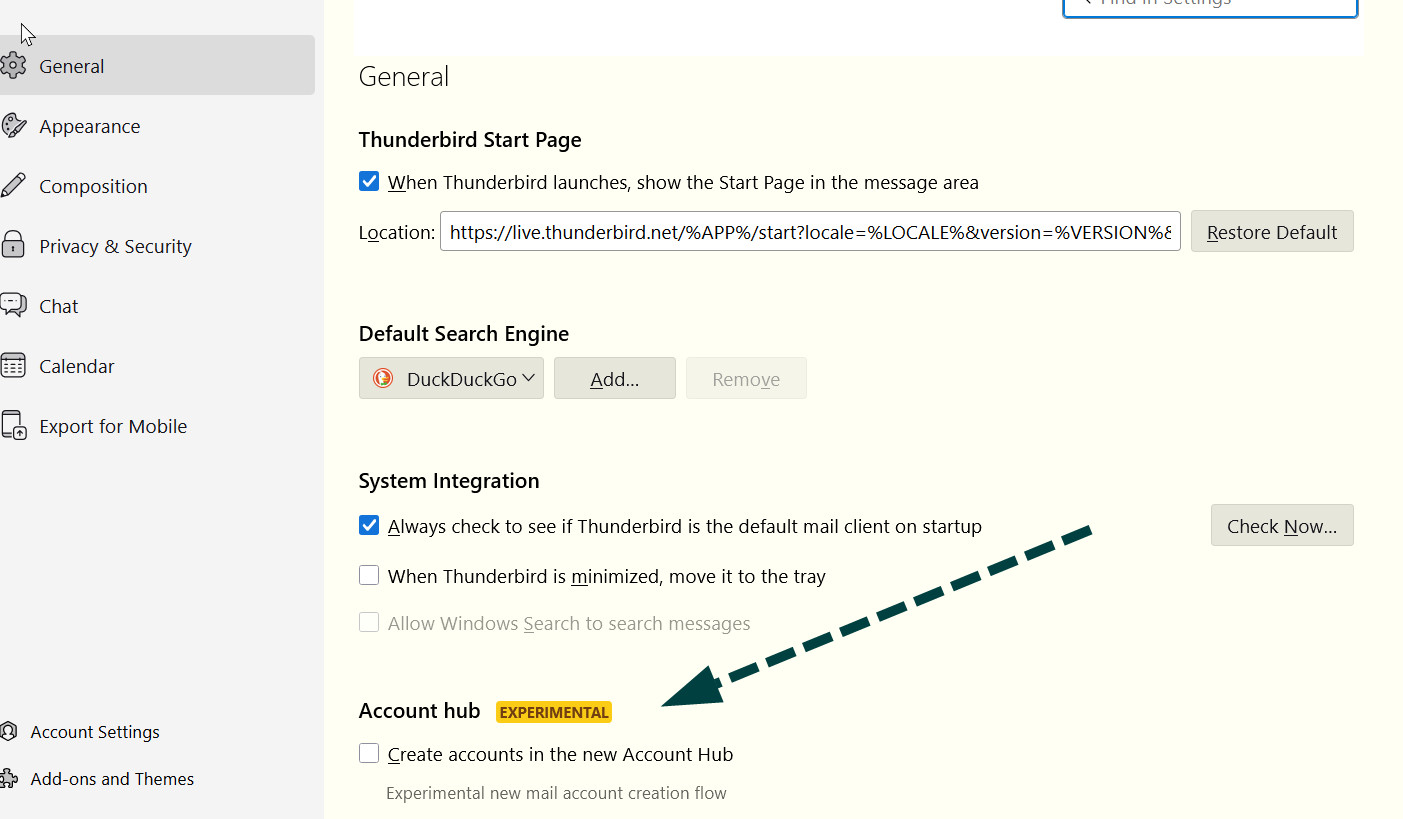
Once you have unchecked that 'Account Hub' option. Try to create email account again. Please let us know what server you were trying to connect to - eg: outlook and whether switching off the account hub worked.
This is important information which would be gratefully accepted in helping to improve the new Account Hub. Many Thanks.
Прочетете този отговор в контекста 👍 0Всички отговори (2)
The new setup wizard is experimental and may be the problem. Go to settings>general and UNTICK the box for the experimental setup and then start over. See attached.
Избрано решение
Once you have unchecked that 'Account Hub' option. Try to create email account again. Please let us know what server you were trying to connect to - eg: outlook and whether switching off the account hub worked.
This is important information which would be gratefully accepted in helping to improve the new Account Hub. Many Thanks.
Променено на от Toad-Hall