


How can Thunderbird 128 display the subject line with different font colors based on tags?

Hi
In Thunderbird version 128, the table view displays the subject line with different font colors based on tags, as shown in the example below.
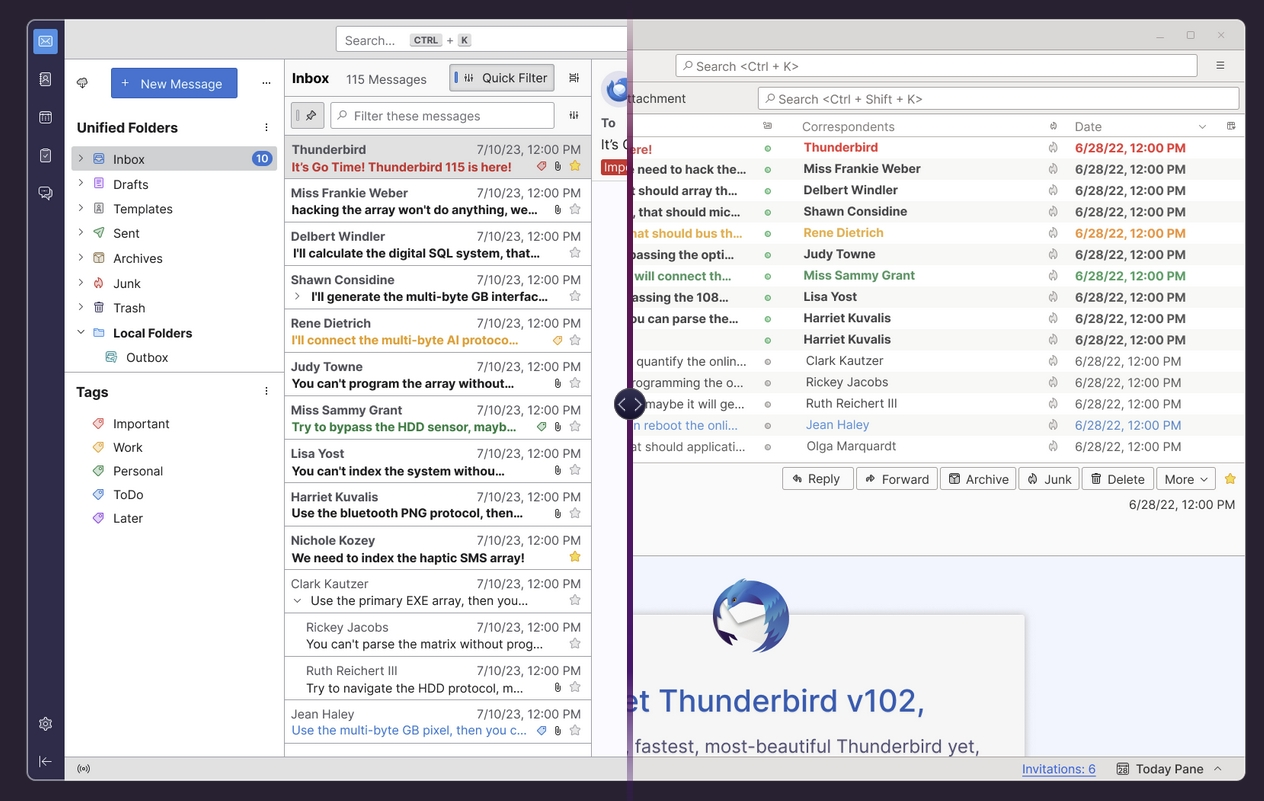
I’ve seen at Thunderbird's release notes that Thunderbird supports displaying different font colors based on tags in the card view, as shown in the example below.
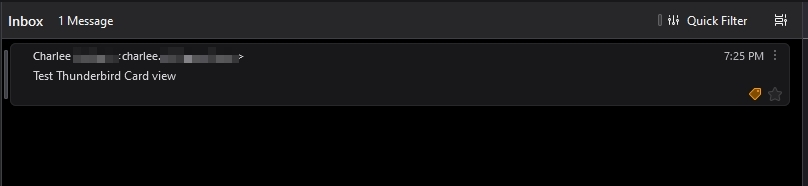
However, in my card view, the subject is displayed in white font, and only the tag label is highlighted, as shown in the example below.
I would like to know if the card view in 128.0.1esr (64-bit) on Windows 11 has the capability to display the subject line with different font colors based on tags. If it does, could you please advise on how to configure it?

Избрано решение
The following code works in 128 (see picture):
#threadTree[rows="thread-card"] .card-container {
    color: var(--tag-color);
}
Help/Troubleshooting Info, Profile Folder, Open Folder, close TB, create a new folder named chrome, create a new document in chrome with a text editor, name it userChrome.css, Save as type: All files *.*, copy in the above code, change the number as desired. Double-click toolkit.legacyUserProfileCustomizations.stylesheets to true in Settings/General/Config. editor, restart TB.
video on how to create a css file (Firefox and TB)
Did you toggle the stylesheets preference?
Прочетете този отговор в контекста 👍 8Всички отговори (7)
Hello
Take a look at https://connect.mozilla.org/t5/discussions/thunderbird-128/m-p/63447
Hi,
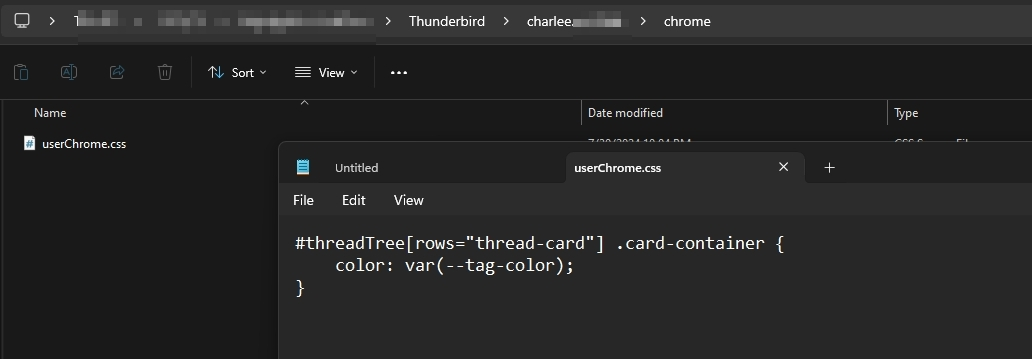
Thank you for the advice. However, I’ve tried the following steps, but they haven't had any effect.
Could you please provide further advice?
Променено на от charlee.ch
Избрано решение
The following code works in 128 (see picture):
#threadTree[rows="thread-card"] .card-container {
    color: var(--tag-color);
}
Help/Troubleshooting Info, Profile Folder, Open Folder, close TB, create a new folder named chrome, create a new document in chrome with a text editor, name it userChrome.css, Save as type: All files *.*, copy in the above code, change the number as desired. Double-click toolkit.legacyUserProfileCustomizations.stylesheets to true in Settings/General/Config. editor, restart TB.
video on how to create a css file (Firefox and TB)
Did you toggle the stylesheets preference?
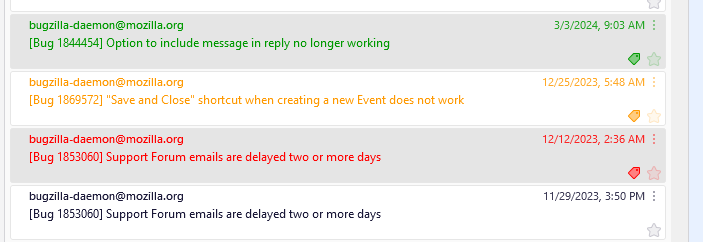
Thank you for your advice. After toggling the `toolkit.legacyUserProfileCustomizations.stylesheets` to `true`, the configuration takes effect properly.

This was extremely useful!
I wanted only the subject text to be highlighted, so I ended up using:
#threadTree[rows="thread-card"] .card-container .thread-card-subject-container {
   color: var(--tag-color);
}
Променено на от dswitzer1

Could explain in detail how to implement this feature in TB for macOS? Many thanks in advance. Gérald
GéraldT said
Could explain in detail how to implement this feature in TB for macOS? Many thanks in advance. Gérald
For macOS, the instructions above are the same except replace Open Folder with Show in Finder.