

Тази тема беше архивирана.
Моля, задайте нов въпрос ако имате нужда от помощ.

Архивирани
Using Thunderbird on Godaddy Email Outlook will not bring over all folders

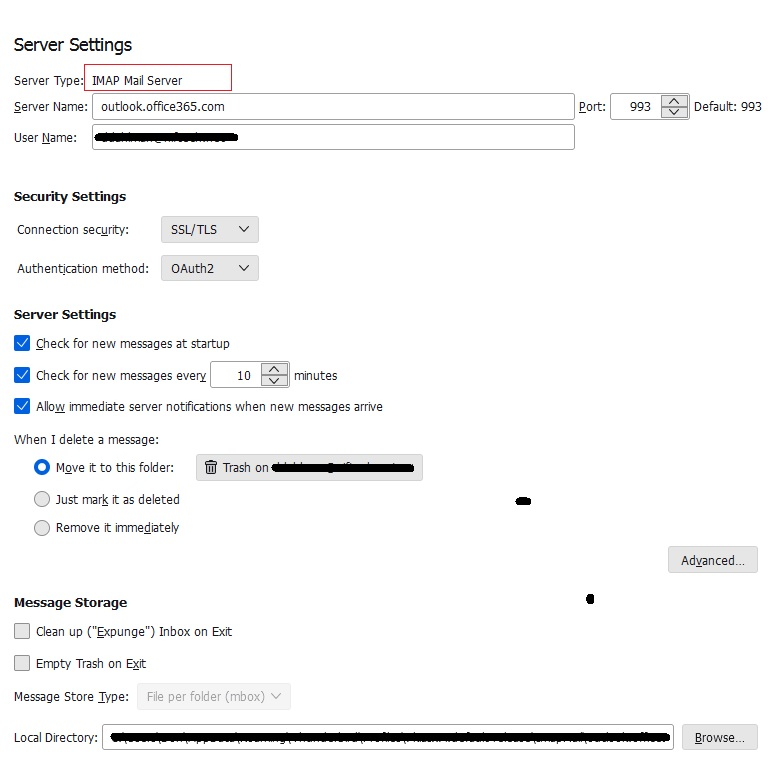
Godaddy a while back switched to Outlook365 I have installed Thunderbird and created an account and added the OWL for Exchange add-on So it has (as many have said) brought over the original inbox emails But the extra folders I have in Outlook from Godaddy did not migrate I see a lot of chat about IMAP and the server type in server setting says IMAP I have seem chat about adding subscribe folders but its never clear or a different version So I need some pointers on what needs done in outlook and what needs done in thunderbird
Thanks
Godaddy a while back switched to Outlook365
I have installed Thunderbird and created an account and added the OWL for Exchange add-on
So it has (as many have said) brought over the original inbox emails
But the extra folders I have in Outlook from Godaddy did not migrate
I see a lot of chat about IMAP and the server type in server setting says IMAP
I have seem chat about adding subscribe folders but its never clear or a different version
So I need some pointers on what needs done in outlook and what needs done in thunderbird
Thanks
Всички отговори (1)
Try highlighting account on left side of main view , rightclick and select 'subscribe' to see if the folders are visible.