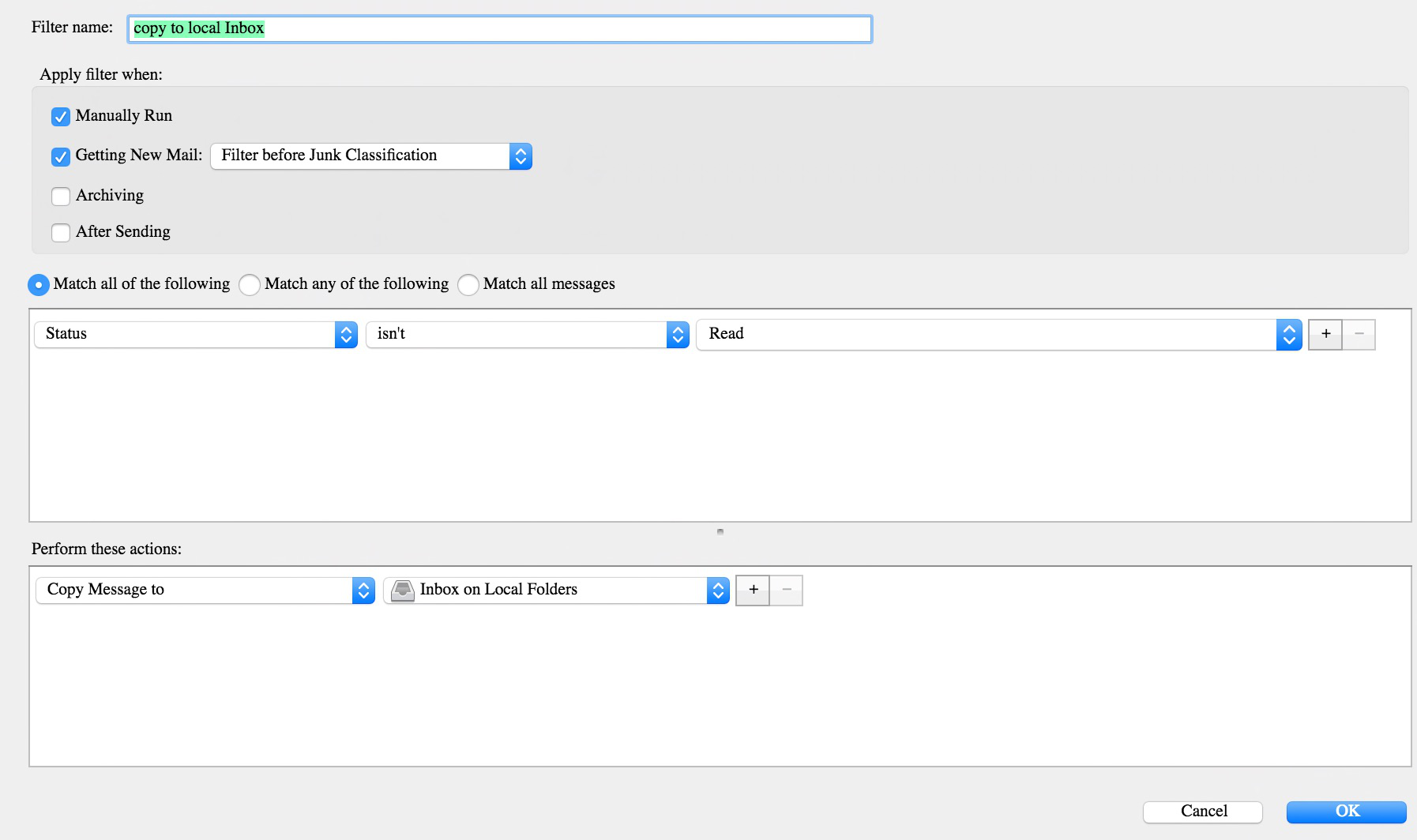
I have a problem making a Filter copy messages: the filter always marks the messages as READ. I want them appear as UNREAD

I created a simple filter to move all unread messages from one of my secondary Inboxes to my main local InBox. I want the messages to appear as Unread in the target folder and Read in the source folder. I have been unable to do that. The messages appear as Read in both folders. Does anyone have an explanation? Thank you
Всички отговори (2)
perhaps an image of the actual filter you are using? My filters that move messages are not changing the read state of the messages.
Are you moving mail from an IMAP account to a folder in another account. This would cause a deletion in the MAP account and a read message to appear in the other account I would think. A copy followed by a delete action probably would not have the same effect.
Hello, here is an image. This filter works sometimes, but at other times. It misses some messages.
I want to copy from an IMAP account inbox to my local folder inbox. I also added another filter to be applied after this one to turn unread messages to read in the source folder.