


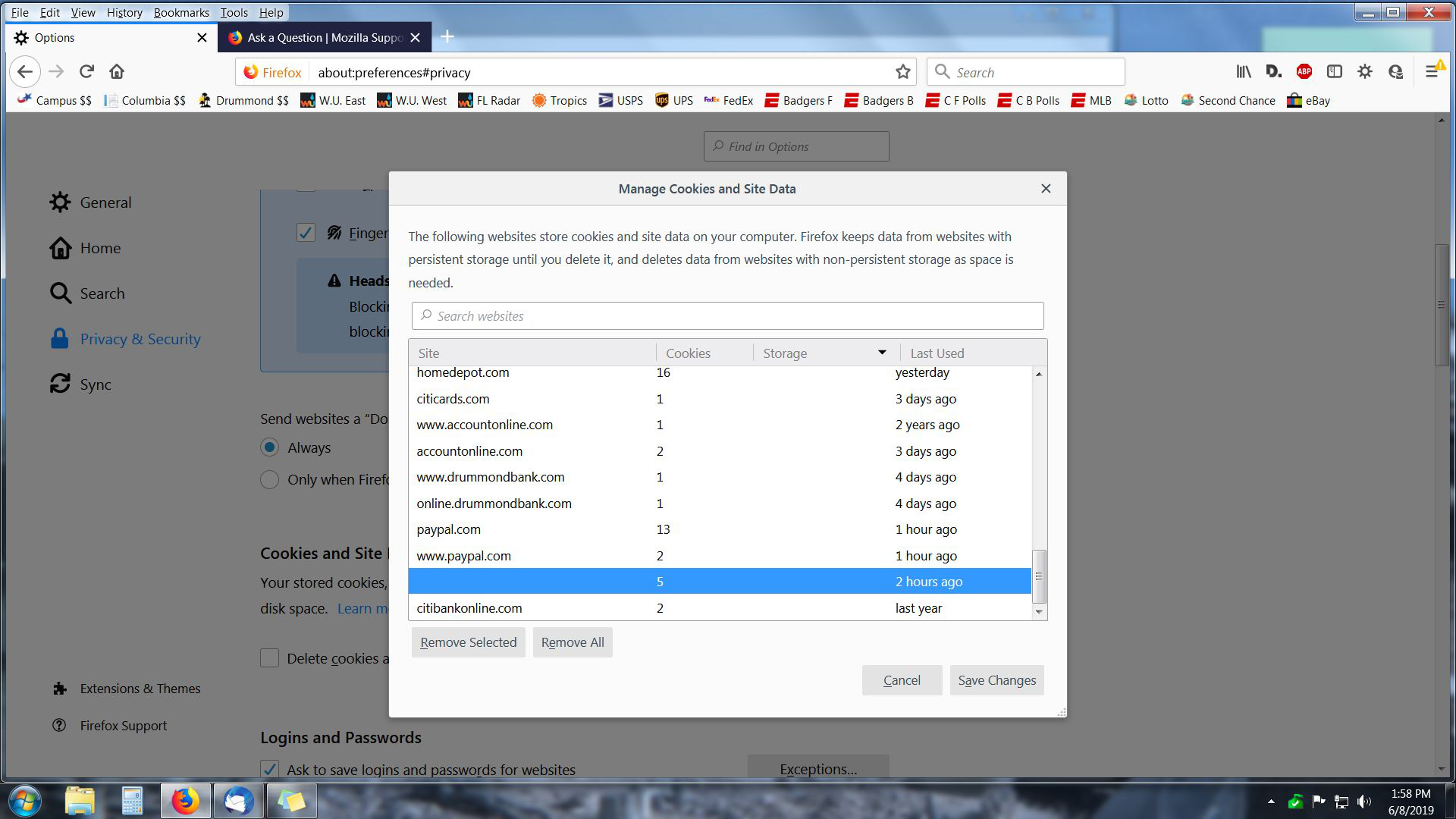
There is an un-named cookie on my computer that I am unable to delete. How do I get rid of it?
It's blank where it list the site the cookie is from. It says 5 cookies. I have tried to delete it over and over. It doesn't delete.
Променено на от Rip
Всички отговори (3)

Hi riplongley, Here is a solution from another thread, posted about two weeks ago, offered by moderator cor-el:
If clearing cookies didn't help then It is possible that the cookies.sqlite file in the Firefox profile folder that stores the cookies got corrupted.
Rename/remove cookies.sqlite (cookies.sqlite.old) and when present delete cookies.sqlite-shm and cookies.sqlite-wal in the Firefox profile folder with Firefox closed in case cookies.sqlite got corrupted.
You can use the button on the "Help -> Troubleshooting Information" (about:support) page to go to the current Firefox profile folder or use the about:profiles page. Help -> Troubleshooting Information -> Profile Directory: Windows: Show Folder; Linux: Open Directory; Mac: Show in Finder
http://kb.mozillazine.org/Profile_folder_-_Firefox
I hope this helps.
Hello riplongley,
Those cookies were placed two hours ago (when you took the sceeenshot) - maybe you could find what site(s) you visited
around that time in the Library : Ctrl+Shift+H
If you manage to find that site, you could do this :
When you're on that site, click on the 'i' in a circle, next to the padlock at the left side of the address bar, and at the bottom click on "Clear Cookies and Site Data".
Worth a try ......
Looks like "My_Cheese_Is_Slippin" and I posted at the same time ....