

Тази тема беше архивирана.
Моля, задайте нов въпрос ако имате нужда от помощ.

Архивирани
Youtube will not play audio when "surround Sound" is enabled, Internet explorer will, I fresh installed Firefox and Flash, still broken. any tips? thank you

Youtube audio has stopped working when I enable "5.1 Surround sound" on my speaker configuration on my laptop when using Firefox, but if I open up Internet Explorer with surround sound youtube audio plays fine. I have fresh installed Firefox and Flash and audio drivers but nothing seems to fix it. It is directly linked with firefox not sure but it has not been working since the past 2 or 3 updates.
Youtube audio has stopped working when I enable "5.1 Surround sound" on my speaker configuration on my laptop when using Firefox, but if I open up Internet Explorer with surround sound youtube audio plays fine. I have fresh installed Firefox and Flash and audio drivers but nothing seems to fix it. It is directly linked with firefox not sure but it has not been working since the past 2 or 3 updates.
Всички отговори (3)
See in your sond configuration whitch output is selected. :3
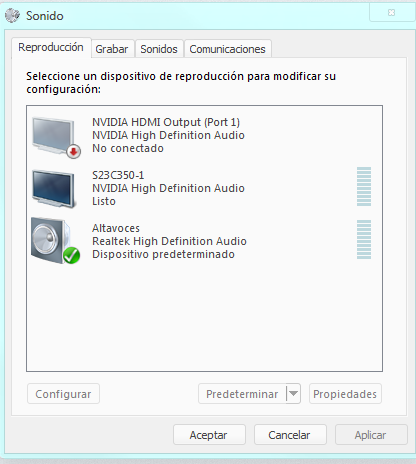
I have the right output going
You probably need to close and restart Firefox after making changes to the default sound device to make Firefox recognize the change.