


Thunderbird 115.9.0 - Deleting tags

I have tags I no loner use and would like to delete them from my tag list. I haven't been able to find a way of doing this. Manage Tags lets you edit the name and color, but not delete. Is there a way of doing this?
Thanks!
Steven
All Replies (3)
Seçilmiş Həll
There are 12 I think tags that are built into Thunderbird. Important, Work, To Do, Later and Label 1 to Label 7. Additionally to those you can create your own tags.
The user interface allows you to delete those, but I have a feeling they will be regenerated on restart as they are part of he default application. The non default tags should always delete.
But I really do not see you no way to delete issue at all. The button is apparent when I look, regardless of the tag I select
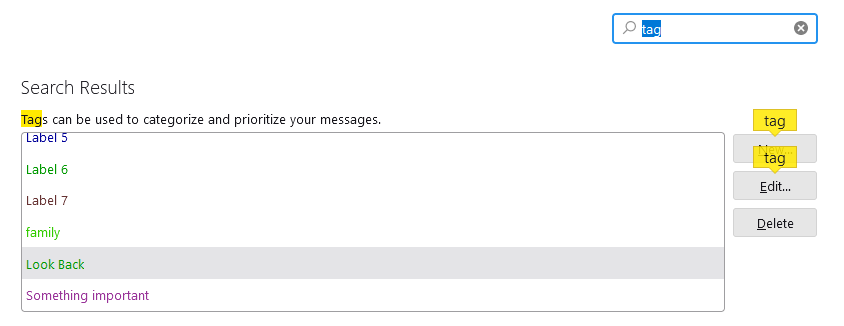
Facepalm! Well, this is embarassing.
Thanks Matt. A picture IS worth a thousand words. I had super-zoomed the Settings page -- to the extent that the buttons on the right were no longer visible. Oops. Thanks for this,
Regards,
Steven
I love it when a plan comes together :)