


Can't set Bookmarks Sidebar icon in the toolbar in Firefox 29 beta

Hi, in the new Firefox 29 beta, I can only set the pair of bookmarks icons in the toolbar: the star to bookmark this page, and the little menu icon to open the bookmarks menu. But I want to be able to have the Bookmarks Sidebar icon directly like I had before (what opens with Ctrl + B).
Any chance of doing that now? I can't find the direct Bookmarks Sidebar icon in the customize menu.
Thank you!
被采纳的解决方案
You can install the Classic Theme Restorer extension to restore some functionality that was lost with the arrival of Australis.
定位到答案原位置 👍 12所有回复 (11)
Go to Menu bar(Press F10 or alt to unhide) click on View >> Toolbars >> Customize in the will that appears look for Bookmark item drag it and drop on you toolbar then close the customize window
选择的解决方案
You can install the Classic Theme Restorer extension to restore some functionality that was lost with the arrival of Australis.
Nope, doesn't work. For bookmarks now it's a set of two icons and when you click on them it opens a submenu but not the actual bookmarks list.
This one did it! Thank you!!!!!!
at the top of that submenu you can check or uncheck "View Bookmarks Sidebar"
A sidebar button should be in the browser by default.
由WCK604于修改
You can find the View History Sidebar item at the top of the Bookmarks menu that opens if you click the Show All Bookmarks toolbar button (next to the star to bookmark).
History is in the 3-bar Firefox menu button drop-down list that has a similar choice: View History Sidebar
Hakeem 34, Which one did it? Thanks
I ended up installing the Classic Theme Restorer extension and that did it to have it show the same buttons I had before the beta 29.
I know we are in 30 now, but no idea if what I wanted (screenshot) can be done with it without the restorer.
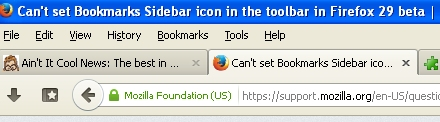
I'm still showing 29.0.1 as the current version. I am hesitant to use the add-on as I'm not that sophisticated with changing things around in Firefox, and I read this in the description: "It is recommended to switch to a new clean profile (or at least delete 'localstore.rdf' from profile folder) to avoid UI issues after upgrading from Firefox 28 (and older) to Firefox 29 (and newer)." I don't know how to get "localstore.rdf" back if I don't like the result after I delete it.
You can rename the localstore.rdf to localstore.rdf.sav to disable the current file and make Firefox create a new file.
Note that the current Firefox release (29+) stores the toolbar customization in the browser.uiCustomization.state pref (see about:config) and no longer exclusively uses the localstore.rdf file.