


Can't run FIreFox crash id: bp-17ec9607-9d9a-4b04-8bca-261132130821

After installing Mozilla FireFox, i can't run it!Run's Mozilla crash reporter crash id: bp-17ec9607-9d9a-4b04-8bca-261132130821
所有回复 (2)
hello, please start firefox in safemode (by pressing the shift-key while it is launching) & go to firefox > options > advanced > general & disable hardware acceleration.
for some background on that issue you can also refer to bug #812683
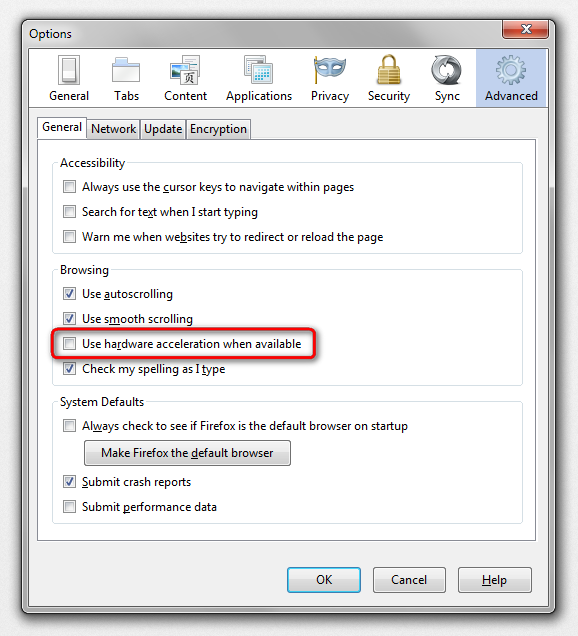
Try to set the gfx.content.azure.enabled pref to false or if this didn't help disable Direct2D by setting the gfx.direct2d.disabled pref to true on the about:config page and leave hardware acceleration otherwise enabled.
That way you still have the benefit from hardware acceleration, but may not suffer from rendering issues.
You can also try to uninstall Windows update KB2670838 if you have this update.