


Help with scaning QR code on IOS version of the Firefox app,so I can finish setup.
I tried following what the other form said but on settings there no "allow app to scan" option,does anyone know what to do?
所有回复 (9)
Hello,
To use the QR code on IOS, just open the camera app, then click the link that appears at the bottom.
If it doesn't work, that means that the Camera app QR code scanning feature is disabled. To enable it, just go to settings>camera and make sure that the toggle for Scan QR codes is turned on.
由dessertdish于修改
You're probably following Sync bookmarks, logins and browsing history on Firefox for iOS to sign in to the account.
If you can't get the QR scanning working, you can also sign in using email verification if that's easier.
For the QR scanning to work, Firefox needs access to the camera. It will either ask you if this is the first time, or if you denied the permission in the past iOS won't let it to ask again — you'd need to go to your iOS System Settings manually, and allow that Camera access in the permission under Apps › Firefox again.
dessertdish said
Hello, To use the QR code on IOS, just open the camera app, then click the link that appears at the bottom. If it doesn't work, that means that the Camera app QR code scanning feature is disabled. To enable it, just go to settings>camera and make sure that the toggle for Scan QR codes is turned on.
Thanks for the help but scanning QR codes is already on and when I scan it,it says I have to use the app.
jbr said
You're probably following Sync bookmarks, logins and browsing history on Firefox for iOS to sign in to the account. If you can't get the QR scanning working, you can also sign in using email verification if that's easier. For the QR scanning to work, Firefox needs access to the camera. It will either ask you if this is the first time, or if you denied the permission in the past iOS won't let it to ask again — you'd need to go to your iOS System Settings manually, and allow that Camera access in the permission under Apps › Firefox again.
Thanks for helping,how do you get it to give you a email option? When I click the connect to other device option to sync it to my phone,it's only gives me a QR code.
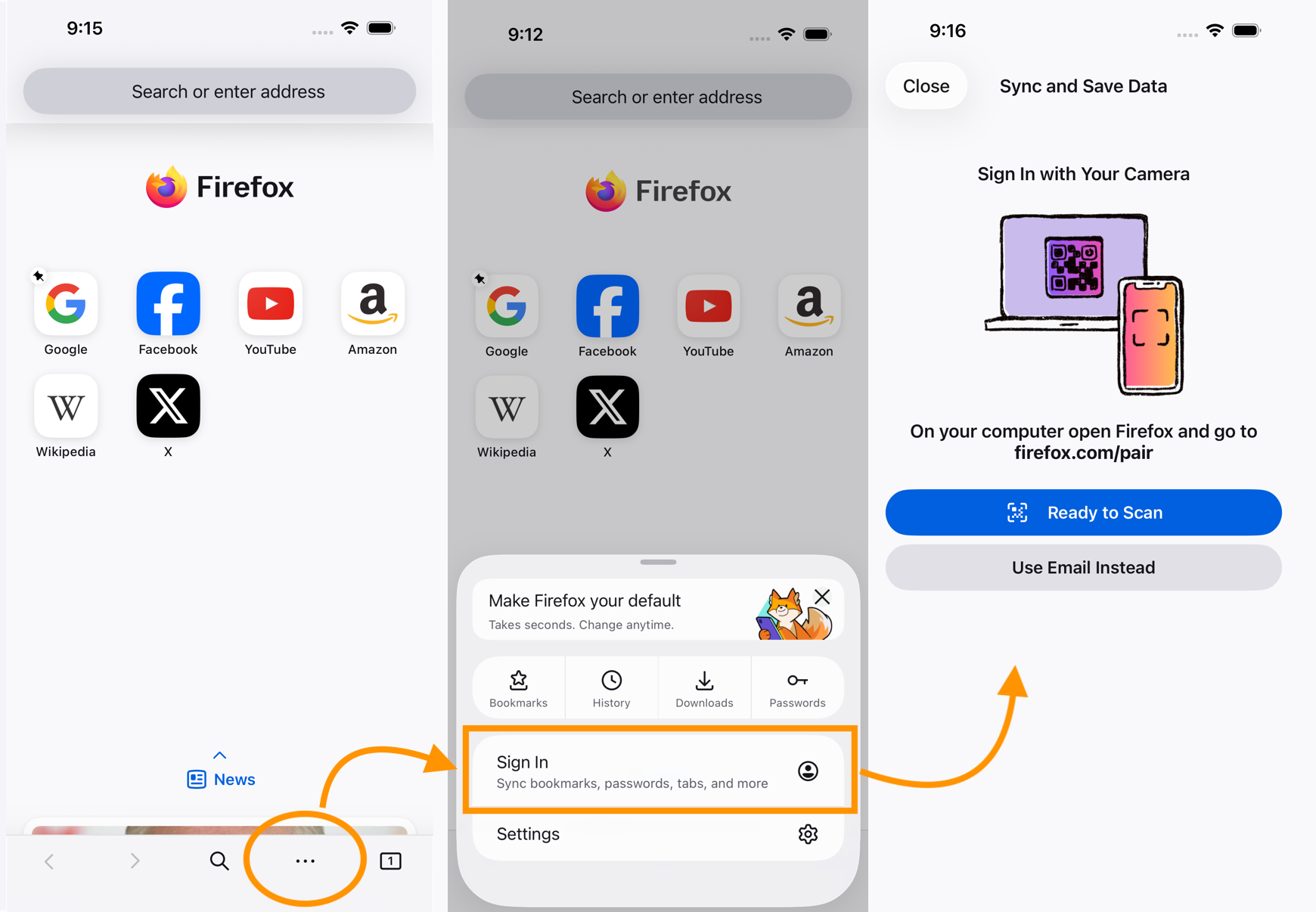
You can do that from the iPhone side as well, and that will have the either/or options — you can try the QR flow from there first, or you can always try the manual sign in as well, see the screenshot:
jbr said
You can do that from the iPhone side as well, and that will have the either/or options — you can try the QR flow from there first, or you can always try the manual sign in as well, see the screenshot:
Don't want to piss you off but I signed in and for some reason it still says the setup isn't finished for some reason.
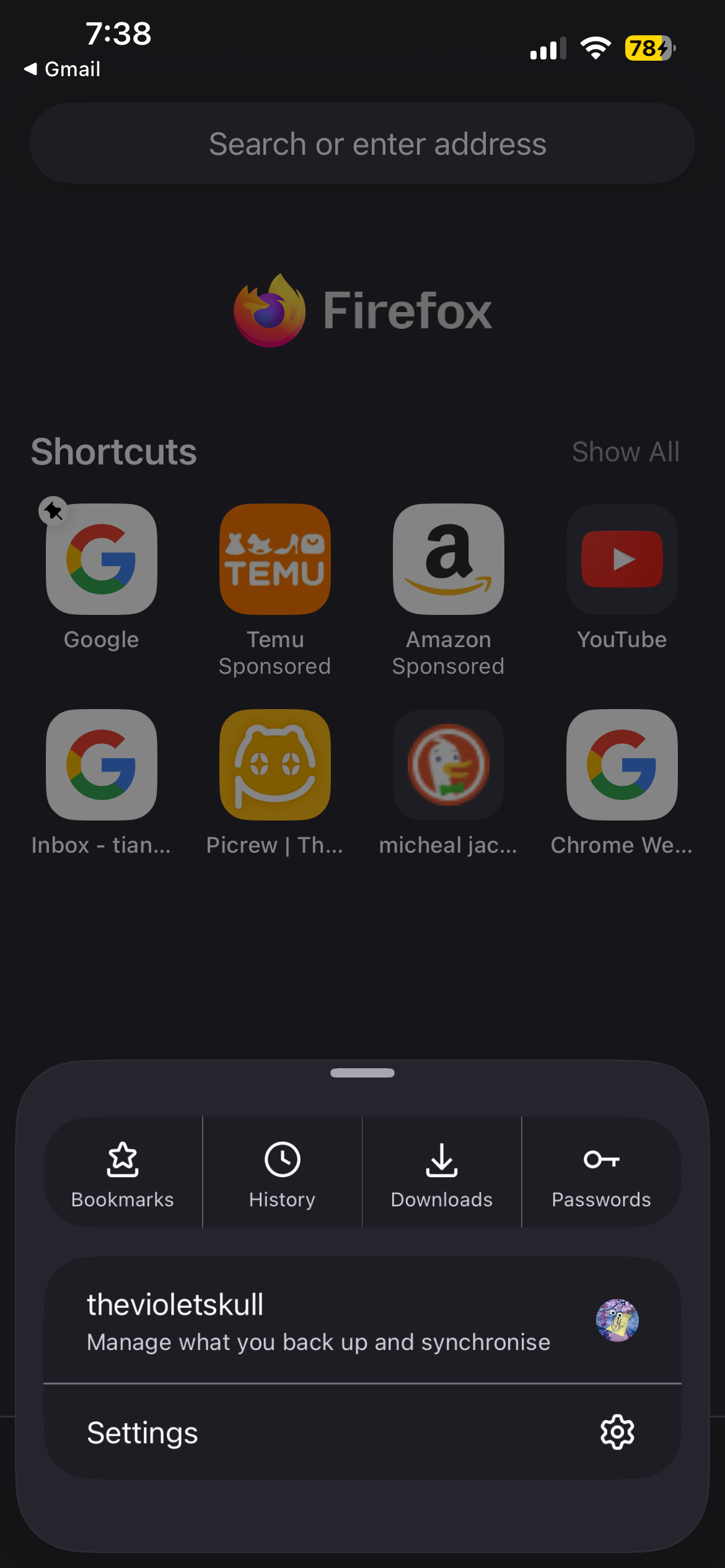
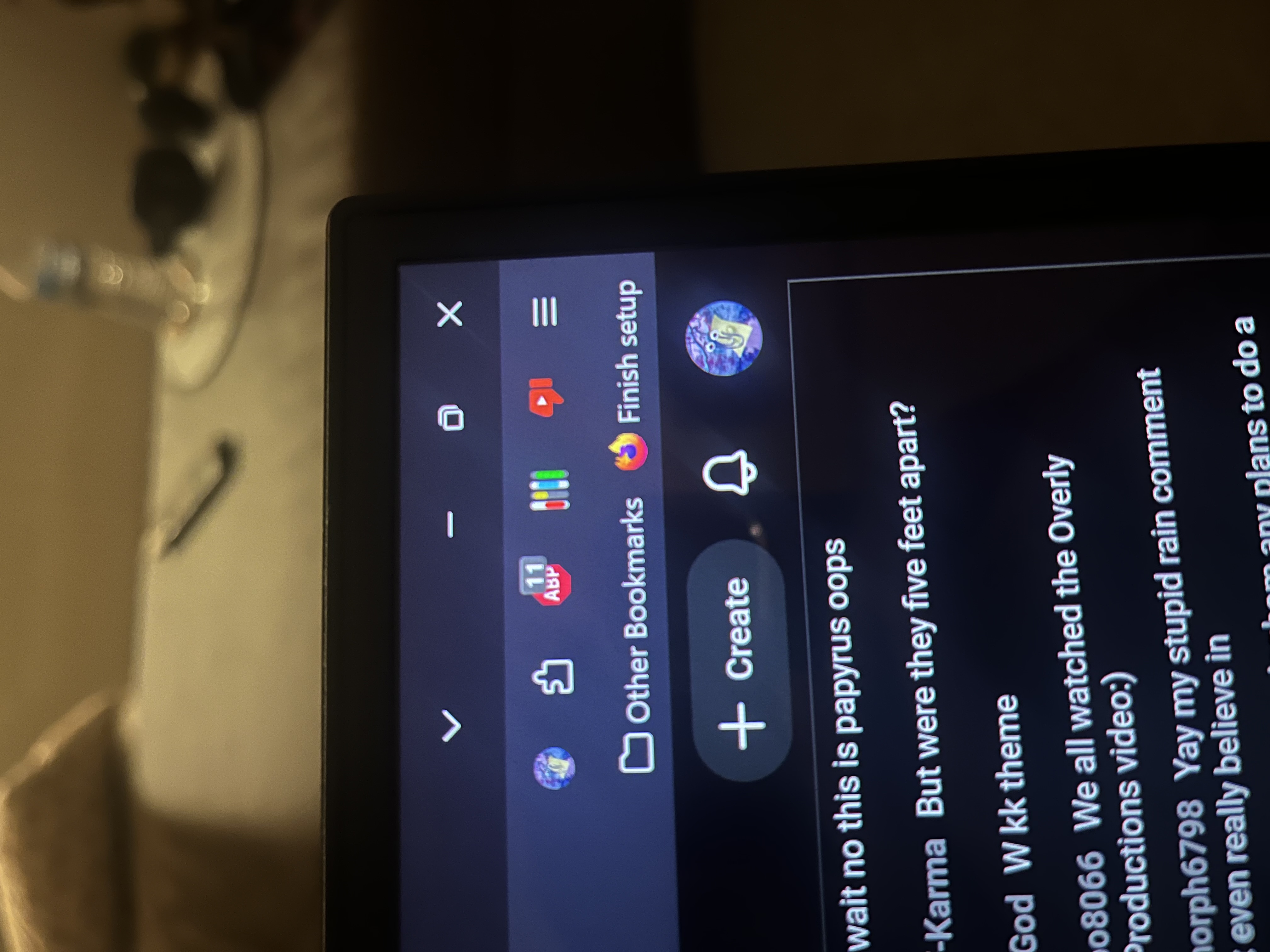
In that case you don't need any QR pairing and you're pretty much all set — unless that action has some additional features you might be interested in.
(Or, maybe, you're indeed signed in on iPhone, but the Sync options are not turned on yet? Sync bookmarks, logins and browsing history on Firefox for iOS shows the settings for flipping the individual things on or off as needed…)
Thanks both of you,I'll just get get use to the finish setup being there,I wish you could just use your camrea.
My guess is the setup checklist is all complete — just the "Finish setup" button is still showing. If you right click on it you should be able to just hide it.