


How to delete stuck download entry?

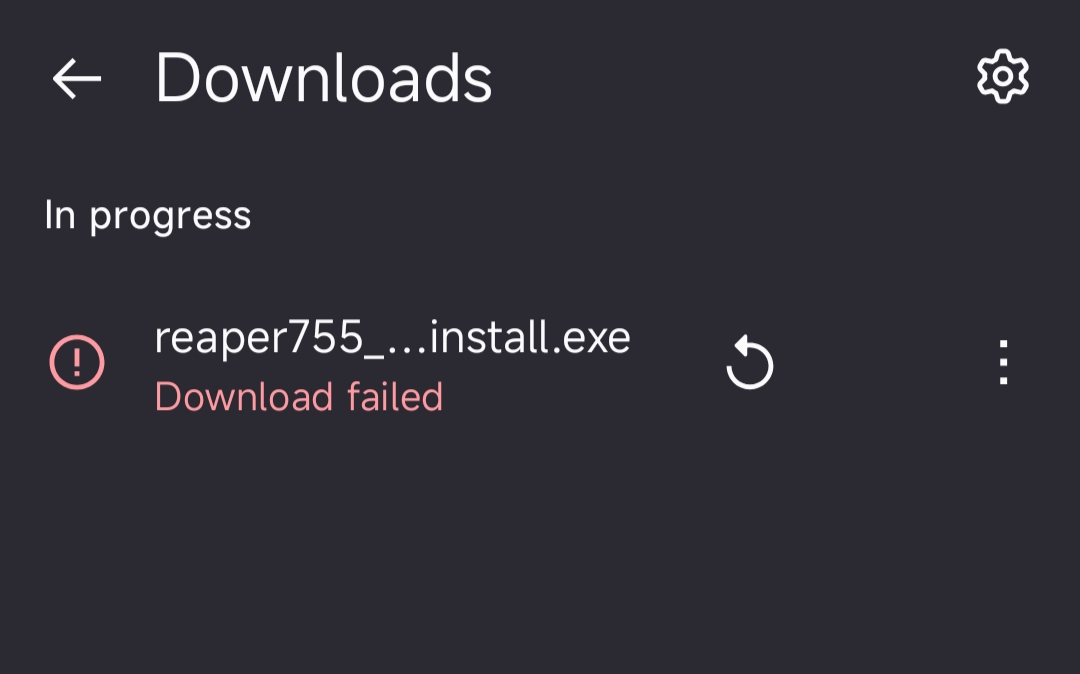
Firefox (148.0.2) for android (15). I have failed download and can not restart nor delete it - it ignores restart and delete buttons. It's just been sitting here "In progress" for months. How to get rid of it?
Firefox (148.0.2) for android (15).
I have failed download and can not restart nor delete it - it ignores restart and delete buttons. It's just been sitting here "In progress" for months. How to get rid of it?
所有回复 (1)
Hello,
If you are not able to delete within the Firefox app the download file.
The are two ways. I. Delete the file from the phone memory, it was partially downloaded and remains in your phone memory. II. You can go to Firefox Android setting and clear Storage and Cache (this will delete all the data of Firefox and Sign-out you of everything)
Hope this helps.