firefox search bar has changed

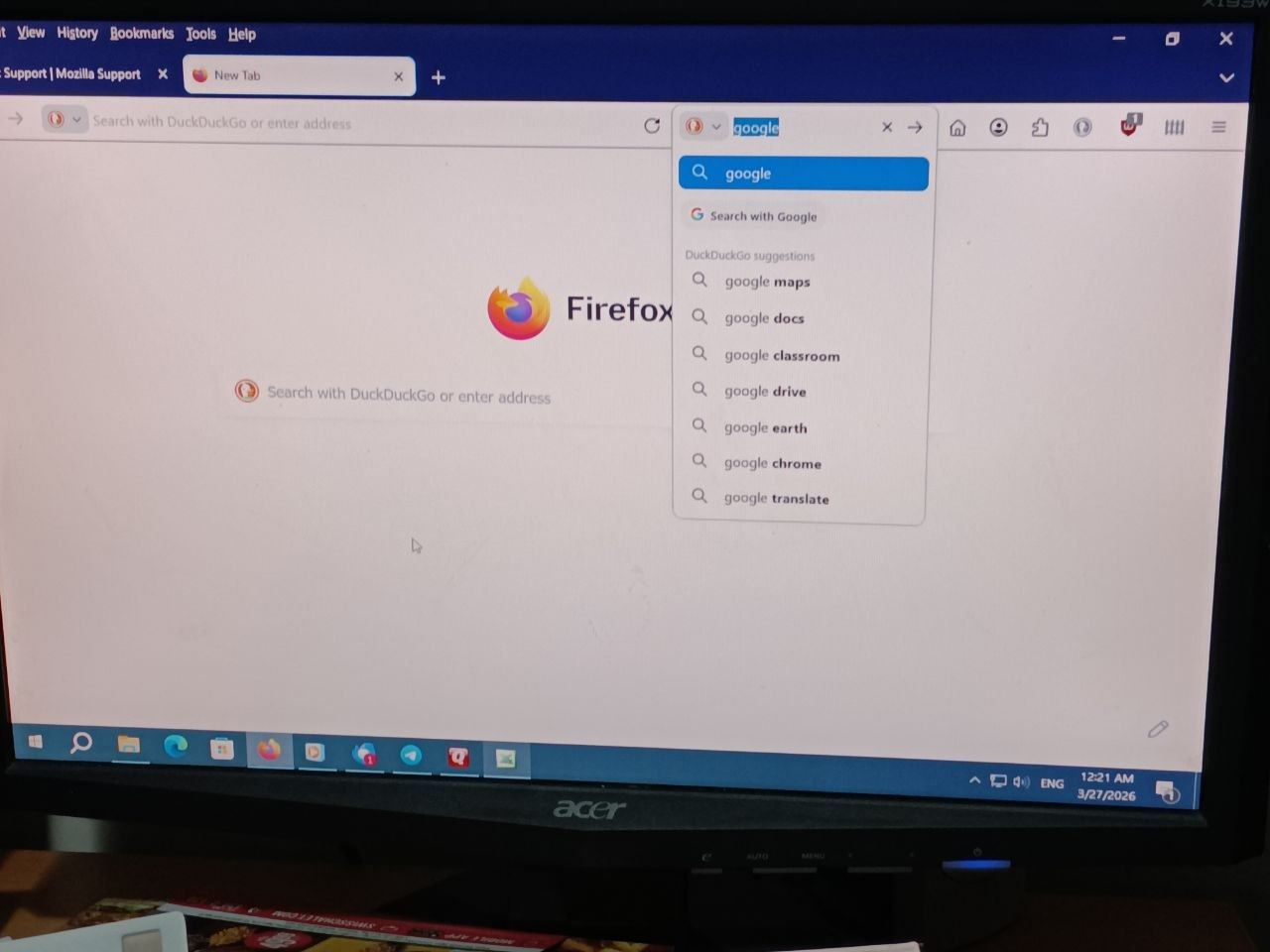
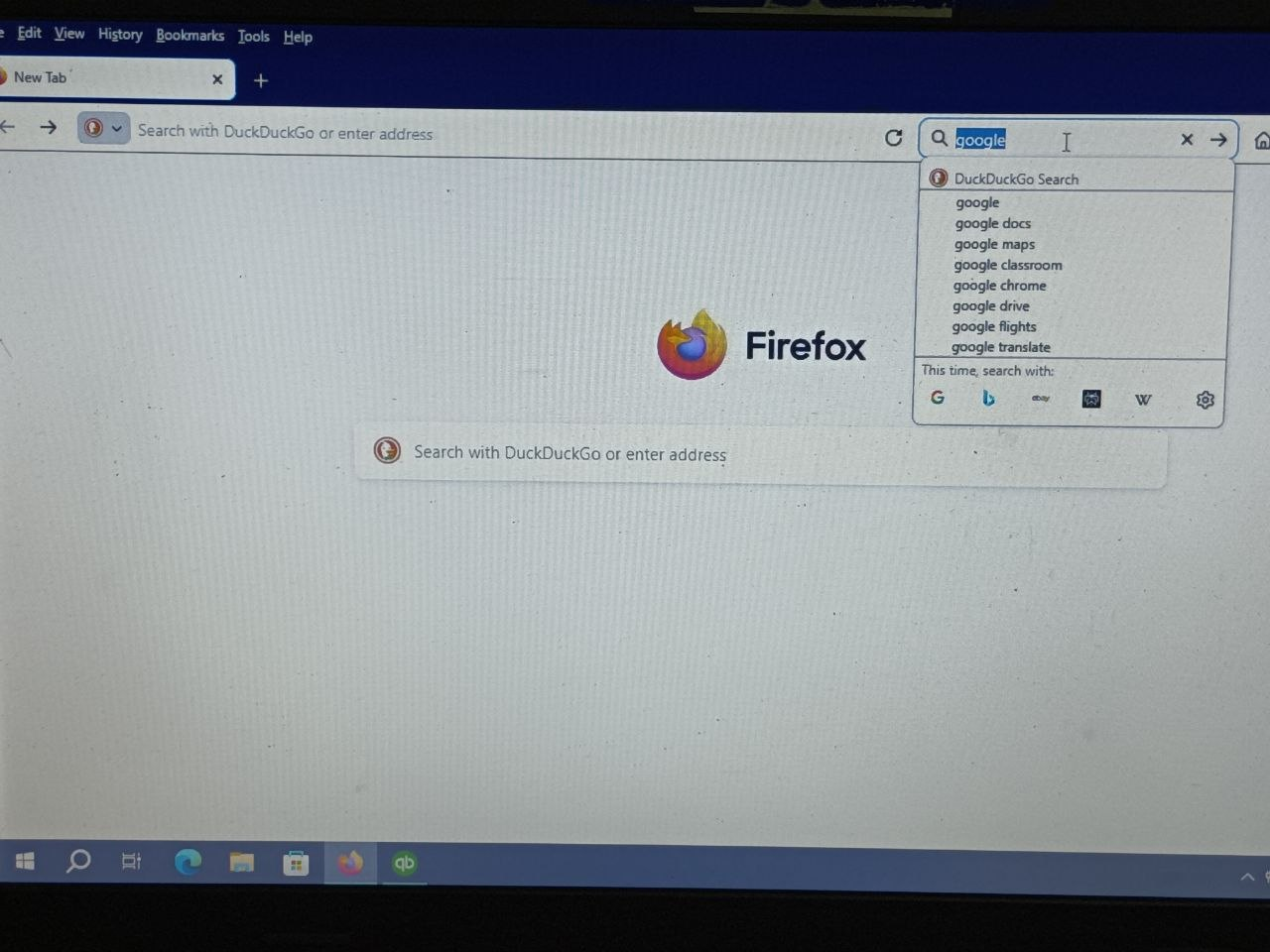
I use the Firefox Search bar a lot (the one that has a magnifying glass). The latest version of Firefox's Search bar seems different and the magnifying glass has been replaced by an icon of my default search engine. Although the old and new Search bar are very similar, the newer one has a larger font, and the search options on the drop down menu have a magnifying glass next to it. It also takes up more space on the browser (not as packed) which I don't like as much. Is there a way to revert to the previous version of the search bar? The first pic is the new search bar and the second is the older version.
I use the Firefox Search bar a lot (the one that has a magnifying glass). The latest version of Firefox's Search bar seems different and the magnifying glass has been replaced by an icon of my default search engine. Although the old and new Search bar are very similar, the newer one has a larger font, and the search options on the drop down menu have a magnifying glass next to it. It also takes up more space on the browser (not as packed) which I don't like as much. Is there a way to revert to the previous version of the search bar? The first pic is the new search bar and the second is the older version.