


Firefox keeps deleting and ignoring policies.
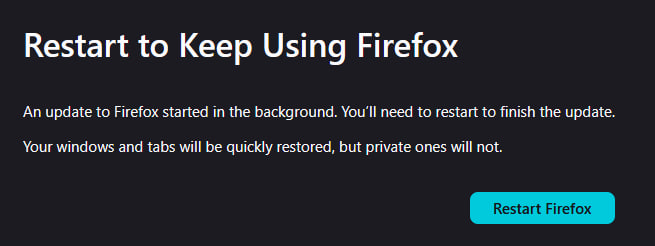
You guys keep hijacking my browser and stopping all my work on a near weekly basis. Shutting down my ability to work on projects and stopping my browser from functioning in the middle of use. I can't even pay bills without you guys interrupting my browser with your bullcrap.
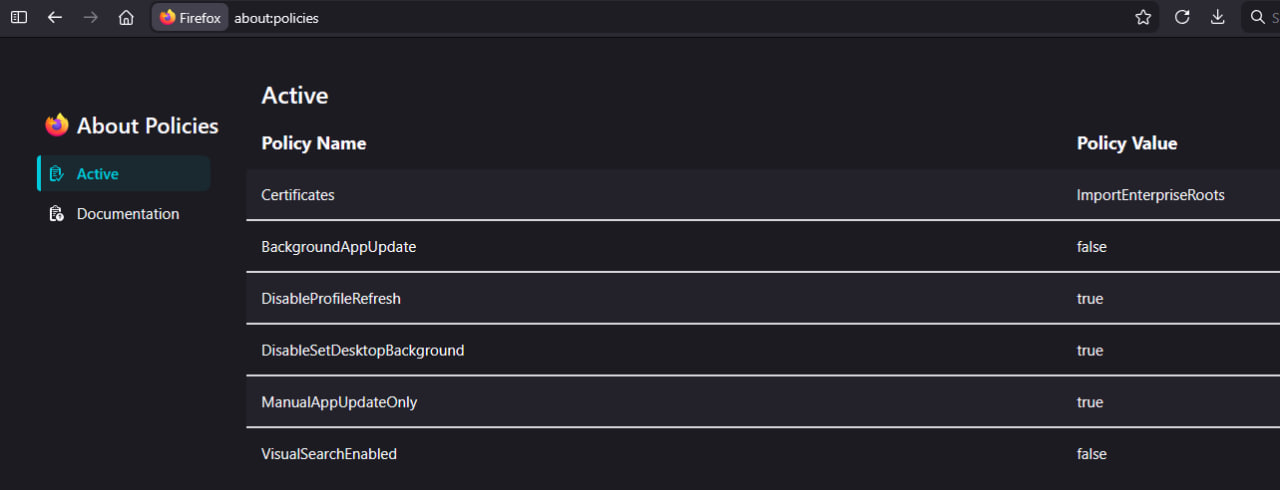
This is unacceptable. I've gone through great lengths trying to stop you from hijacking my browser. I installed a policy generator and followed the instructions to put a policy in. I uninstalled Firefox's background updater tool. I disabled automatic updates in the settings to the best of my ability.
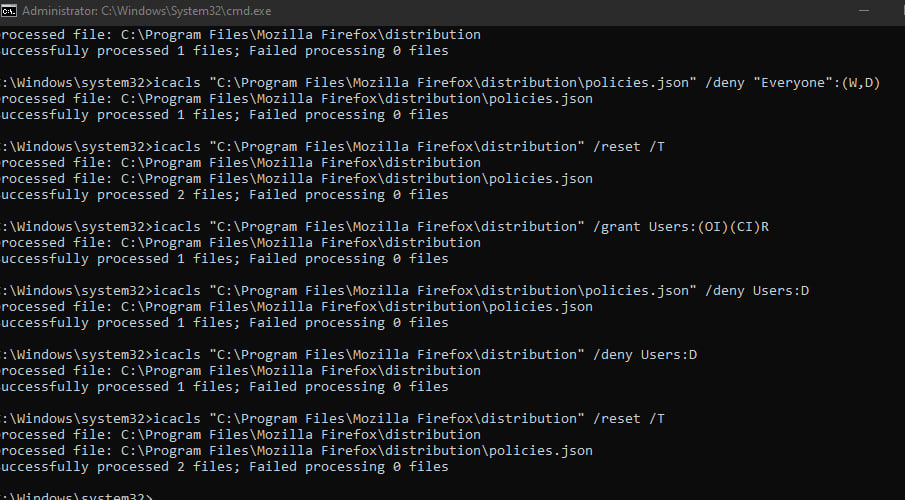
I've gone through everything I can think of trying to stop your forced updates. Its unethical what Mozilla is doing to its users. I even tried to lock policies with admin only authorizations but firefox couldn't read the file anymore when I did that. I did confirm today that the policy file was still working, when Firefox ignored it and shut down my browser till I restarted it. I confirmed that Firefox is blatently ignoring policies.
I just checked and Background Maintnence was installed again when I didn't want it. You're now installing software against my will too? What the hell is going on.
所有回复 (5)
Forgot to mention, after every update, my policies folder and file are deleted. Mozilla is deleting my policies.
Figured out how my policies keep getting deleted. Mozilla deletes the policies file which is easy to use and fast to make, to force you to use GPO instead which is complex and difficult to figure out.
Hello
https://support.mozilla.org/en-US/kb/file-bug-report-or-feature-request-mozilla If you wish, you can send your comment, file a bug report.
Component: Enterprise Policies. https://bugzilla.mozilla.org/buglist.cgi?product=Firefox&component=Enterprise%20Policies
https://support.mozilla.org/en-US/questions/1543786#answer-1786054 to continue this discussion, about, Firefox keeps deleting the policies files.
Firefox keeps deleting and ignoring policies, as far as i know, that never happened to me.
Today, i performed the updates Firefox 146.0 to Firefox 146.0.1. https://www.youtube.com/watch?v=ZBTyOUD_QsY Clarification: at one point in my video, a black screen appears, and that's normal, that's my strategy, the time it takes to answer Yes in the "User Account Control" (UAC) dialog box.
Welp, Mozilla is at it again. The malware "Mozilla Maintenance Service" has self installed once again and I can't stop it from reinstalling its self. It self updated again today and ignored all policies and bypassed my ability to stop it.
Hello
Firefox policies https://mozilla.github.io/policy-template
Firefox keeps deleting and ignoring policies, as far as i know, that never happened to me.
Information page https://support.mozilla.org/en-US/kb/use-troubleshooting-information-page-fix-firefox
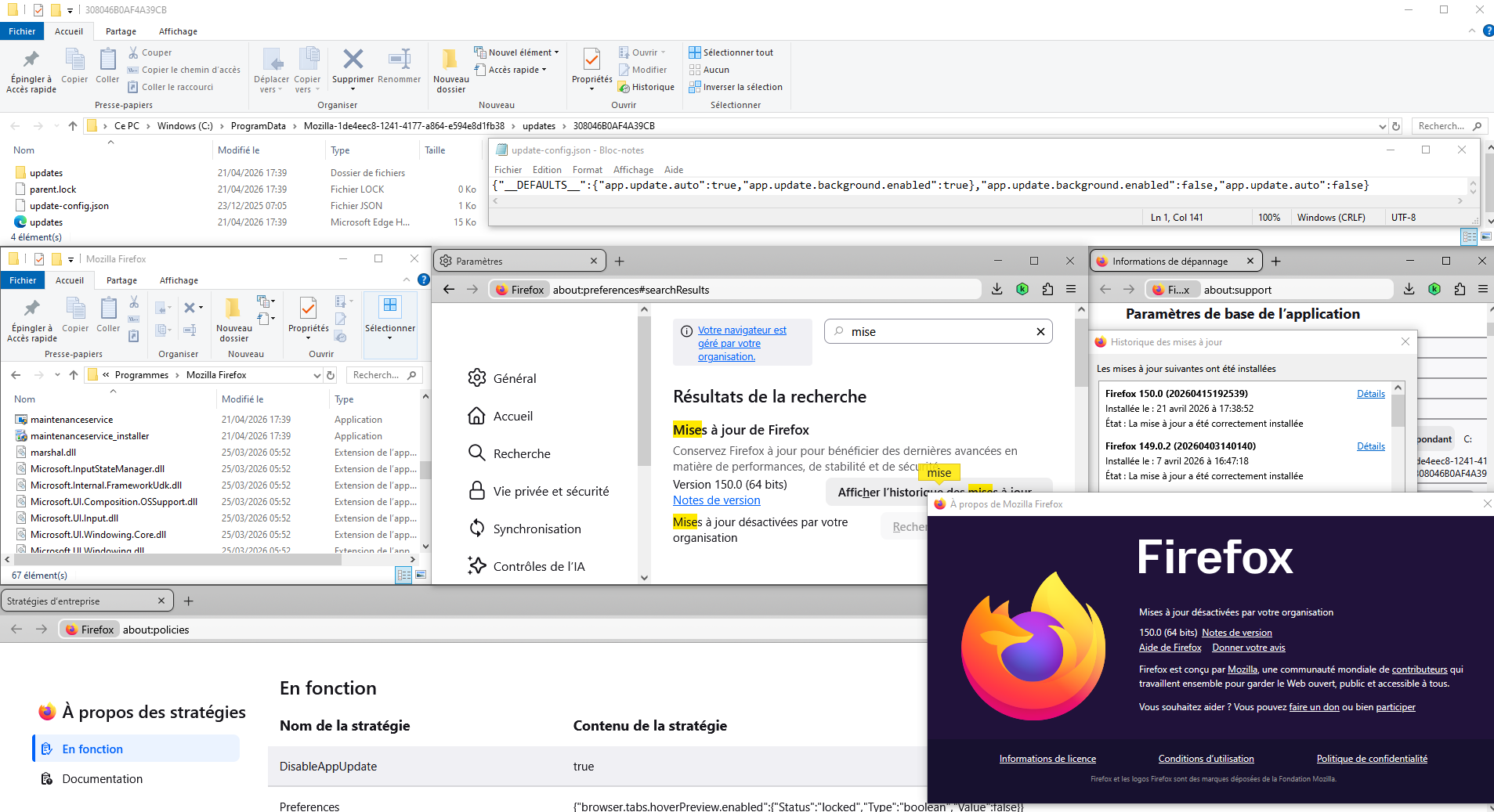
Update Folder: Shows the path to the folder containing the files update-config.json, updates.xml, active-update.xml (if an update was downloaded but not yet applied) and the updates subfolder. Clicking Open Folder will take you to the update folder.
On 21 avril, i set DisableAppUpdate false, to perform app update 150, next, I set DisableAppUpdate true, to disable app update.
由Agent virtuel于修改