

话题已存档。
如果需要帮助请提出新问题。

已解决
已存档
HOW TO ADD EXT TO THE RIBBON UP TOP
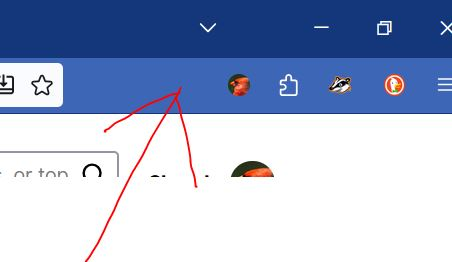
Anyone use LastPass? Do YOU have any hair left? How do I put that extension up at the top. Where my red arrow points? ALSO......
Im entering the email and password i swear dozens of times every day...it never works right, ALWAYS need one or both lines filled in. I DONT CARE IF IT DOESNT WANT ME TO SAVE THE PASSWORD. GOD KNOWS its NOT retaining it! OK, im 75 years old. HAVE I LOST MY MARBLES?
Anyone use LastPass? Do YOU have any hair left?
How do I put that extension up at the top. Where my red arrow points?
ALSO......
Im entering the email and password i swear dozens of times every day...it never works right, ALWAYS need one or both lines filled in. I DONT CARE IF IT DOESNT WANT ME TO SAVE THE PASSWORD. GOD KNOWS its NOT retaining it! OK, im 75 years old. HAVE I LOST MY MARBLES?
所有回复 (4)

选择的解决方案
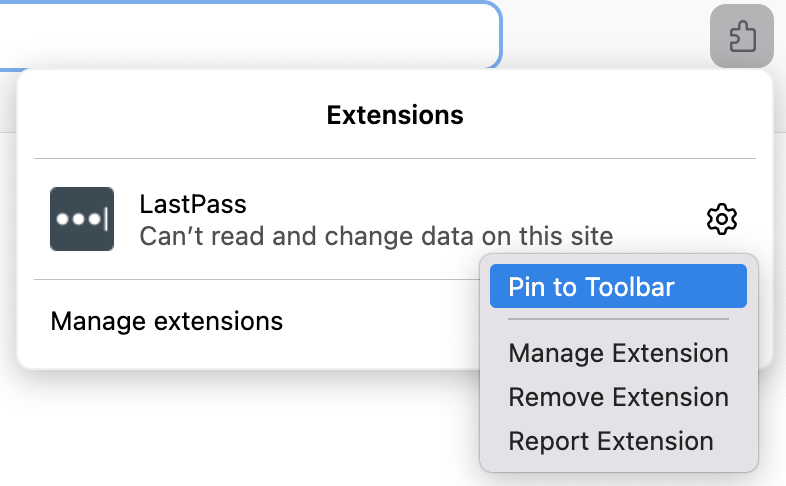
Open the extension panel on the toolbar, click on the Settings icon for LastPass, select Pin to Toolbar.
I get the following message when trying to get my LastPass Icon on the tool bar.
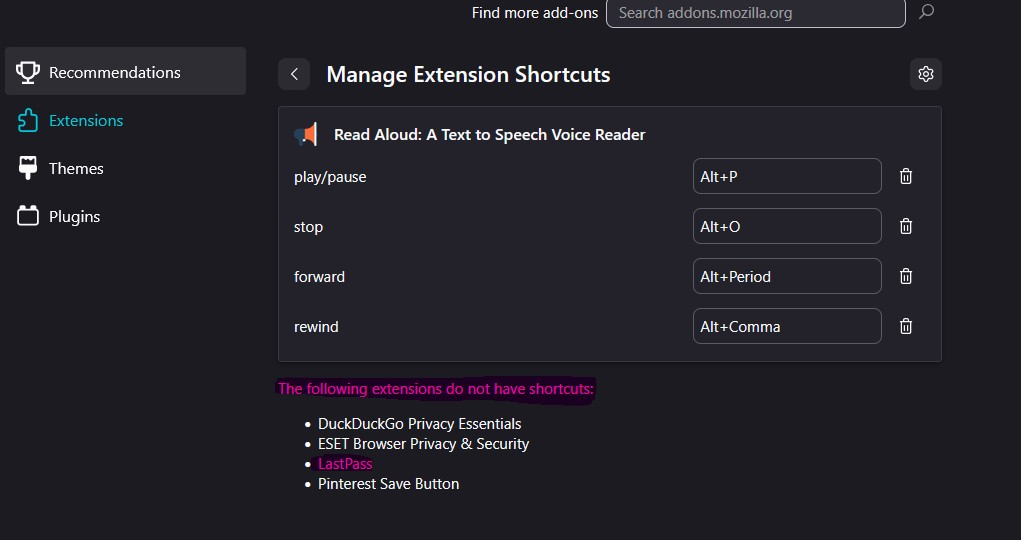
Christina, the extension shortcuts are unrelated to pinning extensions on the toolbar. View the screenshot below:
Additionally, please create a separate thread when you have a question.
Thanks heaps. It is all working well now and I am a happy chappy again!