


Latest versions of FF partially loading some webpages

Im experiencing browsing issues visiting pages with dynamic content in the latest versions of Firefox. Im seeing similar behavior in Firefox desktop and the Firefox Android app. Both apps are running the latest version.
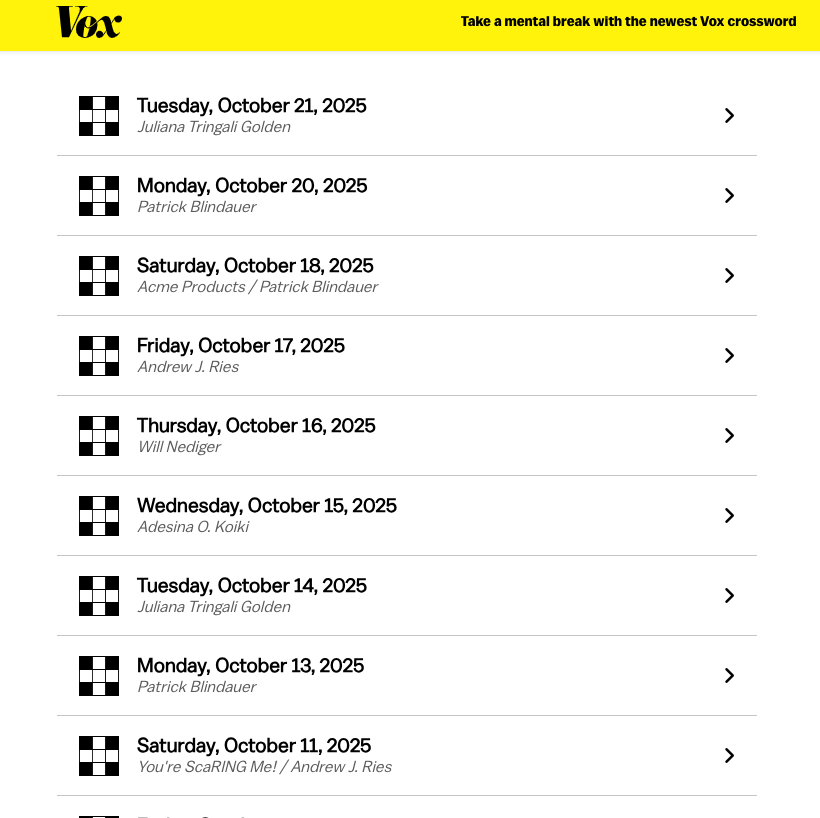
Here is an example page: https://www.vox.com/21523212/crossword-puzzles-free-daily-printable
When I go to this site, I see the text content, but the list of puzzles that comprises the main page of the page is just blank. Same behavior on desktop and mobile. (See first screenshot)
If I use Chrome (desktop or mobile) or Safari (desktop), the page shows up normally with a list of puzzles. (second screenshot from Chrome desktop).
This is happening across a few sites I visit. Most seem to have some kind of dynamic content loading (like the list of puzzles on this page). This seemed to start this past weekend and I first thought it might be related to the AWS issues, but it's not resolved and it seems specific to FF.
Thanks.

所有回复 (5)
Hi,
Please report those issues on WebCompat. We'd also appreciate posting the links to the reports here.
I posted this to web compatibility as requested, although this seems less about broken sites than FF, unless there is some tool that is being used by many sites that has a problem and Chrome is more permissive to that than FF. Here is another site with the same behavior. Works fine on Chrome but I cannot see appointment options on FF (desktop or mobile): https://carrborofamilyvision.net/request-appointment/
Thanks.
Thank you for submitting a report!
Regarding the last website you mentioned, looks like I can see all the options with Firefox Desktop. Here are some standard troubleshooting steps that may solve the issue for you:
- Please check if you have Enhanced Tracking Protection (ETP) enabled. You can do that by clicking the shield
 icon at the left of the address bar.
- If ETP is enabled, try disabling it. Does the problem persist?
- If the problem is not fixed, try clearing Firefox cache. Does it help?
- If it does not help, also try clearing cookies and data for the website you experience troubles with (warning: you will be logged out on this website). Does it help?
- If it also does not help, try running Firefox in Troubleshoot Mode. Does the problem persist?
I was about to follow this up but I now note that FF is loading the Vox page on both my computer and my phone. I have not updated FF, so I assume it was a configuration issue at the site that is now resolved? The dentistry office still has a blank page. (Perhaps the web compatibility report did that?).
FFR, I had tried these things: 1. Loaded with and without enhanced tracking protection on (I use the default setting normally, but also tried strict). No impact on the behavior. 2. Cleared cookies and data for the site. No impact on behavior.
I think we can marked this solved now, although I wish I understood what happened so that when it happens again, I can more on top of how to report it to the correct place. Thanks!
由bob.wray.cic于修改
Glad to hear that!
Regarding the last webpage, I would still recommend trying the Troubleshoot Mode: it disables extensions (as well as several other features) that may cause problems.