


"Your browser is being managed by your organization." I dont work in any organisation

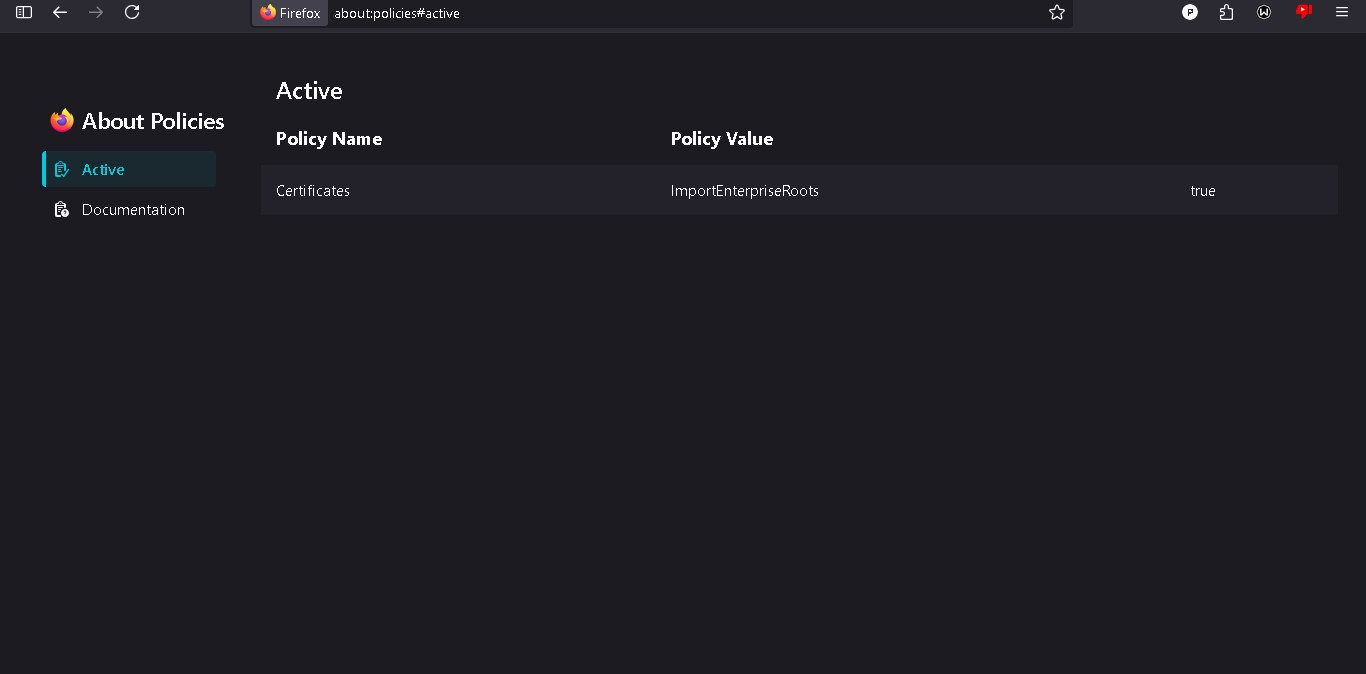
In settings, it says Your browser is being managed by your organization. I clicked it and it led me to the policies page. In there it says Policy Name- Certificates, Policy value- ImportEnterpriseRoots and then true. I neither work in an organisation, nor I have any antivirus in my computer. Why is this happening?
所有回复 (3)

No security and you're still getting this message. Interesting... Where did you get Firefox from? Have a look. https://winaero.com/remove-your-browser-is-being-managed-by-your-organization-from-firefox/
Sorry for the late reply. I got firefox from the official website I tried all methods in the link: 1) There was no mention of the policy in the folder mentioned in registry editor. 2) I couldn't find the policies.json folder anywhere 3) The policy is not mentioned in about:config 4) I tried removing all extensions(and restarting my entire pc) and it didn't work
Could it be because I have a firefox fork named Ablaze Floorp installed? I have a bad and old laptop and that's why I dont like using antiviruses(they slow it down a LOT). I have to disable real-time protection just so it works, yes I know it is risky but it uses up a lot of memory and cpu when enabled. Laptop specs: i3-5005u 4gb ram Intel HD5500
Could this policy be due to a virus?

Hi there,
This is usually, in fact, caused by anti-virus software, as their "web protection" modules are injecting their own certificates into the trust store of the operating system, and to use those certificates in Firefox, this ImportEnterpriseRoots policy must be set.
By the way, you can just ignore the notice if you want. It's not an issue per se, just a heads up.
Regards, Balázs