


V141 Windows 11 Desktop

My TB upgraded to V141 today and I lost my google calendar and maybe my contacts too. The contacts are there but I don't think that they are syncing anymore. Calendar appointments missing altogether.
选择的解决方案
The settings are correct, except Google recommends for deletions: Just mark it as deleted. I don't know if this has any effect on the ghost images. A quick search shows that some users avoid the duplication by unsubscribing All Mail, a standard option. Duplicate sent messages can be avoided by unchecking 'Place a copy in' in Account Settings, Copies & Folders, and subscribing Sent Mail, where gmail automatically copies sent mail.
If none of that helps, I would remove the account, restart TB, and re-add it.
所有回复 (9)
Picture attached
Google Contacts and Calendar can be added without add-ons. ⩸ - New Account - Calendar - On the Network - enter gmail address - calendars autodetected. Or, New Account - New Address Book - CardDAV Address Book - enter gmail address - contacts autodetected.
Thanks much sfhowes!! That got my calendar back. I wonder if you can also answer this question.
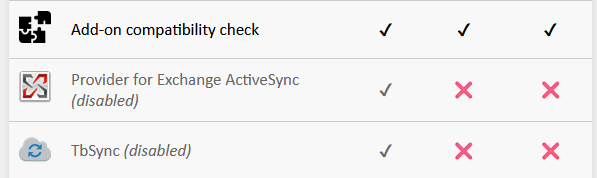
I am also syncing my outlook.com calendar - Canadian Holidays with TB. I have TB Sync and Provider for exchange extensions installed but turned off. Can I safely remove them and still retain my Outlook calendar holidays? Is the process as seamless for the Outlook holidays calendar?
Mike
sfhowes said
Google Contacts and Calendar can be added without add-ons. ⩸ - New Account - Calendar - On the Network - enter gmail address - calendars autodetected. Or, New Account - New Address Book - CardDAV Address Book - enter gmail address - contacts autodetected.
I managed to install TBSync and Provider for EAS in 141 from here:
https://github.com/jobisoft/TbSync/issues/748#issuecomment-3104172904
but was unable to add my Hotmail account (works in TB 128). Other users appear to have installed it in 141, but not sure if they have been able to add an account.
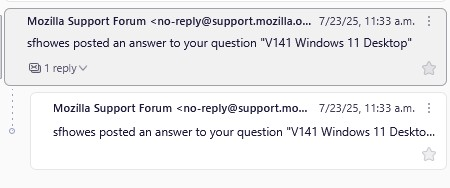
The only problem is that now that I've added the Google calendar, I get a ghost of every Google email coming into TB. They come in as a reply, but they are the same. If I delete the reply, it also deletes the original message but leaves a blank ghost image to show there was a message there. If I navigate to a different folder and come back, the ghosts are gone.
由Mike于修改
Not sure what's happening with your mail account, which shouldn't be affected by adding the calendar. Perhaps explain how you added the account, POP or IMAP, and post the server settings.
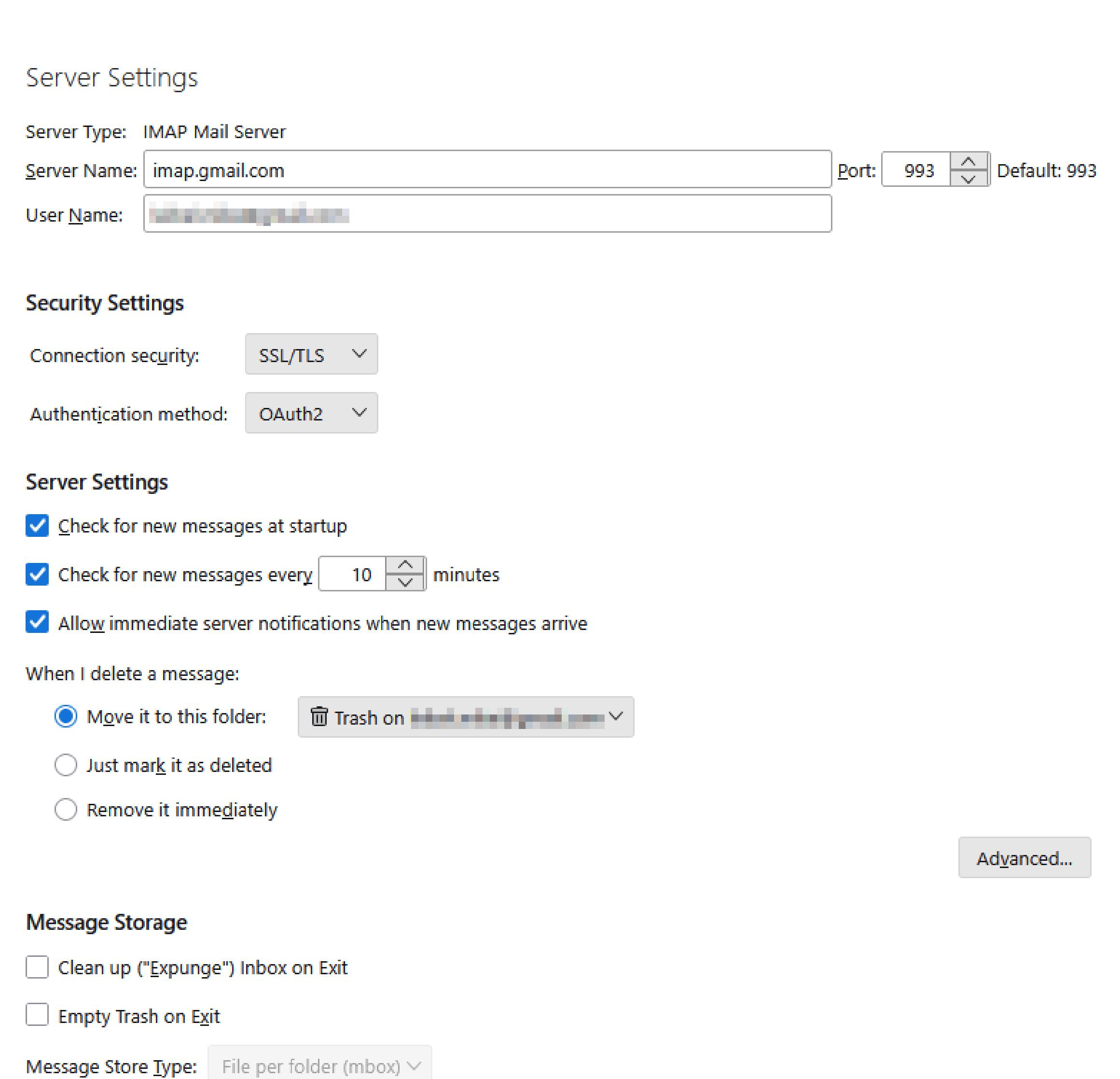
My gmail acct is IMAP - Server settings attached
选择的解决方案
The settings are correct, except Google recommends for deletions: Just mark it as deleted. I don't know if this has any effect on the ghost images. A quick search shows that some users avoid the duplication by unsubscribing All Mail, a standard option. Duplicate sent messages can be avoided by unchecking 'Place a copy in' in Account Settings, Copies & Folders, and subscribing Sent Mail, where gmail automatically copies sent mail.
If none of that helps, I would remove the account, restart TB, and re-add it.
One of these solutions solved the duplicate gmails issue. I'm not sure which and don't want to touch it now that it seems to be stable for a while.
Firstly I went to View > Sort By > uncheck Threaded if it's on. (centre column) I also turned off (Right Click account - Server Settings>Advanced) “Show only subscribed folders”.
That became checked on it's own again it seems so probably the threaded view was the culprit.