


Disable prompt to generate a secure password

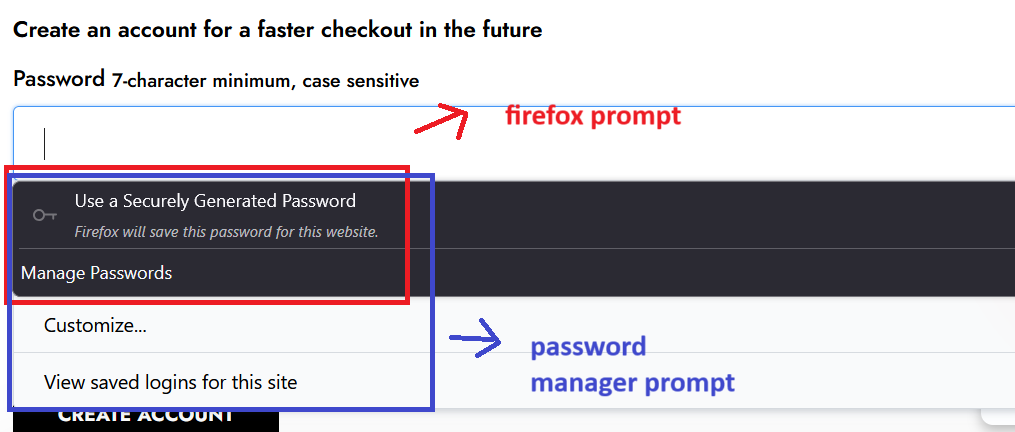
I use an independent password manager to store my passwords and prefer it over Firefox's because it has a highly customizable generator for creating new passwords. However whenever I am on a new site, Firefox pops up with a prompt to generate a secure new password (it appears as a drop-down from the item text box). My password manager also creates a pop up/drop down, but it is hidden behind Firefox's and I cannot access it. I need to be able to disable the secure password generator prompt. Please take a look at my excellently annotated screenshot, attached.
所有回复 (3)
选择的解决方案
Could you try this:
On the Settings page, in the tiny search box, type strong pass to filter the page.
Uncheck the box for "Suggest strong passwords"
Does that eliminate the suggestion?
Actually, if you don't intend to use the built-in password manager, you can just completely turn it off in that section section of the Settings page.
Thank you! Couldn't find that checkbox, thank you for pointing me to it.