


Can't Install Thunderbird on Mac running High Sierra

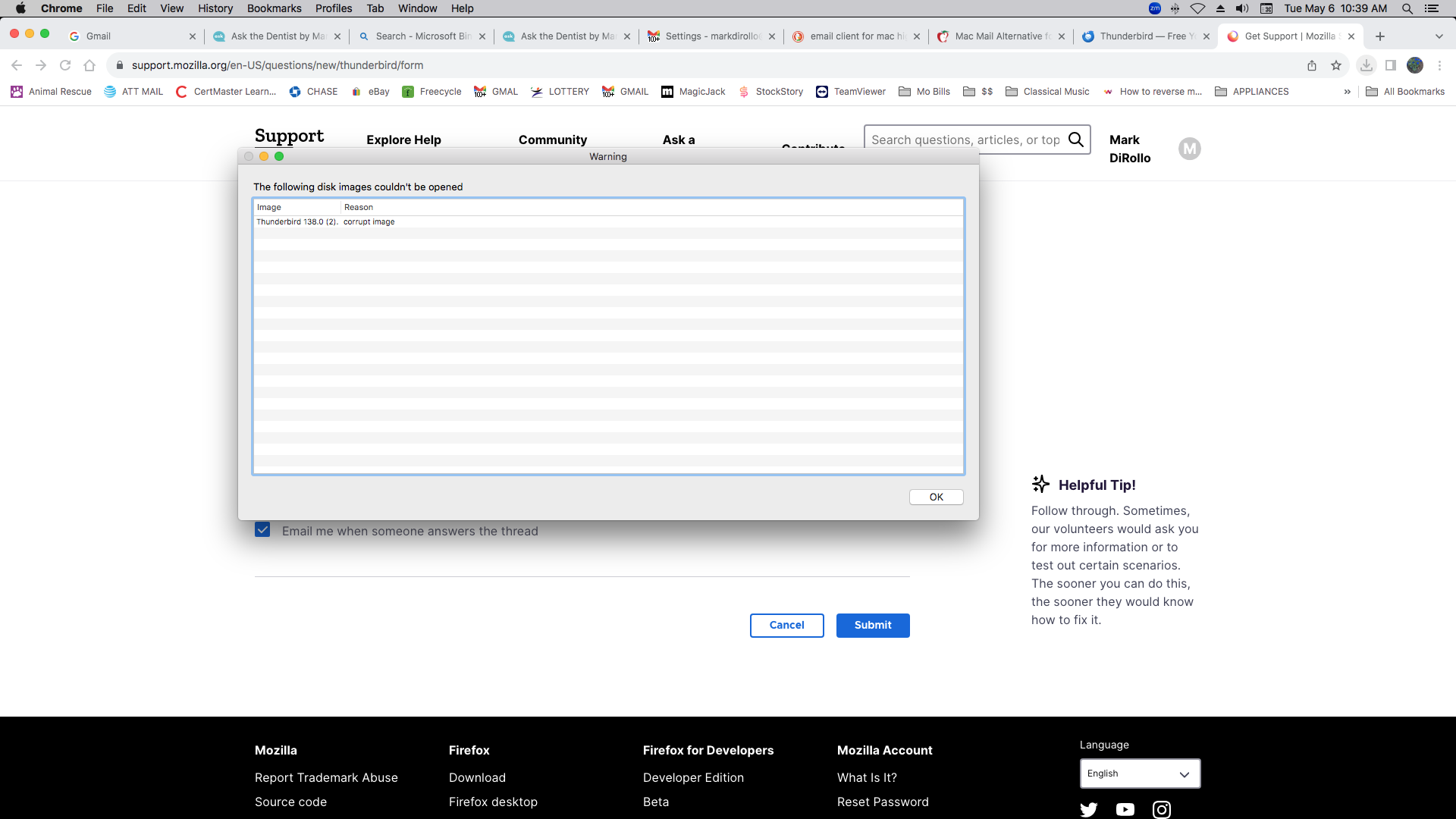
Greetings to all, I'm trying to install the Thunderbird email client on a Mac that is running High Sierra. I have downloaded the installation package 3 times from the Thunderbird.net website but each time I try to open one of the .dmg packages I get an error that states the image is corrupt and cannot be opened. Is there something I'm doing wrong?
被采纳的解决方案
Both Thunderbird and Firefox versions from 116.0 and later requires macOS 10.15 (ten.fifteen) or later to run.
For macOS 10.12, 10.13, 10.14 the most current version of Thunderbird you can run is 115.18.0esr which is eol in updates.
You can download the Thunderbird 115.18.0.dmg from below. https://archive.mozilla.org/pub/thunderbird/releases/115.18.0/mac/en-US/ other language folders at https://archive.mozilla.org/pub/thunderbird/releases/115.18.0/mac/
For Firefox the most current you can run is Firefox 115 ESR currently at 115.23.0esr and will be updated till 115.27.0esr in August unless Mozilla extends updates again. https://archive.mozilla.org/pub/firefox/releases/115.23.0esr/mac/
所有回复 (2)
选择的解决方案
Both Thunderbird and Firefox versions from 116.0 and later requires macOS 10.15 (ten.fifteen) or later to run.
For macOS 10.12, 10.13, 10.14 the most current version of Thunderbird you can run is 115.18.0esr which is eol in updates.
You can download the Thunderbird 115.18.0.dmg from below. https://archive.mozilla.org/pub/thunderbird/releases/115.18.0/mac/en-US/ other language folders at https://archive.mozilla.org/pub/thunderbird/releases/115.18.0/mac/
For Firefox the most current you can run is Firefox 115 ESR currently at 115.23.0esr and will be updated till 115.27.0esr in August unless Mozilla extends updates again. https://archive.mozilla.org/pub/firefox/releases/115.23.0esr/mac/
Thank you James for your response. Unfortunately, it wasn't till shortly after I posted this question that I then found the same solution you suggest. I went ahead and downloaded Thunderbird 115.18.0 and it installed perfectly. I now have a working email app/client on my old (but still running very well) MAC High Sierra desktop. I inherited this machine from a friend. It actually belonged to his father who passed away. Neither my friend nor any member of his family wanted it - so I got it and am thrilled to have it. I wiped it clean and did a fresh install of High Sierra. With 16gb of ram and a 1TB hard drive it more than serves its limited purpose for the occasional Zoom meeting, browsing the web, email and solitaire. I have two other newer PC's for my more demanding tasks - I just couldn't see tossing this lovely mac into the landfill. Anyway, thanks for your suggestion and your help. This was the solution that worked. Cheers, Mark