


swipe options not working on emails on android

Hi Have used thunderbird on pc for years no probs. Just downloaded TB to android 14 and swipe options don't work except for delete. How can I get the other options to work? Thanks
所有回复 (4)

"Settings" > "General settings" > "Interaction" > "Swipe actions" > configure actions for "Right swipe" and "Left swipe".
Is the above what you want to know?
Yes I've done that but there are no options to choose for L or R except delete. There is also no folder option for spam which is also not included in any swipe options.
My Thunderbird works fine. (Please see the attached image.) I am sorry. It is beyond my knowledge now. I cannot help you further.
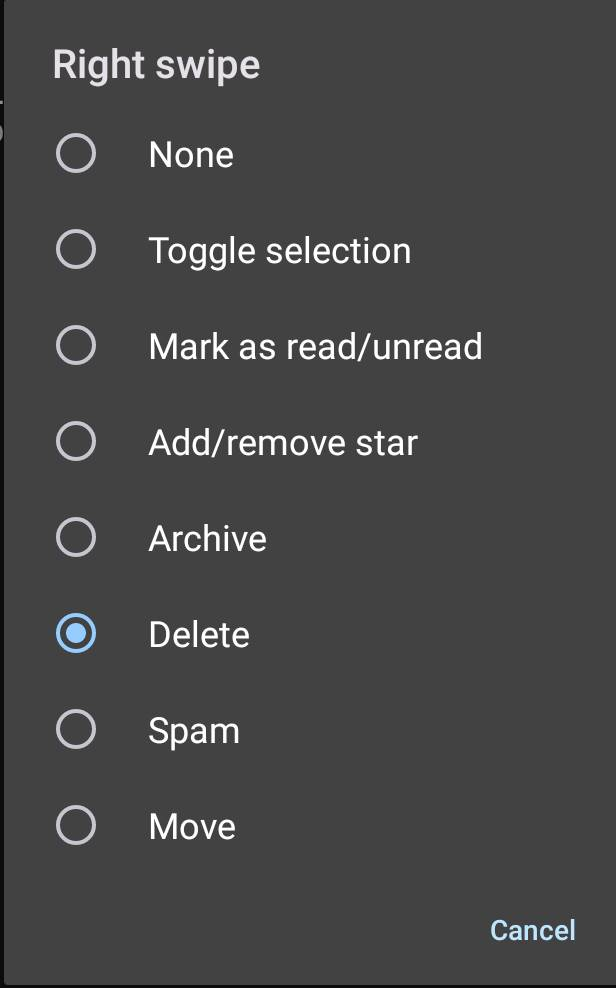
Thanks for your help. Yes I get the same options as your image without the spam, but only delete appears when I swipe. I have all this ok in5 PC but not on android. Thanks for your help anyway.