


Windows 10 reached EOS (end of support) on October 14, 2025. If you are on Windows 10, see this article.

搜索 | 用户支持

防范以用户支持为名的诈骗。我们绝对不会要求您拨打电话或发送短信,及提供任何个人信息。请使用“举报滥用”选项报告涉及违规的行为。

详细了解

NordPass browser extension will not allow login

  • 1 个回答
  • 0 人有此问题
  • 189 次查看
  • 最后回复者为 markwarner22

Hello, I'm having a problem with the NordPass Firefox browser extension. I have already troubleshot this issue with NordPass and they are passing it off as a Firefox problem.

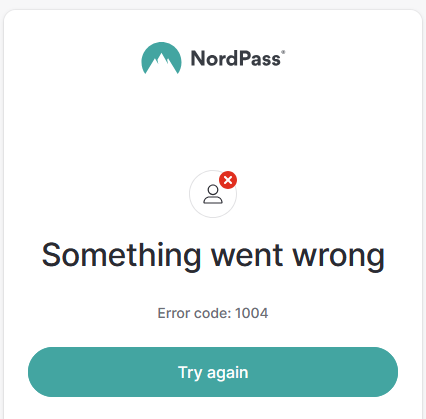
Issue: When logging into the NordPass browser extension, my username and password are accepted, then Cloudflare does a human verification, then the extension throws error 1004 (Something went wrong) [screenshot of error attached].

Troubleshooting: - Tried updating Firefox to latest version - Tried clearing cache/cookies - Tried uninstalling/reinstalling browser extension - Tried uninstalling/reinstalling firefox

Additional: - Dell Optiplex 7090 running Windows 10 Pro - Issue is specific to this computer only - Extension was working as recently as 2 weeks ago - Currently, NordPass allows me to sign in successfully on my phone, in Chrome browser extension on affected computer, and in Firefox browser extension on different computer.

Latest answer from NordPass team: [Please note that our developers have investigated provided logs and traces, however, there is nothing wrong with the backend flow - it looks like there is an issue with localStorage or cookies as the NordPass extension is not able to fetch properly the token obtained from NordAccount login flow. As this is not reproducible on other platforms and traces do not show anything else, we can only suggest the verification of extension/firefox browser configuration, especially in terms of cookies, local storage and session.]

Any suggestions on root cause, or settings changes to fix this issue are appreciated.
Hello, I'm having a problem with the NordPass Firefox browser extension. I have already troubleshot this issue with NordPass and they are passing it off as a Firefox problem. Issue: When logging into the NordPass browser extension, my username and password are accepted, then Cloudflare does a human verification, then the extension throws error 1004 (Something went wrong) [screenshot of error attached]. Troubleshooting: - Tried updating Firefox to latest version - Tried clearing cache/cookies - Tried uninstalling/reinstalling browser extension - Tried uninstalling/reinstalling firefox Additional: - Dell Optiplex 7090 running Windows 10 Pro - Issue is specific to this computer only - Extension was working as recently as 2 weeks ago - Currently, NordPass allows me to sign in successfully on my phone, in Chrome browser extension on affected computer, and in Firefox browser extension on different computer. Latest answer from NordPass team: [Please note that our developers have investigated provided logs and traces, however, there is nothing wrong with the backend flow - it looks like there is an issue with localStorage or cookies as the NordPass extension is not able to fetch properly the token obtained from NordAccount login flow. As this is not reproducible on other platforms and traces do not show anything else, we can only suggest the verification of extension/firefox browser configuration, especially in terms of cookies, local storage and session.] Any suggestions on root cause, or settings changes to fix this issue are appreciated.
已附加屏幕截图

所有回复 (1)

That is a Nordpass support to resolve that issue.