


my freenet account cannot send emails with thunderbird
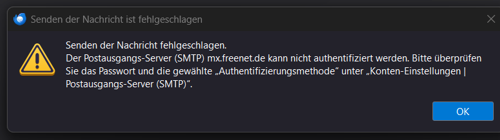
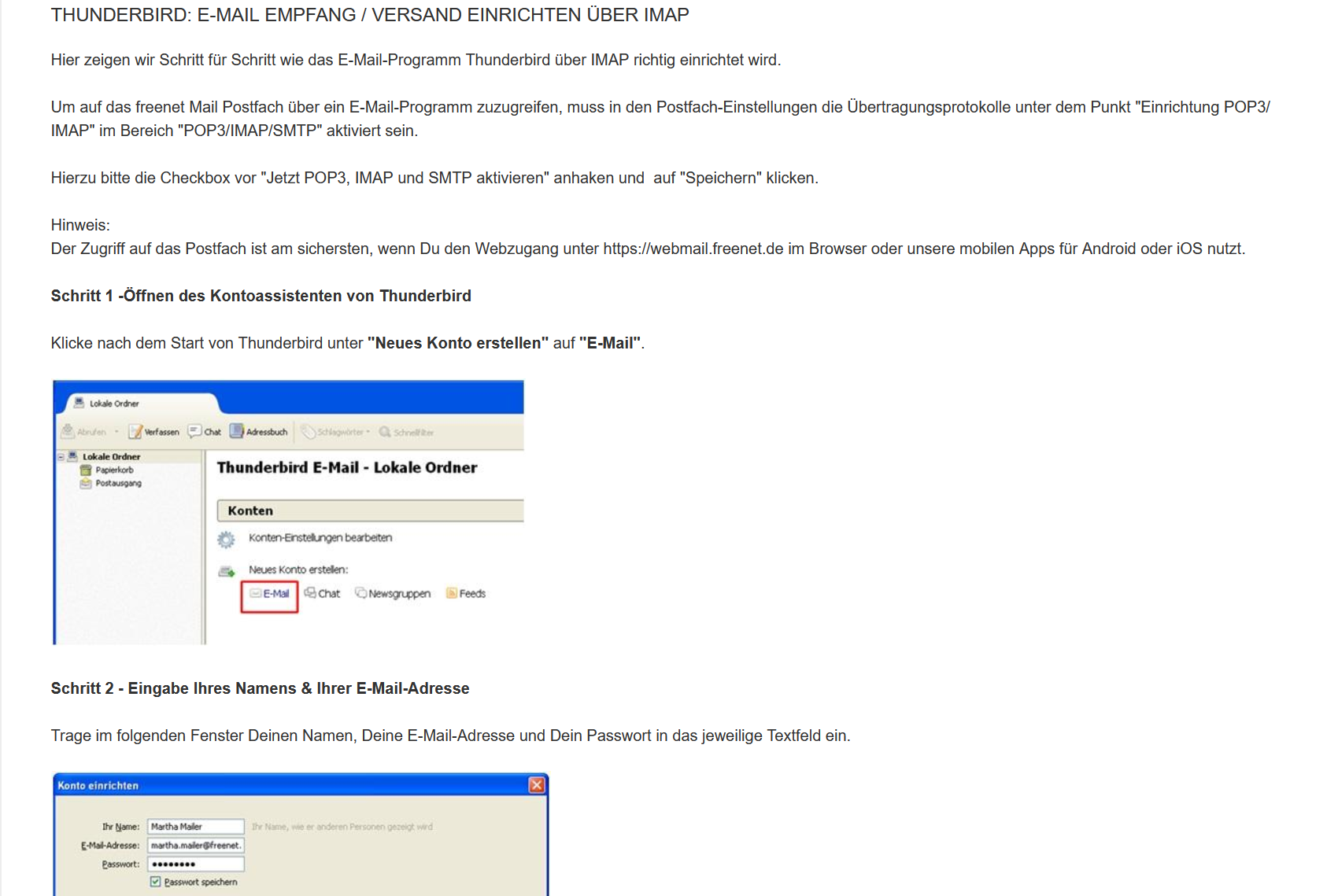
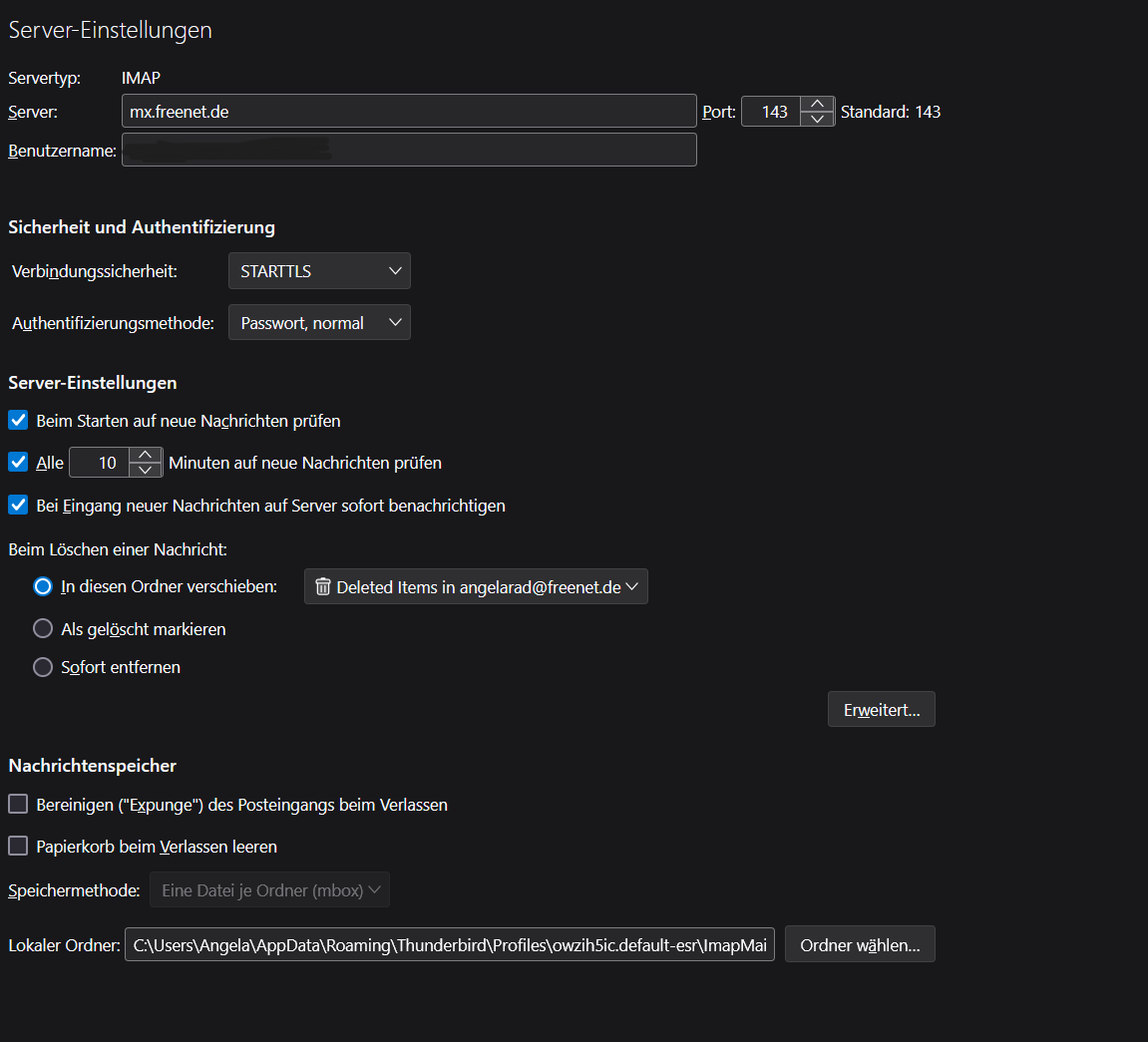
My freenet account cannot send emails with Thunderbird. What is set up wrong? I set it up according to the template provided by freenet customer service. screenshots are attached. I have blacked out my name and email address.


所有回复 (1)
If you have a VPN enabled then disable it because many servers do not like it if they cannot detect a correct IP address - they think a hacker is trying to access account, so server blocks access.
Check Firewall This might be the default on computer or controlled by your Anti-Virus. The Thunderbird program must be set up as an allowed program.
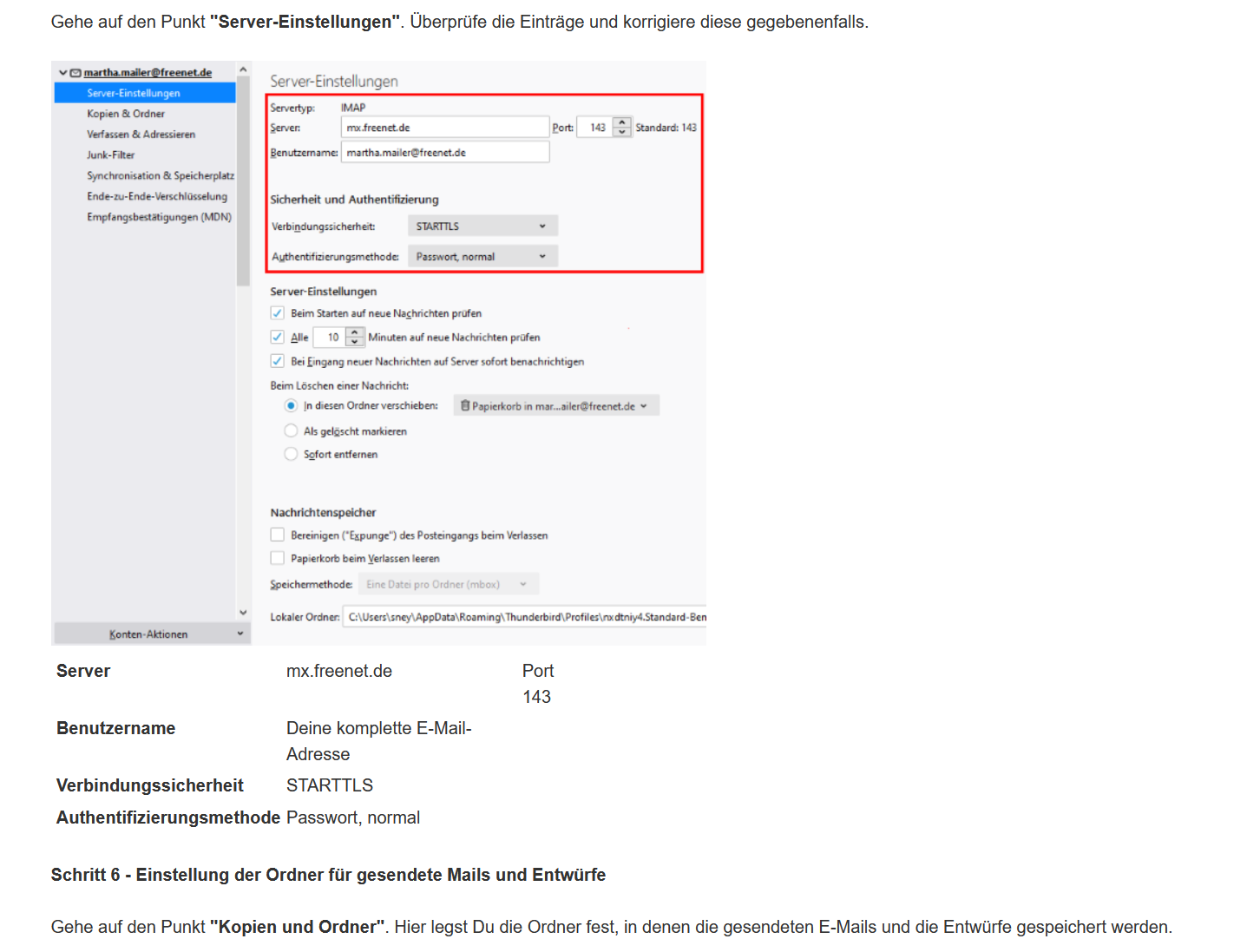
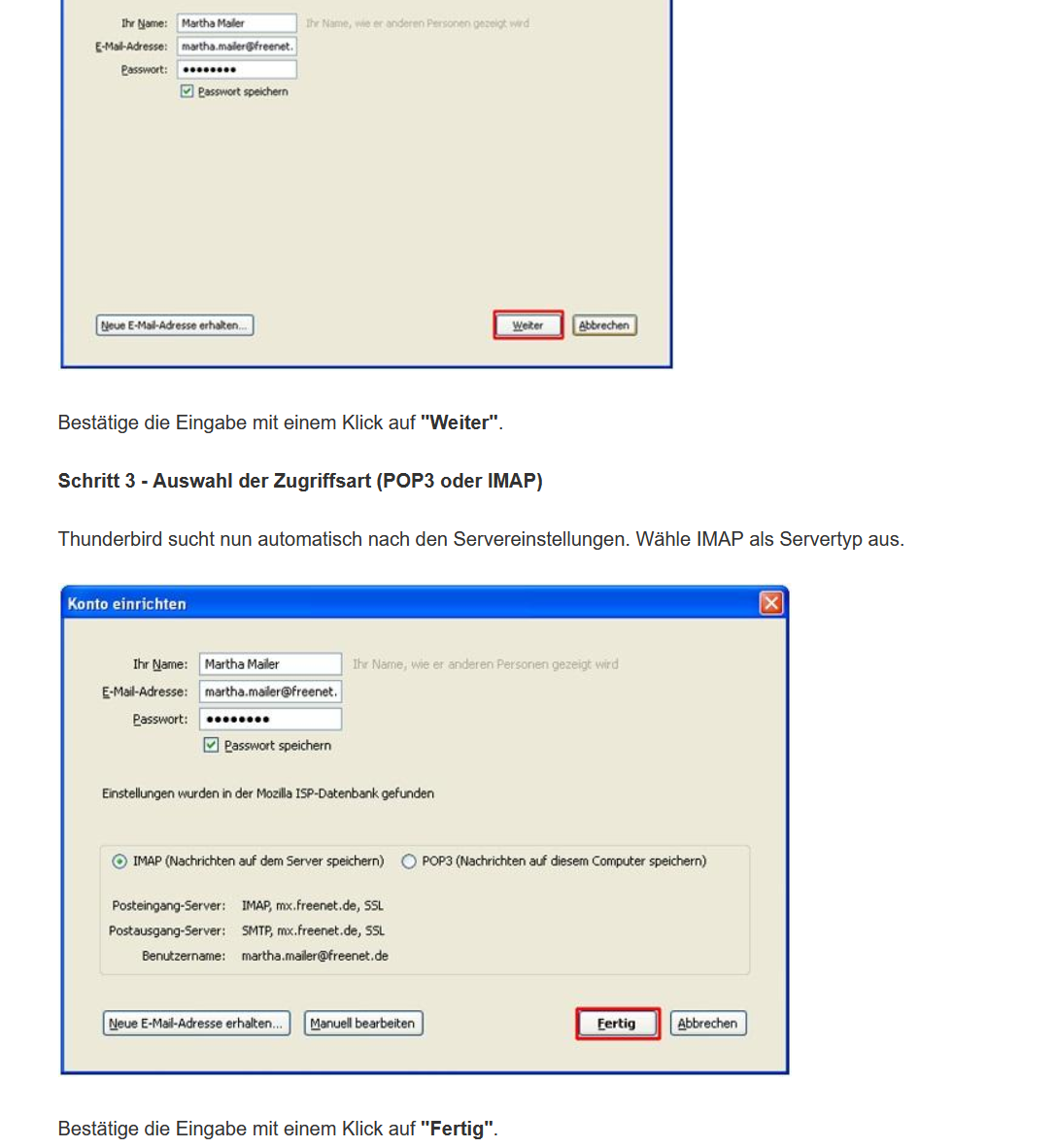
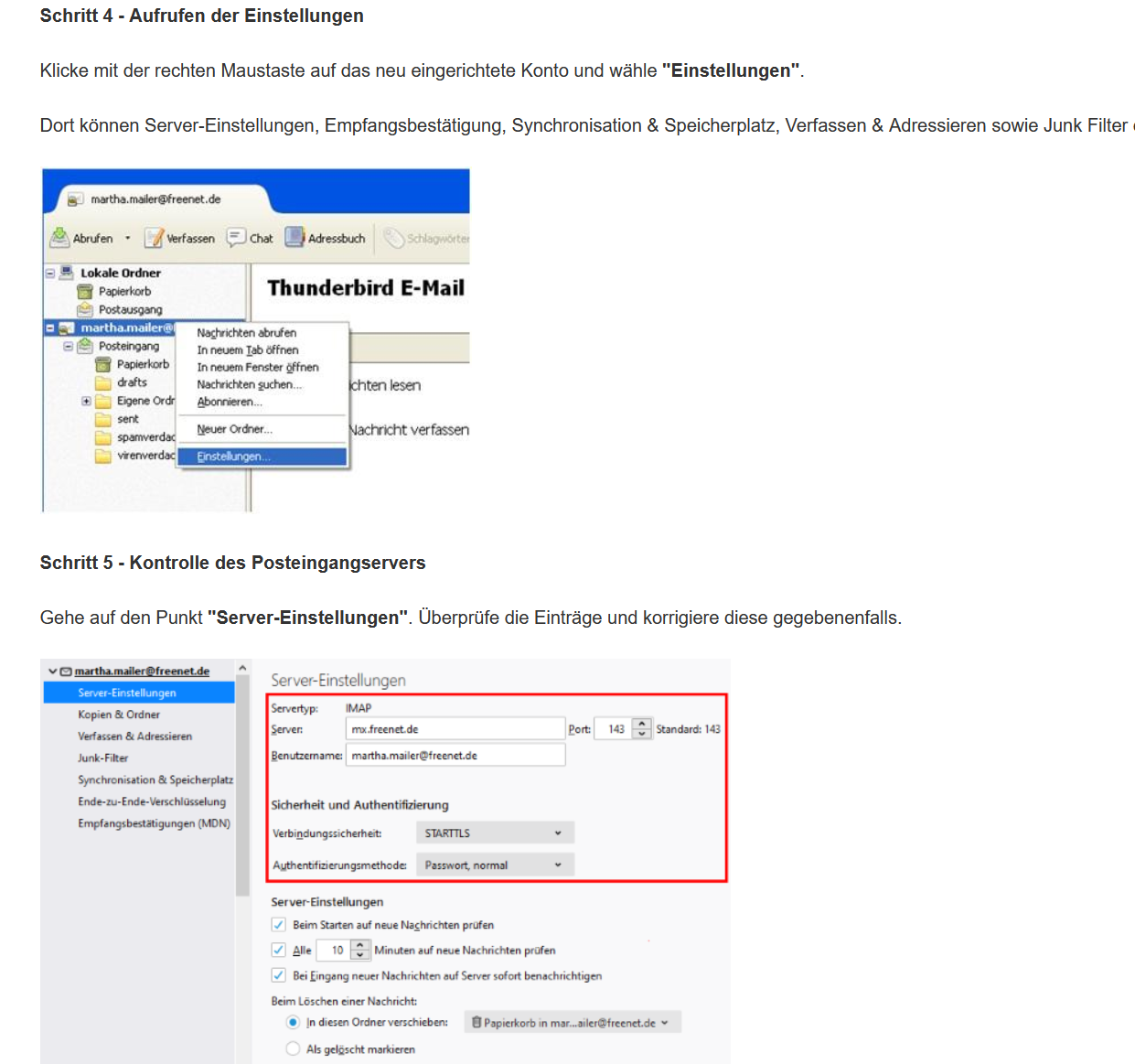
These are the correct Freenet.de (Freenet Mail) server settings: I notice your incoming server settings are not set up as advised. I recommend you use the secure settings.
IMAP
- Server Name : mx.freenet.de
- port 993
- Username : full email address
- Connection Security: SSL / TLS
- Authentication Method: Normal Password
- password Your Freenet.de password
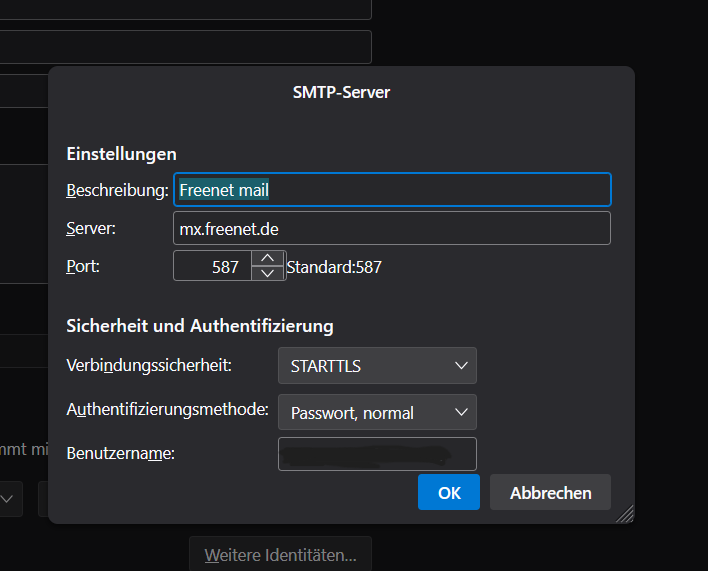
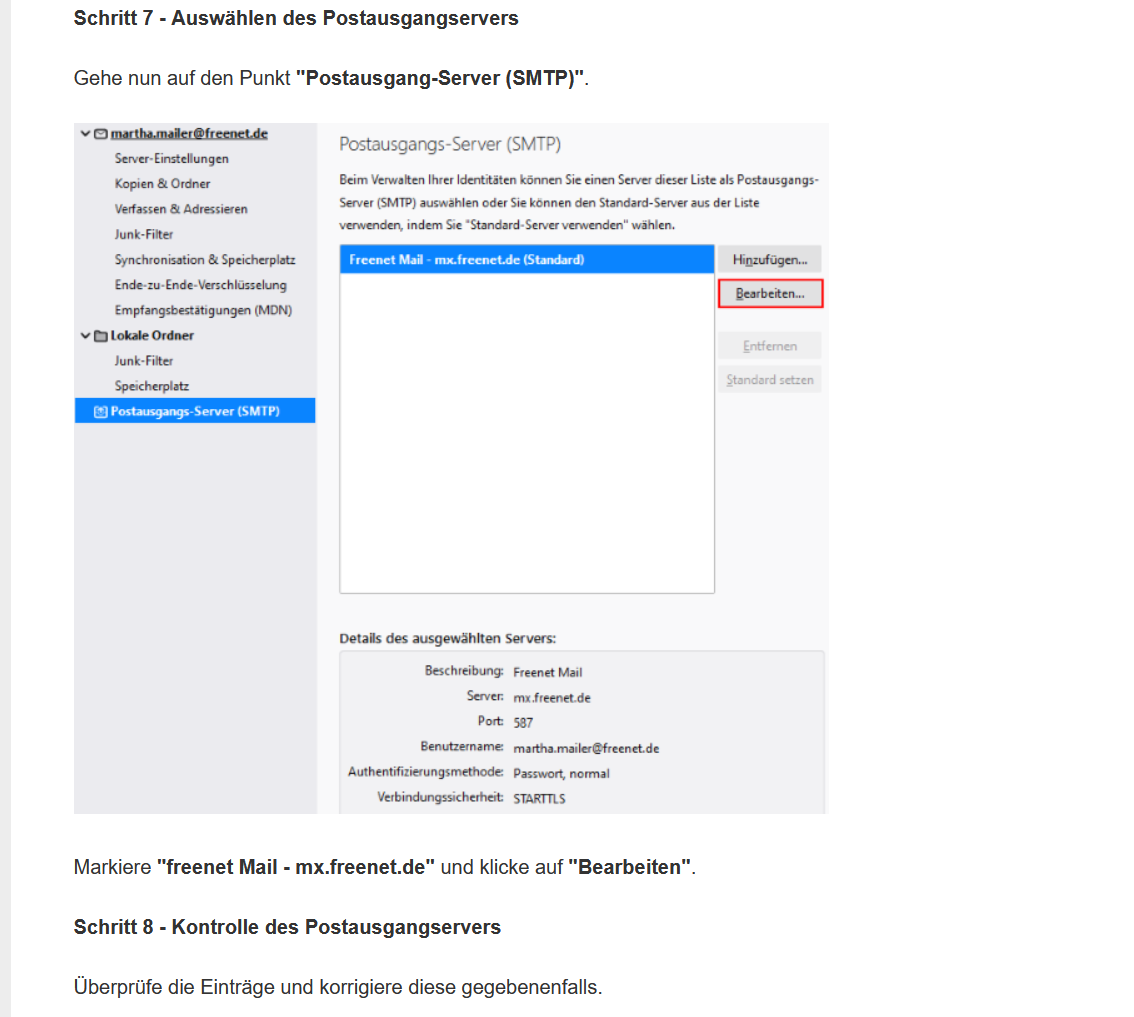
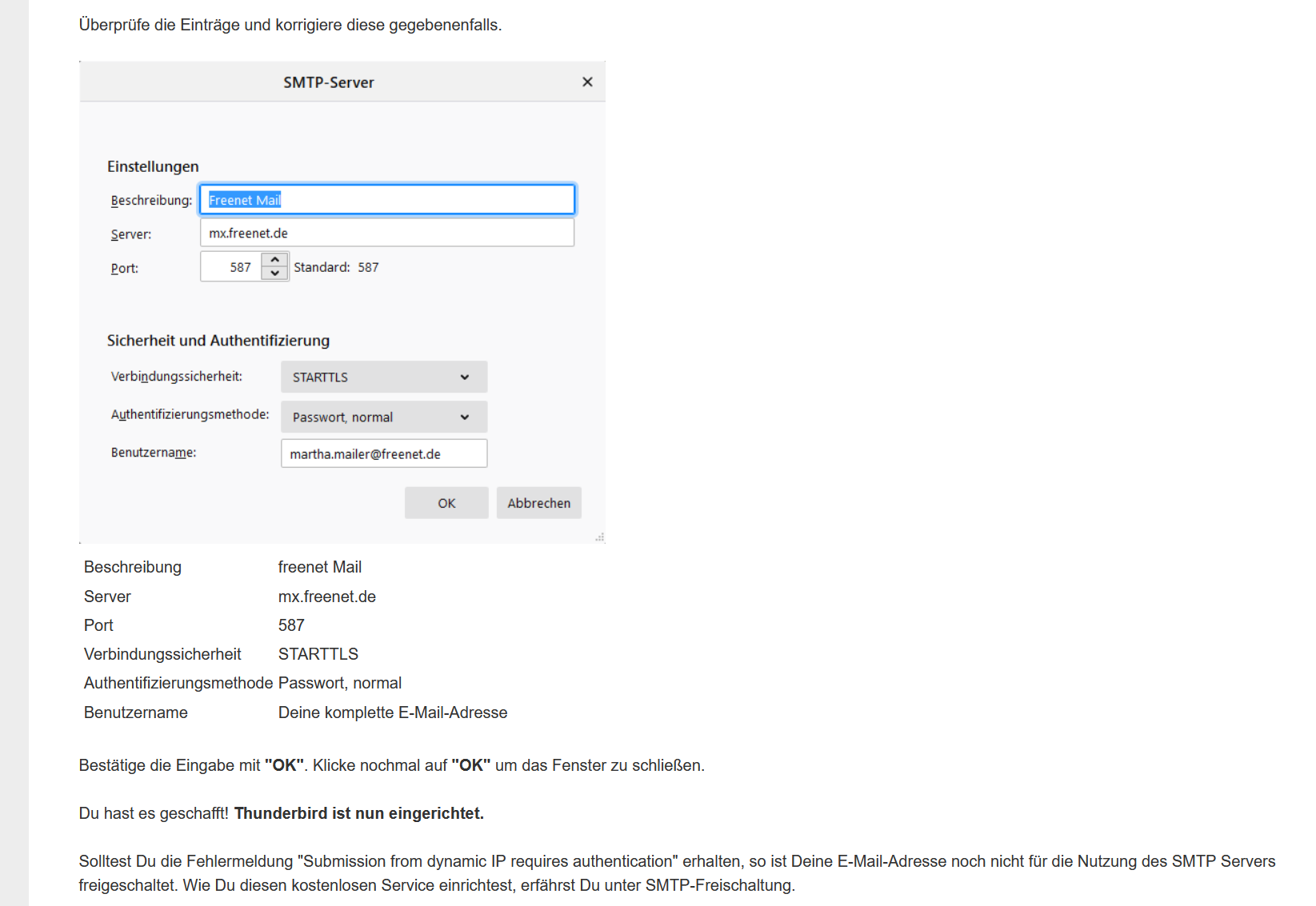
SMTP
- Server name : mx.freenet.de
- port 587
- Connection Security: STARTTLS
- Authentication Method: Normal Password
- password Your Freenet.de password
Check you have the correct password stored in Thunderbird and edit if required.
- Settings > Privacy & Security
- Scroll down to Passwords section
- Click on 'Saved Passwords' button
- Click on 'Show Passwords' button
Enter password if prompted - this has nothing to do with mail account passwords. If you have previously set up to use a 'Primary Password' then it is asking for that password. If you have not set Primary Password then...when you start up computer you are asked to enter a User Account or Microsoft password - that is the password required.
For the SMTP://account... Right click on that line and select 'Edit Password' Completely remove all content and then carefully type in the correct one which should be the same as the incoming and same password you use to access mail via webmail account using a browser. Check the username is also correct for the smtp line and edit if required. Right click on that line and select 'Edit Username' - same process.
click on 'Close'
Exit Thunderbird - wait a short while for background processes to update files and then start Thunderbird.
What Anti-Virus product are you using ? There have been many reports of issues with Bitdefender.