


Windows 10 已于2025年10月14日停止支持。如果您正在使用 Windows 10,参见 这篇文章

Windows 10 reached EOS (end of support) on October 14, 2025. If you are on Windows 10, see this article.

搜索 | 用户支持

防范以用户支持为名的诈骗。我们绝对不会要求您拨打电话或发送短信,及提供任何个人信息。请使用“举报滥用”选项报告涉及违规的行为。

详细了解
已存档

Subtitles and rewind/fast-forward not following Picture-in-Picture mode for Disney+

amyemonsen

I've been having an issue with picture-in-picture (PiP) mode where the subtitles and rewind/fast-forward buttons (rr/ff) won't follow the video into the small player for Disney+ specifically. I have no issues with YouTube or any other site. The subtitles and rr/ff just stay with the original video player on the site while the video is in PiP mode. I can see the subtitle button on the PiP player, but it is grayed out and I can't click it. I've updated both Firefox and my computer (Windows 11) and reinstalled Firefox, cleared cookies and cache, and still no dice. Any advice? Thanks!

(In the screenshot, the PiP player isn't showing video, but I think that's just because of Disney's anti-piracy software - I can see the video in the PiP player on my screen.)
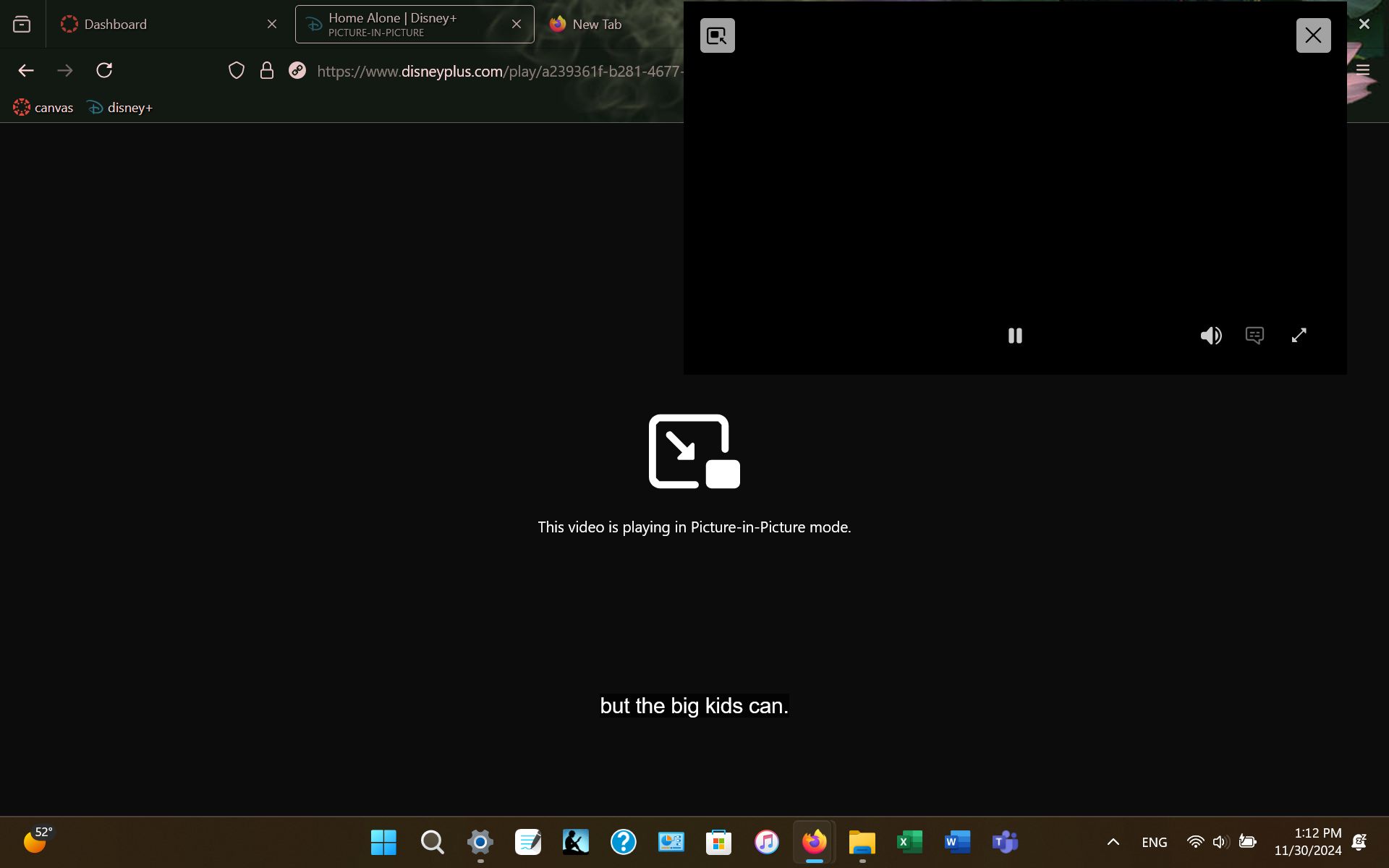
I've been having an issue with picture-in-picture (PiP) mode where the subtitles and rewind/fast-forward buttons (rr/ff) won't follow the video into the small player for Disney+ specifically. I have no issues with YouTube or any other site. The subtitles and rr/ff just stay with the original video player on the site while the video is in PiP mode. I can see the subtitle button on the PiP player, but it is grayed out and I can't click it. I've updated both Firefox and my computer (Windows 11) and reinstalled Firefox, cleared cookies and cache, and still no dice. Any advice? Thanks! (In the screenshot, the PiP player isn't showing video, but I think that's just because of Disney's anti-piracy software - I can see the video in the PiP player on my screen.)
已附加屏幕截图

所有回复 (2)

Right, there's open bug for this, unfortunately without assigned developer.

https://bugzilla.mozilla.org/show_bug.cgi?id=1829812

It will be fixed in version 139, see https://bugzilla.mozilla.org/show_bug.cgi?id=1958974