


Font Color Changes Within an Email

Hi all,
I'm writing an email reply and wanted to answer questions in a red font. So, my top line reply was "see below in red" and then I wanted to type Yes or No in red after each question. I couldn't even copy and paste from a word document with the font in red.
In Thunderbird, I clicked on the color checker, typed in FF0000 for the color code and clicked yes. Then the color selecter boxes on the menu went right back to white.
Any ideas?
所有回复 (3)
First, be sure you are writing in HTML. My suggestion is to first enter YES or NO, and then highlight the text and select the color button on the HTML toolbar.
Those are steps I took.
Message body is set to Original HTML. Sending format set to HTML. Is there another setting somewhere?
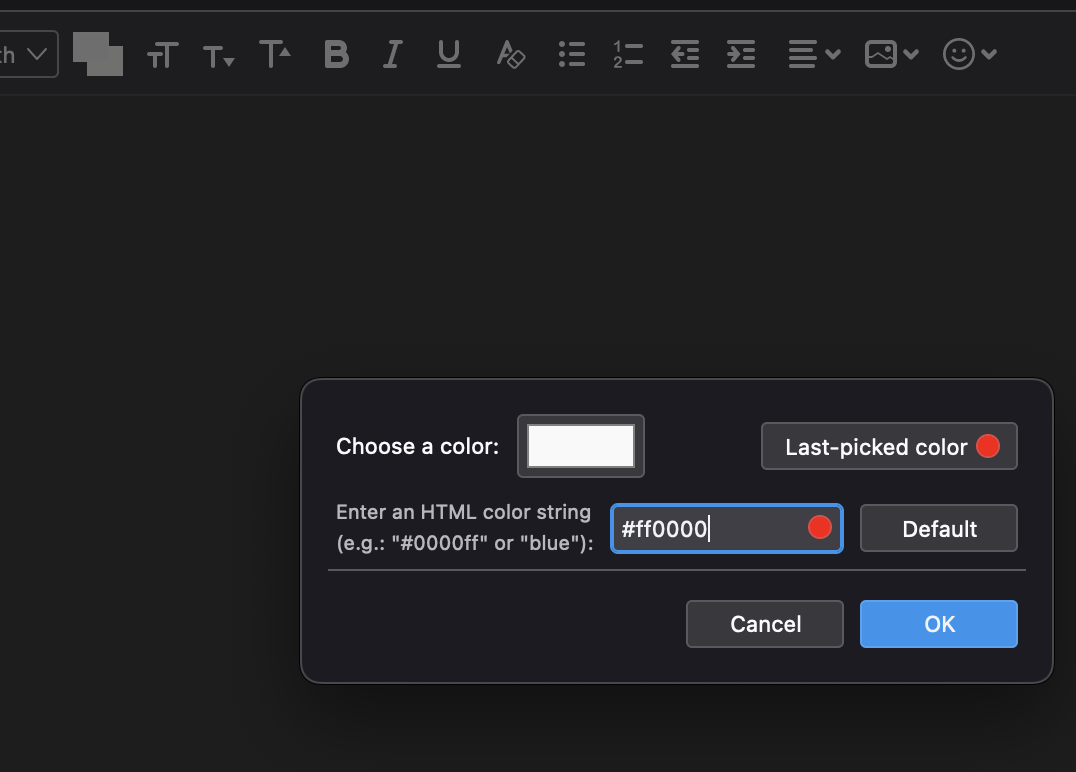
It works fine for me. If you are using any addons, try clicking help>troubleshooting mode and try again. Be sure to highlight the word to be made red first. If you continue not get it working, save to draft, and then highlight it in message list pane and click cntl and U to view the source and do a screenprint. Seeing the generated HTML may help.