话题已存档。
如果需要帮助请提出新问题。

已存档
I selected duck duck go search engine but my phone defaults to Bing every time. How can I eliminate Bing? I
I'm trying to search and selected my preferred search engine. Default selected is duckduckgo. But every time I search it jumps to Bing. Not my preference. How do I eliminate Bing from this phone?
I'm trying to search and selected my preferred search engine. Default selected is duckduckgo. But every time I search it jumps to Bing. Not my preference. How do I eliminate Bing from this phone?
所有回复 (1)
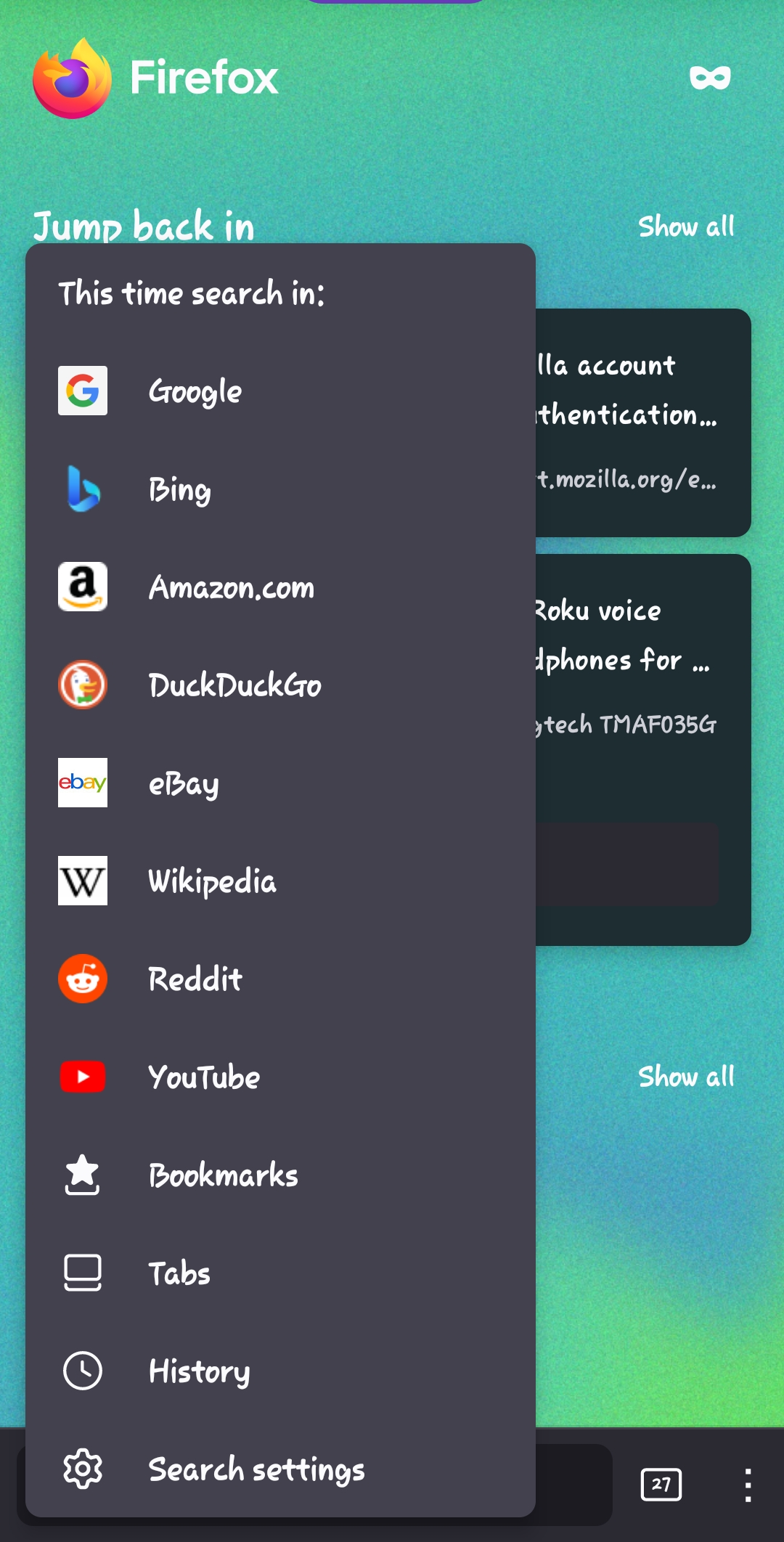
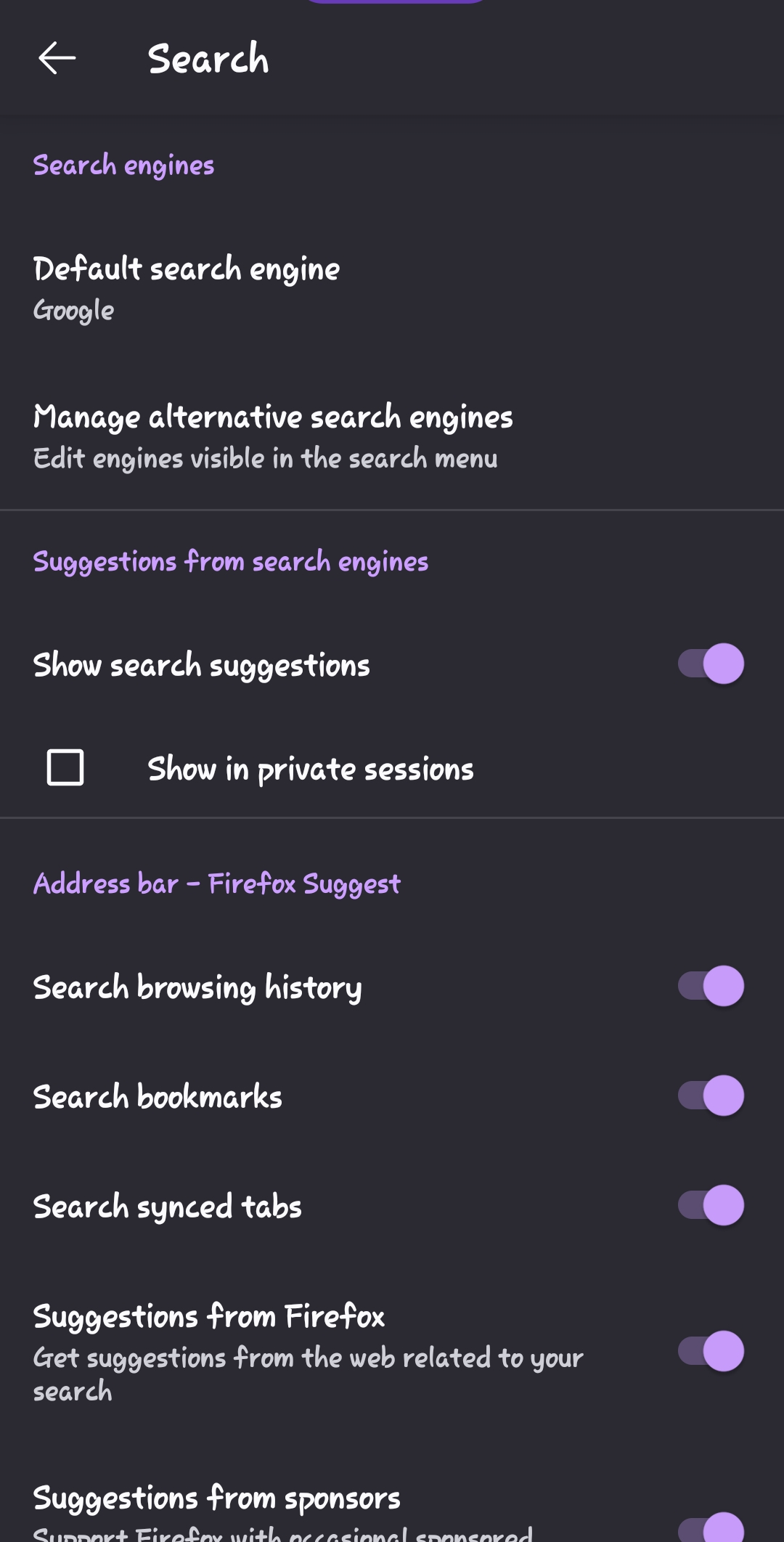
1. On the address bar, on the homepage, click next to it to show search engines. 2. Click search settings at the bottom. 3. Set default search engine. 4. Below it, manage alternative search engines. 5. Deselect Bing. You can deselect as many as you want to. 6. You should be all set.
- See screenshots