


remove search from new tab page (not search from address bar)

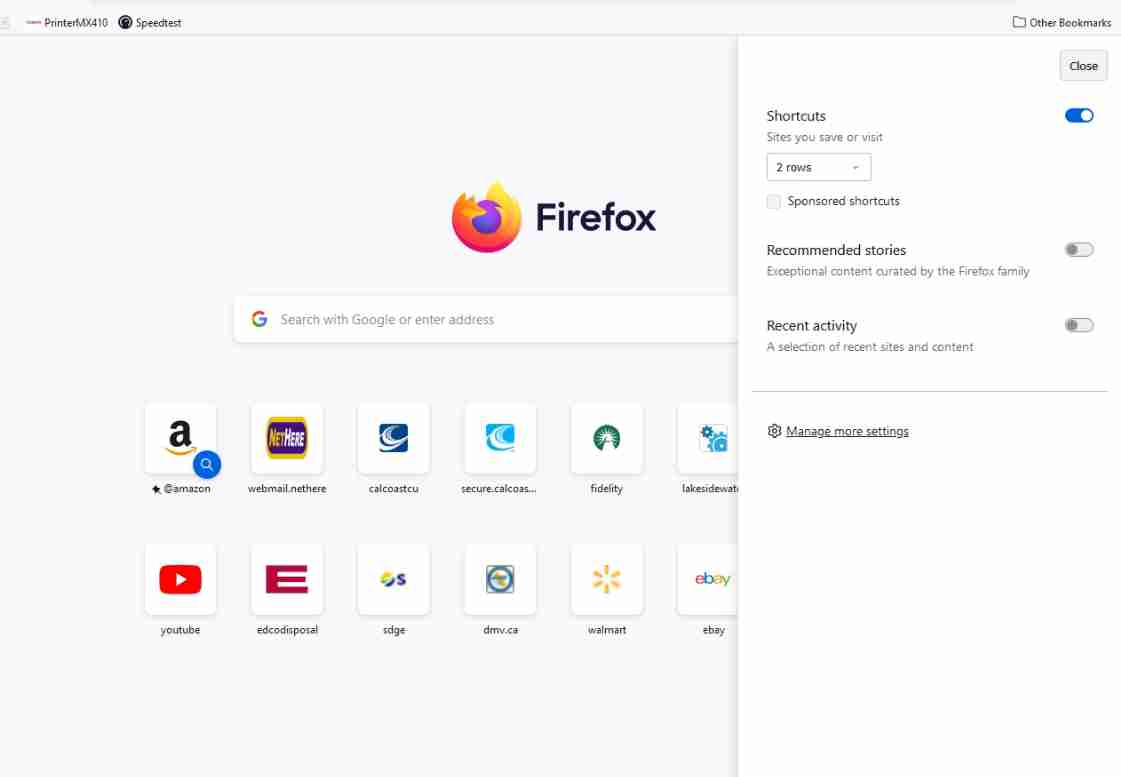
Just updated a friend's computer from Windows 7 to 10. Installed firefox over previous ESR and now there's no way to remove the search bar from the new tab page. On my W10 system, the search bar isn't there, not sure how or why, but on her's there's no option NOT to show it as there used to be.
I found some VERY old (2014) info on this but doesn't seem to be up to date.
PLEASE give us our options back and stop taking them away, sheesh, getting as bad as Microsoft.
Is there a workaround for this to remove the redundant search bar from the new tab page since you can search from the address bar?
Thanks!
被采纳的解决方案
Click on "Manage more settings" and untick "Web Search".
定位到答案原位置 👍 2所有回复 (2)
选择的解决方案
Click on "Manage more settings" and untick "Web Search".
THANKS! Later I found it in the settings as I noticed none of the previous, ESR settings were kept after installing the current/nonESR version over the ESR version so was going through them all.