


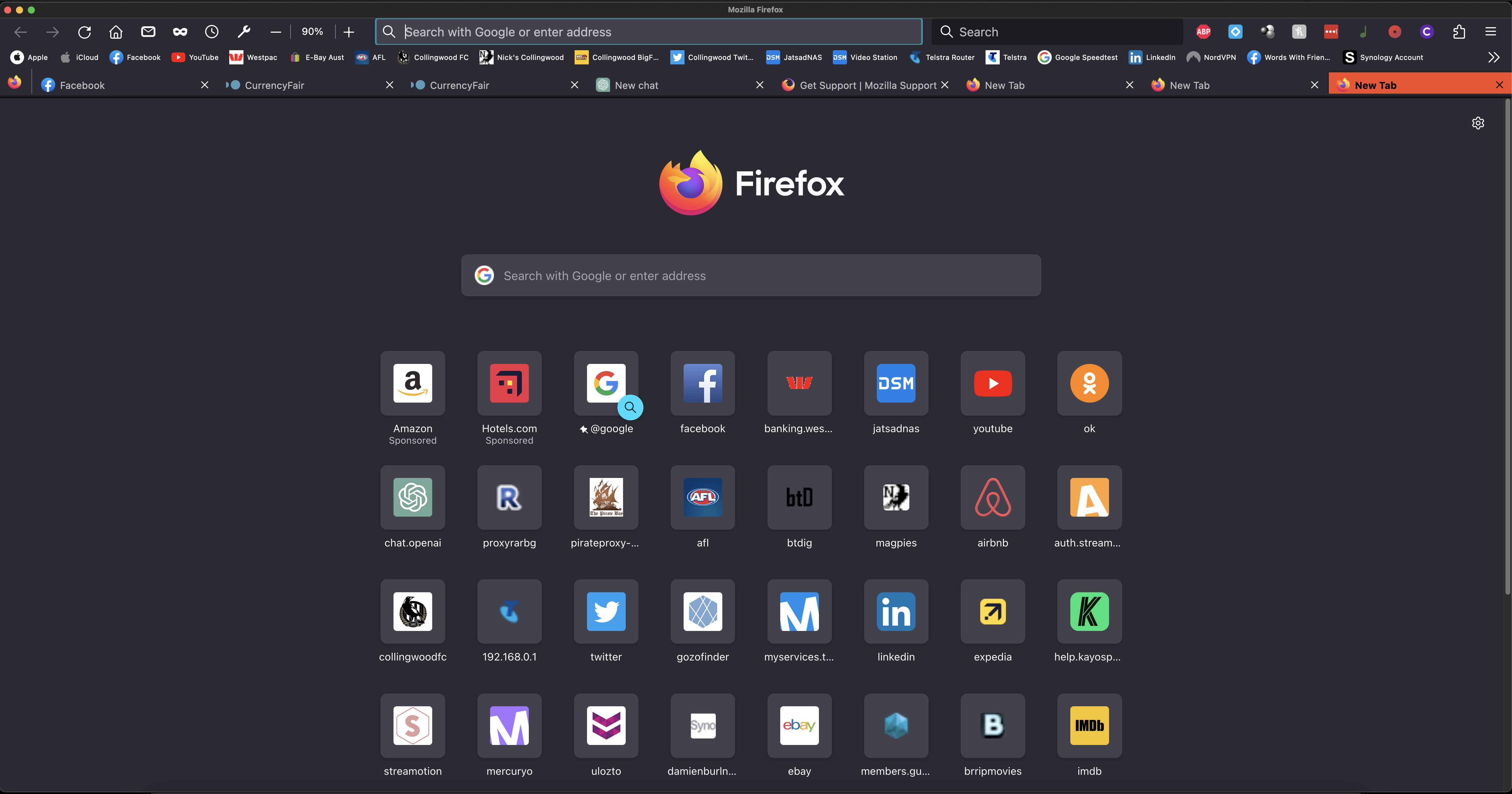
When I try to open an eighth tab, the + option disappears
If I have 7 tabs open, I can see the + option in the tab bar. Upon opening an eighth tab, the + disappears and I have to user right-click open tab or ctrl-t.
This is very annoying.
If I have 7 tabs open, I can see the + option in the tab bar. Upon opening an eighth tab, the + disappears and I have to user right-click open tab or
ctrl-t.
This is very annoying.
所有回复 (3)
It looks like you will need to update your userChrome.css theme modifications that put the tabs on the bottom. Alternatively you can disable them by going to about:config and changing toolkit.legacyUserProfileCustomizations.stylesheets to false then restart.
Hi,
I prefer the tabs on the bottom, what would I need to change/add to userChrome.css to allow this have the + tab stay?
Thanks
You need to remove this CSS rule in 108+
#tabbrowser-tabs { width: 100vw !important; }