


How do I change the black colour of Firefox and add-ons' menus, dropdowns to white?
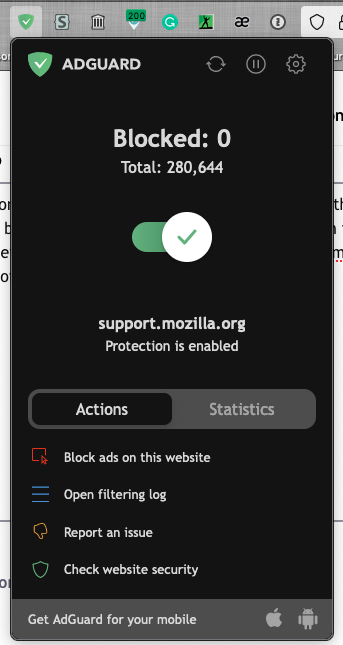
Using online recommendations I was able to force the general theme to white, however individual segments of the FF UI still retain black (see the images). I want to whiten them too. I saw a heap of color related settings in about:config. I set one of them, layout.css.prefers-color-scheme.content-override, to 1 but that had no effect on the appearance of the said elements.
Using online recommendations I was able to force the general theme to white, however individual segments of the FF UI still retain black (see the images). I want to whiten them too. I saw a heap of color related settings in about:config. I set one of them, ''layout.css.prefers-color-scheme.content-override'', to 1 but that had no effect on the appearance of the said elements.

所有回复 (1)
You can look at a theme that has dark text on the tabs (toolbars) if you currently use a theme with light text to prevent Firefox from using a dark background.
You can check the Website Appearance setting.
- Settings -> General -> Language and Appearance -> Website Appearance