


Firefox cut and paste for word 2019

Hi to All I am copying some information from firefox and pasting in word 2019. When I paste in word the webpage formating does not get past in word, just only text.
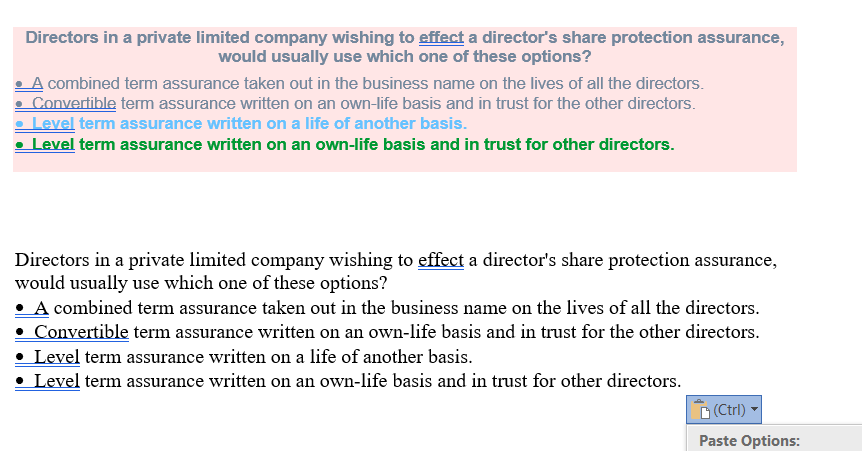
When I do paste from chrome and edge I get proper formatting and paste exactly the same. I have attached picture in which the color one is pasted from chrome whereas the below paragraph is just the text which is from firefox
所有回复 (3)

Do the Paste Options (at the bottom right of your screenshot) change anything? One of them is "Set default Paste" which lets you select the default paste option for text copied from different programs.
Thanks for the reply, There are three option but that option does not solve the issue. I tried every thing with chrome and edge you dont have to do anything just ctrl V and it paste.
Firefox only copies inline style code (style="<rules>" attribute) and doesn't add CSS rules added via a style sheet file, so you see the LI tags, but not the text color and text background styles that are likely set via a CSS file.
You can check this in the Inspector with the original text.
You can right-click and select "Inspect Element" to open the builtin Inspector with this element selected.