


Bookmarks deleted after flashplayer update?

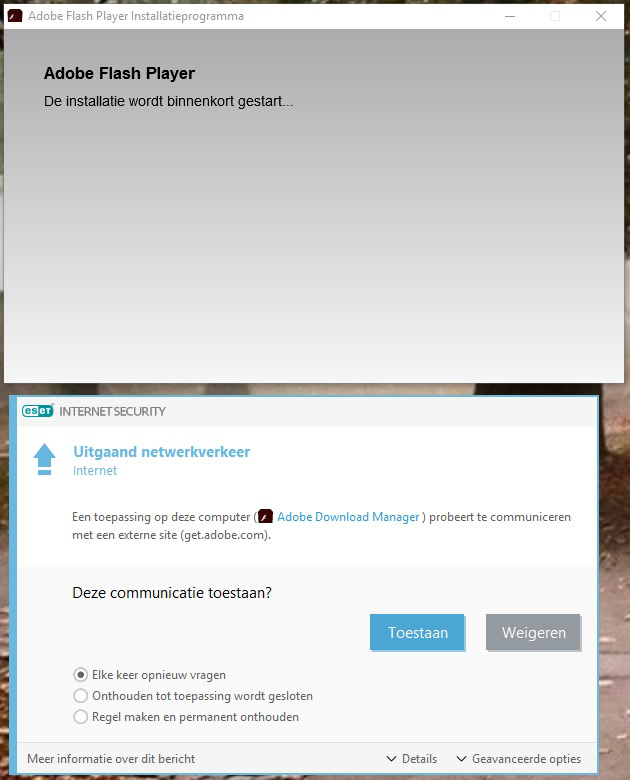
After an Adobe flash update this seems to have wiped out all my favorites! After I reboot my computer I got the message "update available". I downloaded the adobe installer and installed the thing. I have two versions of firefox: FF 61.01and FF_esr 52.8.1. For some reason it opened the ESR version, that doesn't normaly happen. After the FF reboot all my favorites from both browsers were gone. The session was normaly restored. ?? I doubt it's a virus. This is the normal procedure for flash updates and my firewall asked permission to access *.macromedia.com.
config: Windows 10 ent. x64 Mozilla Firefox 61.0.2 (x64 nl) Mozilla Firefox 52.8.1 ESR (x64 nl)
flashplayer31au_ha_install.exe Adobe Flash Player 31 NPAPI
被采纳的解决方案
Hello, thank for the reply. Luckily I backup my favs a couple of months before so only the changes after that are lost. At least it's bearable. Sorry FredMcD, I think you are wrong. I am scanning right now but I don't think I have a virus. This didn't came from some shady (security)website. DeInstalled flash_player and closed FF several times and there was no problem. After a reboot no problem. After Flash_update again -ALL favorites gone.
定位到答案原位置 👍 0所有回复 (4)

The flash installers have nothing to do with Firefox except for when the browser calls it.
You may have ad/mal-ware. Further information can be found in this article; https://support.mozilla.org/en-US/kb/troubleshoot-firefox-issues-caused-malware?cache=no
Run most or all of the listed malware scanners. Each works differently. If one program misses something, another may pick it up.
What about the rest of your profiles? history, settings . . .
Restore Bookmark Backups
Firefox automatically makes backups of the bookmarks. These are stored in the bookmarkbackups folder.
Open the Bookmarks Manager; Press the Alt or F10 key to bring up the toolbar, and select Bookmarks. Hot key is <Control> (Mac=<Command>) <Shift> B.
Once the window is open, at the top of the page, press the button labeled Import and Backup. Select Restore. From the list, pick the file you want and click it.
The backups are stored in a jsonlz4 file named something like this; bookmarks-2016-06-29_1424_enD1GTH ya0JmicnYWg4V4g==.jsonlz4
In this example; 2016-06-29 = date created, 1424 = number of entries.
选择的解决方案
Hello, thank for the reply. Luckily I backup my favs a couple of months before so only the changes after that are lost. At least it's bearable. Sorry FredMcD, I think you are wrong. I am scanning right now but I don't think I have a virus. This didn't came from some shady (security)website. DeInstalled flash_player and closed FF several times and there was no problem. After a reboot no problem. After Flash_update again -ALL favorites gone.
Better to be safe than sorry.
So, have you restored from your backup? If so,
That was very good work. Well done. Please flag your last post as Solved Problem so others will know.