


restore close button on right tabstrip feature, legacy to quantum browser.tabs.closeButtons preference

Hi there,
I just switched to Firefox Quantum (60.0.1 esr, 64bit) and am looking to restore a usability feature.
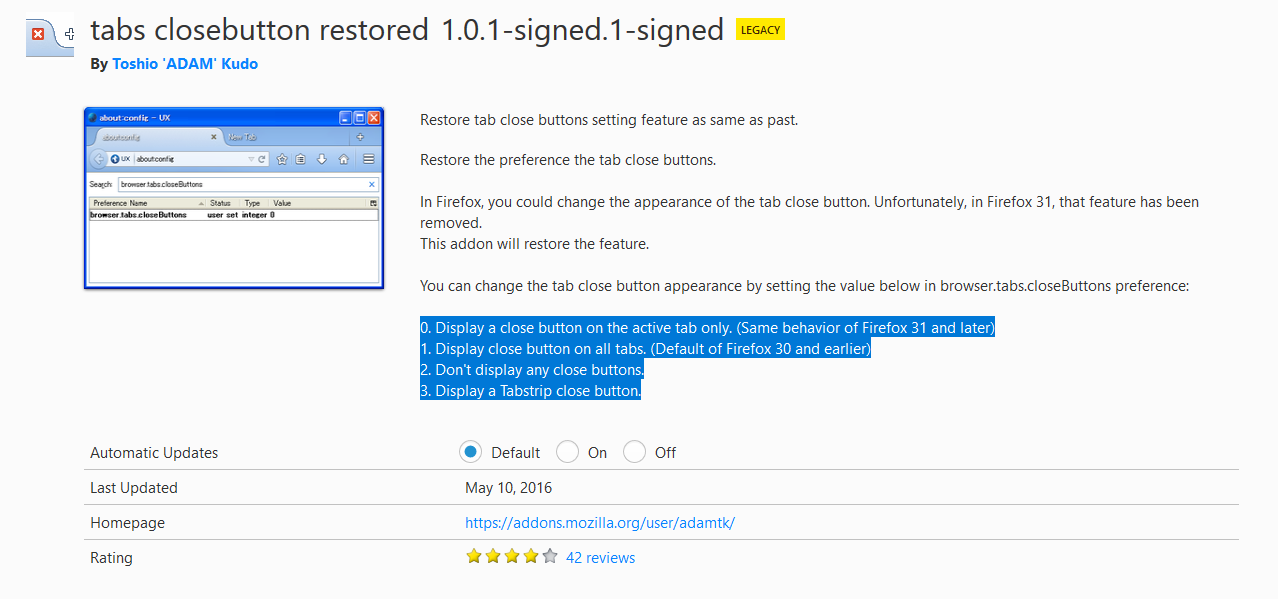
The option I'm looking for existed since Firefox 1.5 , but changed from a user controlled feature to an extension with firefox 30. I could not find a comparable quantum add-on thus far.
"You can change tab close button appearance by setting the value below in browser.tabs.closeButtons preference: 0. Display a close button on the active tab only. (same behaviour of Firefox 31 and later) 1. Display close button on all tabs. (Default of Firefox 30 and earlier) 2. Don't display any close buttons. 3. Display a Tabstrip close button."
I'm looking for option 3, which displays a single close button on the right of the Tabstrip, with which the active tab can always be closed (and no close buttons on individual tabs). While the setting exists in the about:config , modifying the value has no impact on the firefox interface. Is there a user setting, an extension/add-on or other option to restore this functionality?
Thanks for your help.
所有回复 (3)
Hi Foxmeariver, in Firefox 57+, extensions are more limited. An extension can create a close tab button for the main toolbar that you can drag to the tabs bar yourself using Customize. For example:
- https://addons.mozilla.org/firefox/addon/close-the-tab-button/
- Customize Firefox controls, buttons and toolbars
- Note: The extension can close normal web pages, but not internal pages or Mozilla site pages.
Next, you can hide the individual tab close buttons with a custom style rule. I'll start a new reply for that because it's long.
选择的解决方案
You can make user interface modifications, such as hiding buttons, by applying custom style rules to the toolbar area. This requires creating a userChrome.css file, which is about a 10 minute project, but if you don't find an easier way, here's how you do it:
This assumes you do not already have a userChrome.css file. If you do already have a working userChrome.css file, you just need to add the rule under (A) to your file.
(A) Select and copy all of the following code
/* Hide individual Tab Close buttons */
#tabbrowser-tabs .tabbrowser-tab .tab-close-button {
  display: none !important;
}
#tabbrowser-tabs > .tabbrowser-tab > .tab-stack > .tab-content > .tab-close-button {
  display: none !important;
}
(B) Generate and download a userChrome.css file
Open the following page and paste the above rules into the editor, replacing the sample rule:
https://www.userchrome.org/download-userchrome-css.html
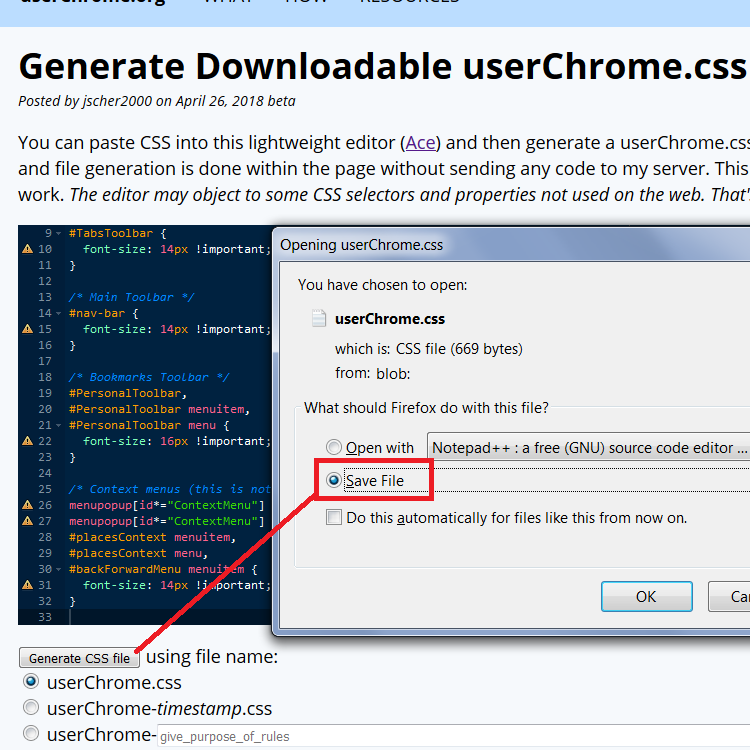
Then click "Generate CSS File" and save the userChrome.css file to your computer. (See first attached screenshot)
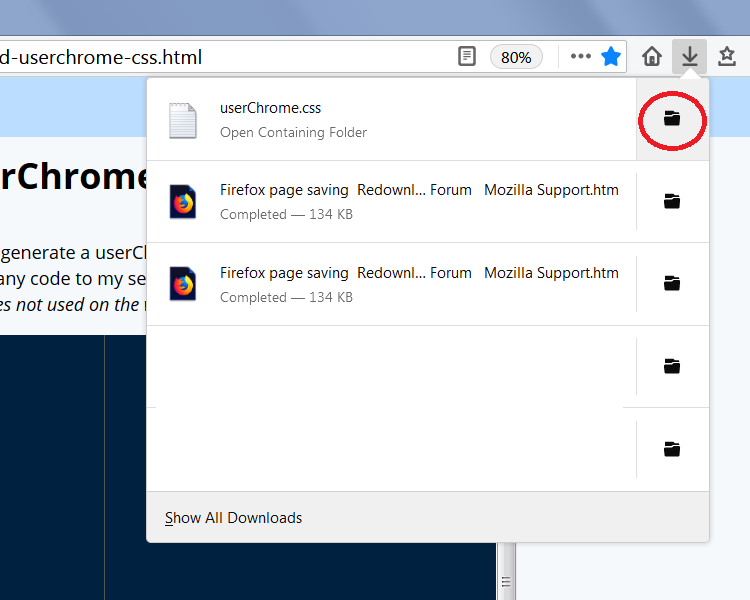
Use the downloads list on the toolbar to open the downloads folder directly to the new userChrome.css file. (See second attached screenshot)
Minimize that Windows Explorer window for later reference.
(C) Create a new chrome folder in your profile folder
The following article has the detailed steps for that (#1, #2, and I recommend #3)
https://www.userchrome.org/how-create-userchrome-css.html
I have videos for both Windows and Mac in case the text is not clear.
(D) Move the userChrome.css file you generated in Step B into the chrome folder you created in Step C
The next time you exit Firefox and start it up again, it should discover that file and apply the rules.
Success?
由jscher2000 - Support Volunteer于修改
Hi jscher2000 ,
Thank you very much for your help, your solution works (albeit with a little getting used to since the close-the-tab add-on button isn't an X :-) )