


Unable to scroll from anywhere even though i'm still in the window

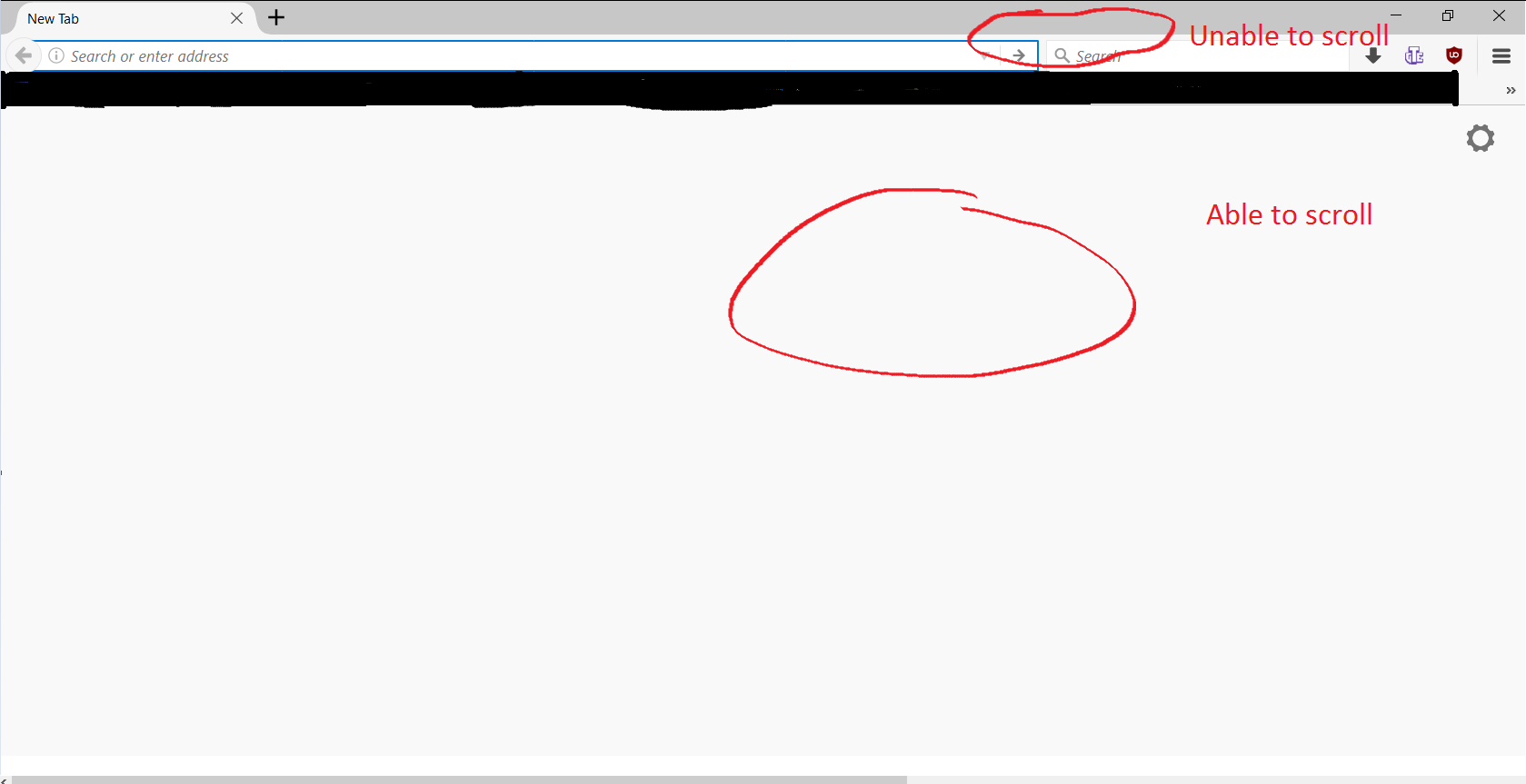
Hello, I'm currently having an issue with firefox after updating. I'm unable to scroll unless i'm in the web page itself, if I have my mouse cursor to where my tabs are i'm unable to scroll, and if my cursor is all the way to the left of the window i'm unable to scroll. Before I was able to scroll from anywhere as long as it was the window i'm currently using. I've tried to change resolution (which I was unable to do for some reason), zooming in and out does nothing. Is there anyway to change this other than downgrading back?
所有回复 (3)
Here is a mspaint rendition of my issue.
What FF version is this? Tab scrolling only happens when you have more then exceed what is visible.
WestEnd said
What FF version is this? Tab scrolling only happens when you have more then exceed what is visible.
It is version 56. Also I don't think tab scrolling is the issue i'm having. I can't scroll web pages if my cursor is not in them is the problem.