

话题已存档。
如果需要帮助请提出新问题。

已解决
已存档
Customize new email paragraph

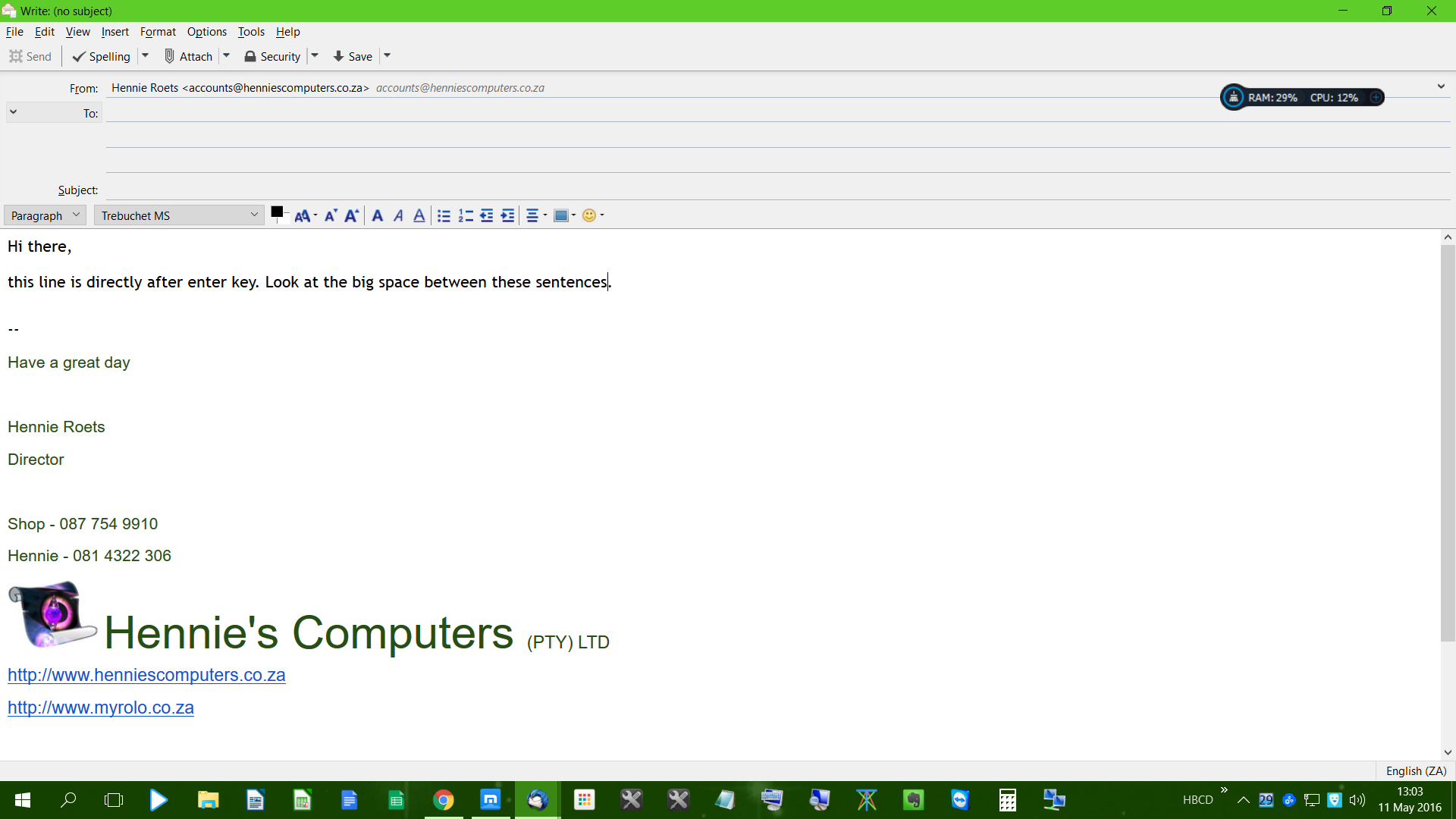
Hi, when I compose a new email, the paragraph settings is on double line. So when I press enter there is a extra line space between the sentences. Where can I change the paragraph spacing settings.
Thanks a mil for a wonderful product
Hi, when I compose a new email, the paragraph settings is on double line. So when I press enter there is a extra line space between the sentences. Where can I change the paragraph spacing settings.
Thanks a mil for a wonderful product
所有回复 (1)

选择的解决方案
Look rather nice to me.
However, go to Tools|Options|Composition|General→When using paragraph format… and clear the checkbox.