


Reader mode - save as pdf quality issue

Dear community,
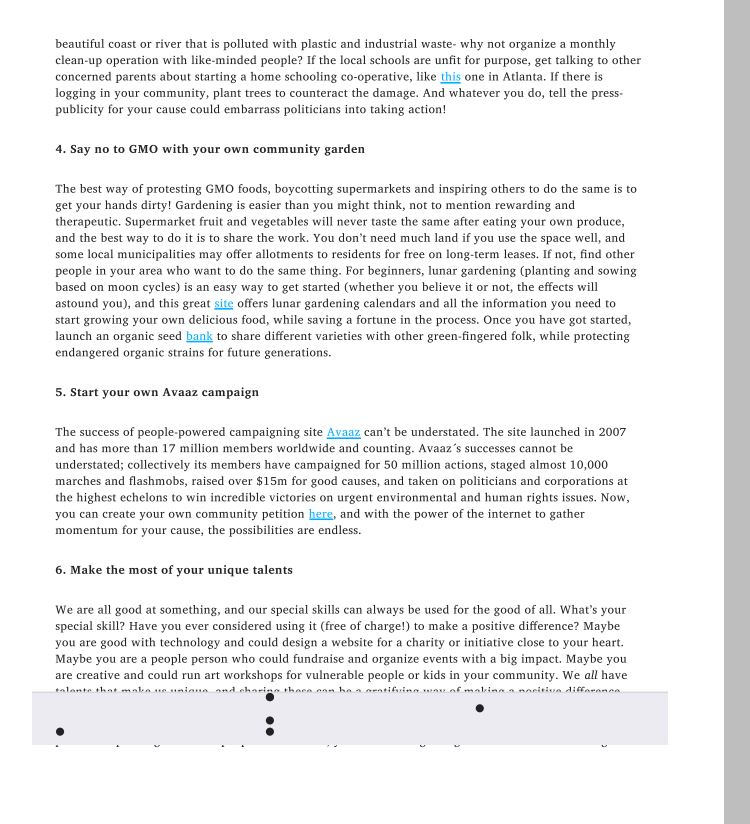
I am using Mozilla(newest version) on my android(4.4.2) device to read articles in reading mode. While on reader mode I use the save as pdf/print function to save the article to my device but it always turn out with bad quality. As shown in the screenshots, it seems that the reader toolbar is stuck in the text (the grey area with the dots). Does anyone have a solution for this issue?
Thank you for your support!
Dear community,
I am using Mozilla(newest version) on my android(4.4.2) device to read articles in reading mode. While on reader mode I use the save as pdf/print function to save the article to my device but it always turn out with bad quality. As shown in the screenshots, it seems that the reader toolbar is stuck in the text (the grey area with the dots). Does anyone have a solution for this issue?
Thank you for your support!
由nad123于修改
所有回复 (1)
I also get the grey bar at the bottom when I save a National Geographic Magazine post in reader view. I filed a bug.