


Youtube theater mode is not working correctly
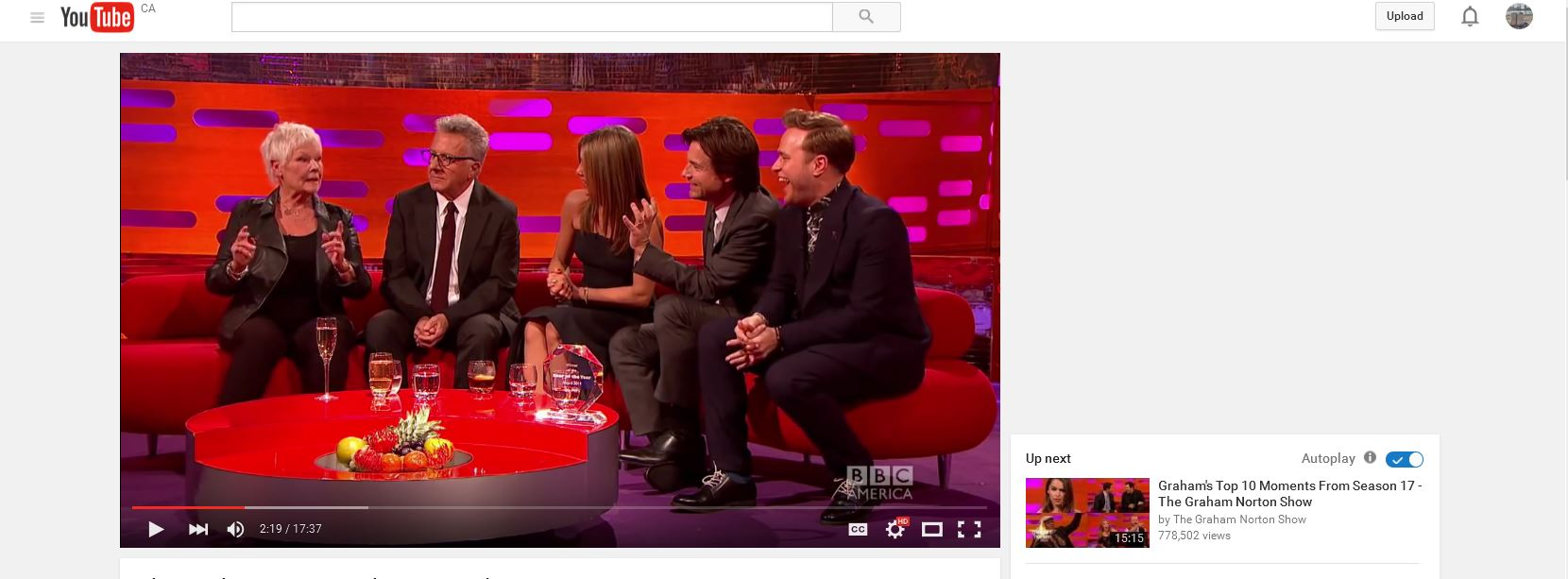
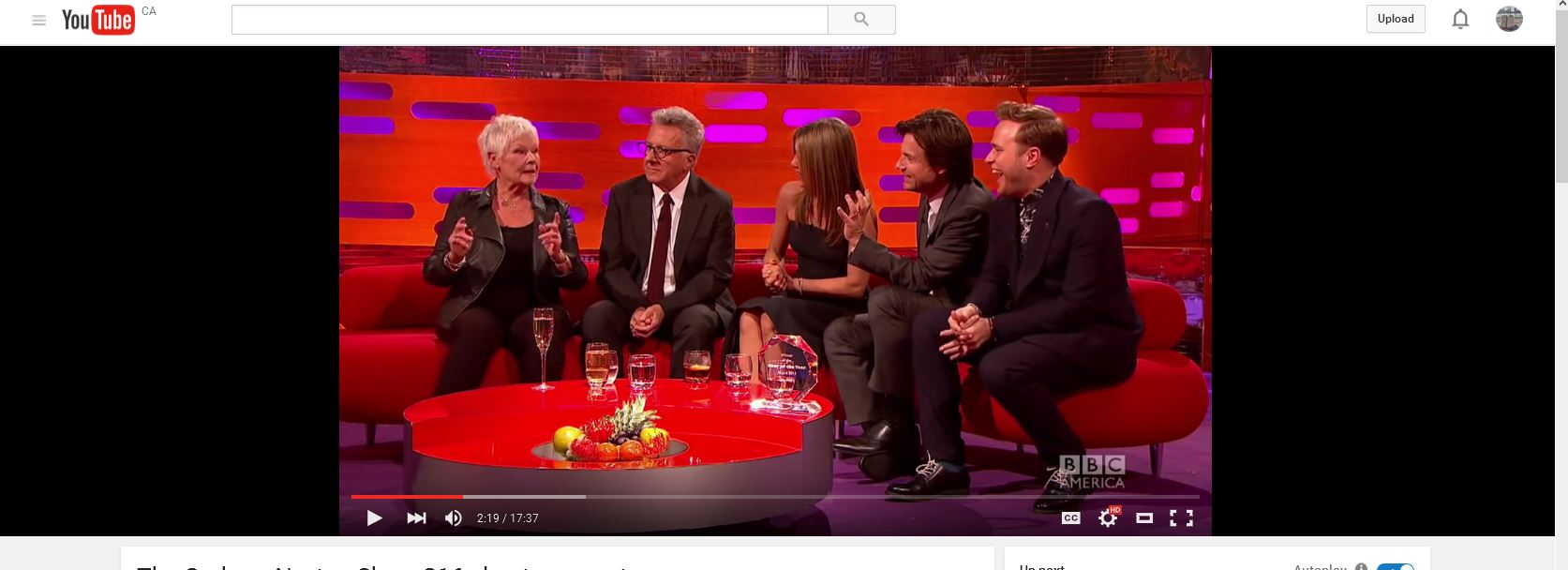
For some reason the theater mode it no longer (as of today) working properly. It does turn the upper part of the screen black as it used to, but now the video itself is very tiny within the black area. Also the black area itself is smaller (top to bottom) than it used to be. I don't know if this is a problem with youtube or a function of Firefox. Note that I did upgrade to windows 10 just today as well. Are there settings in firefox that will fix this or is it truly a youtube problem?
The video in the theater mode is actually smaller than the default mode. I have included a pic of both default and theater mode
被采纳的解决方案
Are you sure that you weren't zooming the page previously (View > Zoom > Reset)?
定位到答案原位置 👍 6所有回复 (6)

They look the same to me. Theater was centered on the screen. Look how far the elbows are from each edge of the screen.
由FredMcD于修改
seeing it on my screen the theater one looks smaller, but maybe not. But it SHOULD be the entire length of the black area, and the black area should be probably another couple inches taller as well. Theater mode should take up the entirety of the black space, until today it always did, so something has changed and I am not sure what....if it is youtube messing up again, or if it is something with firefox that may have been messed up with the windows 10 upgrade
How does Full Screen mode work? Does that behave the same? Did you try other resolution setings?
It could be a restriction of the HTML5 media player that YouTube offers for current Firefox releases.
Full screen mode works perfectly, no problems at all.
Resolution settings in youtube? Yes I have tried all the settings and nothing changes.
I did find a way to make it slightly better, though it is not back to the way it was and so is not what I would consider a 'fix'. I zoomed IN of all things. This made the writing smaller but for some reason allowed the theater mode to get slightly bigger, it's now big enough that it is close to what it used to be. Again, not a fix, but at least close.
选择的解决方案
Are you sure that you weren't zooming the page previously (View > Zoom > Reset)?
由cor-el于修改
yeah I wasn't zoomed. I can tell by the size of the font. But I am just going to go with it as it is. It isn't like it was before, but it's decent enough and I don't want to fiddle too much with stuff and really mess it up. Hopefully it will be like most problems with youtube and fix itself eventually.
I figured this was not a firefox problem but trying to get support of any kind from youtube is just never gonna happen. Thanks for all the help...if nothing else you helped me to calm down a bit and stop ranting hehehehe.