Why I need to log in to IEEE xplore?

I am using a computer in my university. Sometimes I need to search articles in IEEE Xplore http://ieeexplore.ieee.org/Xplore/home.jsp
In fact, since this is a computer located in my university, I need not to login IEEE Xplore to get the paper I want. When I use other browsers like IE, it will login automatically to a account (This is maybe due to the IP address.). But every time I open IEEE Xplore in firefox. It says: "Institutional Sign In". Some say that this is because firefox is using some proxy? I donot know. How to fix this?
被采纳的解决方案
Hi qiaot , You may have to ask the admin of those university computers if they have a mozilla.cfg file or any locked preferences in the Firefox profile first.
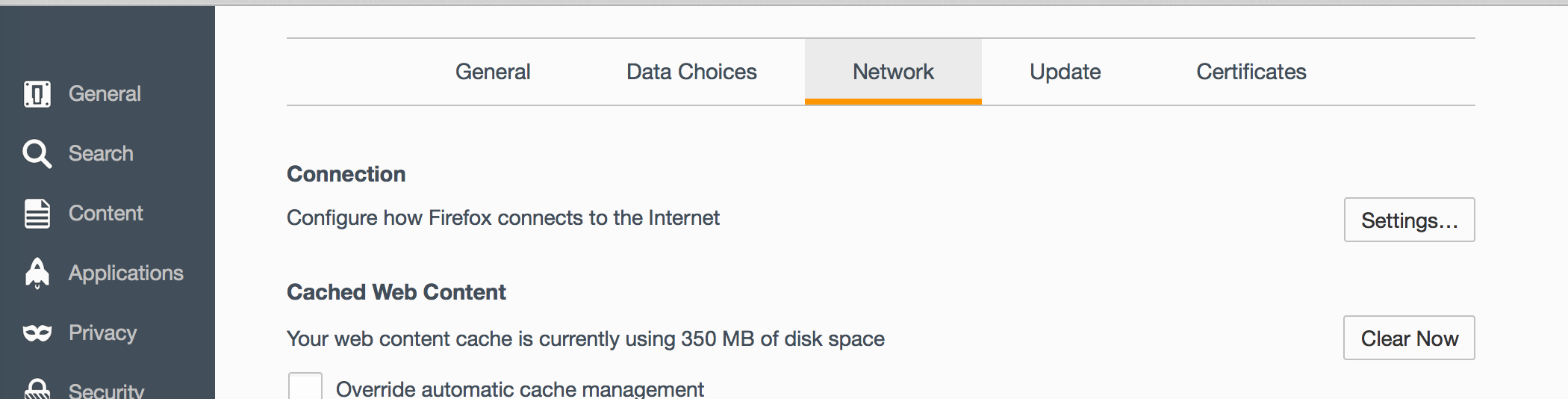
The Setting that controls how Firefox connects to the internet can be found as follows:
- Click on the Firefox Menu Icon
- Click on Preferences/Options
- A tab of Settings will open up, click on the magic hat or "Advanced" tab and at the top click on "Network"
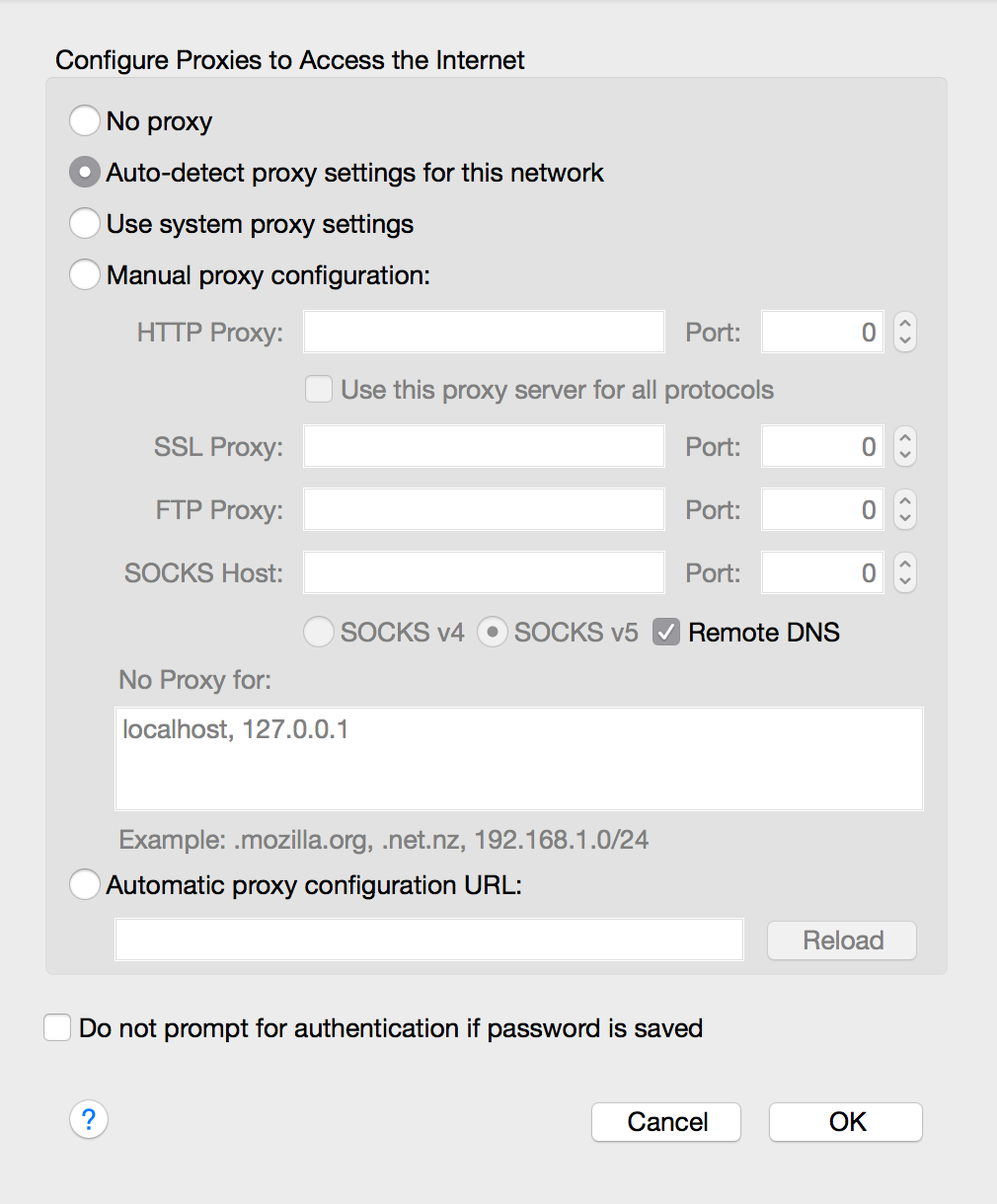
- Click on the "Settings" button and take a look at the second screenshot. If this second screenshot has any information about a proxy this might the issue and you would uncheck "Do not prompt for authentication if password is saved" (assuming that you have Firefox save your passwords: Password manager - Remember, delete, change and import saved passwords in Firefox )
Keep in mind though, if you sign in to this computer with a AD name the file may save the password to the account profile, however if its a public computer, others will have access to the password if you save it to the public account. I hope this helps.
定位到答案原位置 👍 1所有回复 (1)
选择的解决方案
Hi qiaot , You may have to ask the admin of those university computers if they have a mozilla.cfg file or any locked preferences in the Firefox profile first.
The Setting that controls how Firefox connects to the internet can be found as follows:
- Click on the Firefox Menu Icon
- Click on Preferences/Options
- A tab of Settings will open up, click on the magic hat or "Advanced" tab and at the top click on "Network"
- Click on the "Settings" button and take a look at the second screenshot. If this second screenshot has any information about a proxy this might the issue and you would uncheck "Do not prompt for authentication if password is saved" (assuming that you have Firefox save your passwords: Password manager - Remember, delete, change and import saved passwords in Firefox )
Keep in mind though, if you sign in to this computer with a AD name the file may save the password to the account profile, however if its a public computer, others will have access to the password if you save it to the public account. I hope this helps.