


How to restore Tiles tab homepage

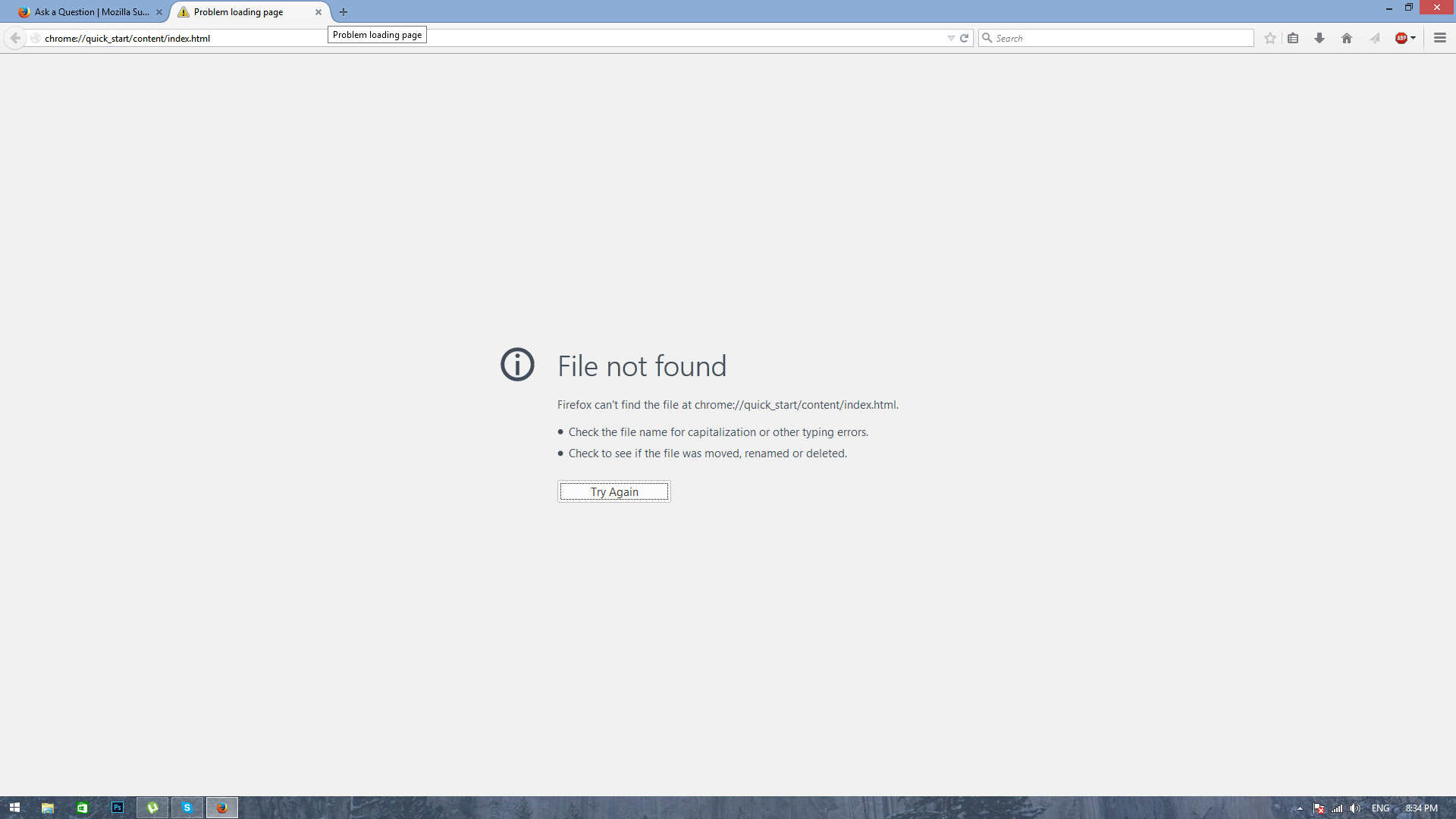
When i open a New Tab, Tiles do not appear instead I get this (See attached image).
As you can see it directs me to a link. Some form of Google Chrome link. I did have Google Chrome, but uninstalled, yet this still appears. I've reinstalled FireFox. Uninstalled all possible add-ons from Firefox, and uninstalled all programs necessary. Yet this problem still occurs.

被采纳的解决方案
Try using Firefox in its Safe Mode
- For instance hold the Shift key whilst clicking the icon to start Firefox
- See Use Troubleshoot Mode in Firefox
- Does that help & allow the proper new tab page to be seen.
Chrome:// Is nothing to do with Google Chrome browser in this instance. This is a special type of adddress Firefox uses internally. The Techie word for it is a Protocol https:, about: and mailto: are other examples of protocols.
It is probably possible to resolve this issue by using about:config to change browser.newtab.url to have a value of about:newtab, however because this is probably caused by some quickstart extension you have installed it would be better to investigate that and consider disabling or removing the offending add-on.
It is probably of interest and use to note
- The add-on manager may be opened by keying into the address bar about:addons
- about:about produces an interesting list.
- For How to use about:config read the article http://kb.mozillazine.org/About:config
This may be quite a bit of new information to take in. Please post back with how you get on and whether you need further explanations.
定位到答案原位置 👍 1所有回复 (4)
选择的解决方案
Try using Firefox in its Safe Mode
- For instance hold the Shift key whilst clicking the icon to start Firefox
- See Use Troubleshoot Mode in Firefox
- Does that help & allow the proper new tab page to be seen.
Chrome:// Is nothing to do with Google Chrome browser in this instance. This is a special type of adddress Firefox uses internally. The Techie word for it is a Protocol https:, about: and mailto: are other examples of protocols.
It is probably possible to resolve this issue by using about:config to change browser.newtab.url to have a value of about:newtab, however because this is probably caused by some quickstart extension you have installed it would be better to investigate that and consider disabling or removing the offending add-on.
It is probably of interest and use to note
- The add-on manager may be opened by keying into the address bar about:addons
- about:about produces an interesting list.
- For How to use about:config read the article http://kb.mozillazine.org/About:config
This may be quite a bit of new information to take in. Please post back with how you get on and whether you need further explanations.
John99 said
Try using Firefox in its Safe ModeChrome:// Is nothing to do with Google Chrome browser in this instance. This is a special type of adddress Firefox uses internally. The Techie word for it is a Protocol https:, about: and mailto: are other examples of protocols. It is probably possible to resolve this issue by using about:config to change browser.newtab.url to have a value of about:newtab, however because this is probably caused by some quickstart extension you have installed it would be better to investigate that and consider disabling or removing the offending add-on. It is probably of interest and use to note
- For instance hold the Shift key whilst clicking the icon to start Firefox
- See Use Troubleshoot Mode in Firefox
- Does that help & allow the proper new tab page to be seen.
This may be quite a bit of new information to take in. Please post back with how you get on and whether you need further explanations.
- The add-on manager may be opened by keying into the address bar about:addons
- about:about produces an interesting list.
- For How to use about:config read the article http://kb.mozillazine.org/About:config
This helped heaps and resolved the issue. I used about:config method and changed the value to about:newtab and it worked perfectly. Thank you so much for your help!
Glad we helped, & thanks for posting back.
Changing the pref will have solved the immediate issue, but it is probably worth following up with the methods given in Ed's link as the quick-start software may also afffect other browsers &/or have other undesired consequences.