


download problem

after I update my firefox 32 beta the download proces stock at the end and not finish the download
被采纳的解决方案
better fix: enter about:config into the firefox address bar (confirm the info message in case it shows up). right-click somewhere on the page and create a new string setting with the name "browser.safebrowsing.appRepURL" and value "https://sb-ssl.google.com/safebrowsing/clientreport/download?key=%GOOGLE_API_KEY%"
定位到答案原位置 👍 10所有回复 (6)
download stock
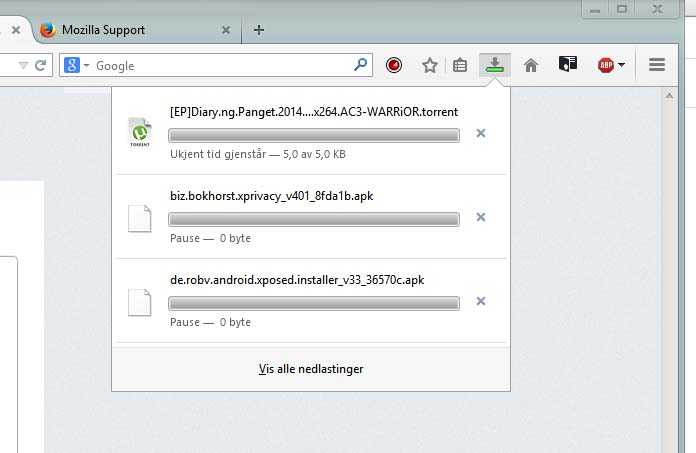
Hello, The cause might be antivirus software which tries to scan the file and during that process hangs the Firefox instance.
In order to fix the problem, try disabling the scanning as follows:
- In the Location bar, type about:config and press Enter. The about:config "This might void your warranty!" warning page may appear.
- Click I'll be careful, I promise!, to continue to the about:config page. A list of settings should appear
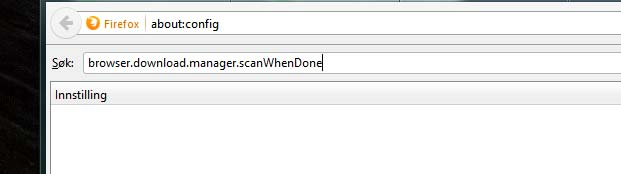
- Filter the list by typing in the search bar at the top. Type in scanWhenDone. You should now find the browser.download.manager.scanWhenDone preference.
- Double-click on that preference to set the value to false.
- Next, try to download something and see if it still hangs.
Please reply and tell us whether this helped you!
there is no browser.download.manager.scanWhenDone in about:config
this is a reproducible bug in the latest beta version, i've filed https://bugzilla.mozilla.org/show_bug.cgi?id=1057764 for it.
it is possible to circumvent the issue when "browser.safebrowsing.malware.enabled" is set to false, but this obviously isn't advisable and shouldn't become the permanent state of affairs
由philipp于修改
选择的解决方案
better fix: enter about:config into the firefox address bar (confirm the info message in case it shows up). right-click somewhere on the page and create a new string setting with the name "browser.safebrowsing.appRepURL" and value "https://sb-ssl.google.com/safebrowsing/clientreport/download?key=%GOOGLE_API_KEY%"
由philipp于修改
Thank you so much,its working now :D