


New Folders Not Displayed

I am trying to create new folders (or sub-folders) under "Inbox" but they are not being shown. When I try to create them again I get a message the the folder already exists. The Folder View is set to "All". I have created folders before without any problems. The Thunderbird version is 24.3.0 for Mac. Any suggestions?
منتخب شدہ حل
First show the hidden file and folder:
Go to your profile:
Close Thunderbird!!
Enter in the folder ImapMail or Pop3Mail >> Enter in imap.webservice.com or pop3.webservice.com folder >> enter in the Inbox.sbd delete all archives .msf
Then try create again the folder.
Have sure that the folder isnt hidden in the list:

تمام جوابات (2)
منتخب شدہ حل
First show the hidden file and folder:
Go to your profile:
Close Thunderbird!!
Enter in the folder ImapMail or Pop3Mail >> Enter in imap.webservice.com or pop3.webservice.com folder >> enter in the Inbox.sbd delete all archives .msf
Then try create again the folder.
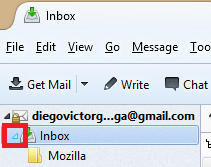
Have sure that the folder isnt hidden in the list:
This worked!
Thanks for the info.