


How can i acces my mobile synced tabs?
I have successful setup the sync configuration on my desktop firefox and on my mobile (android) one.
From my android i can see tabs on my desktop. But how the hell can i acces to my mobile tabs on my desktop browser in a user-friendly way ??
Dont tell me the "about:sync-tabs", please guys if you implement something, include the thing on the UX of the browser...
So, is there any way? :(
moderator edited the title of this thread
the-edmeister کی جانب سے میں ترمیمکی گئ
منتخب شدہ حل
تمام جوابات (4)

Hello,
On the History menu there should be a menu item "Tabs from other computers".
This opens the about:sync-tabs page.
Alternatively you could bookmark that page and store the bookmark in the bookmarks bar to give you a convenient button to open the page.
Ther is no such menu item on history....Sure i can bookmark that page, but why there is an easy place on the mobile versions and not on the desktop version which is the most developed O_o
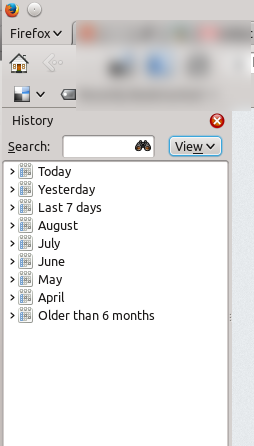
Sorry - I didn't explain clearly enough.
I don't have a linux machine to hand for taking a screenshot but the menu item is here:
http://browserfame.com/wp-content/uploads/2012/09/firefox-open-tab-sync.png

or here:
http://www.megaleecher.net/uploads/firefox-sync-tabs-from-other-computer.jpg

So not in the main History pop-out screen.
I hope that helps.
منتخب شدہ حل
Ok, misunderstood!
Thankyou!