


Firefox requires administrative rights on each start (Win7)

I have disabled all plugins, all extensions. The latest version of Firefox is installed (3.6.12 - 29 oct). On each start of Firefox Windows 7 asks me if I allow Firefox to modify my computer.
تمام جوابات (4)
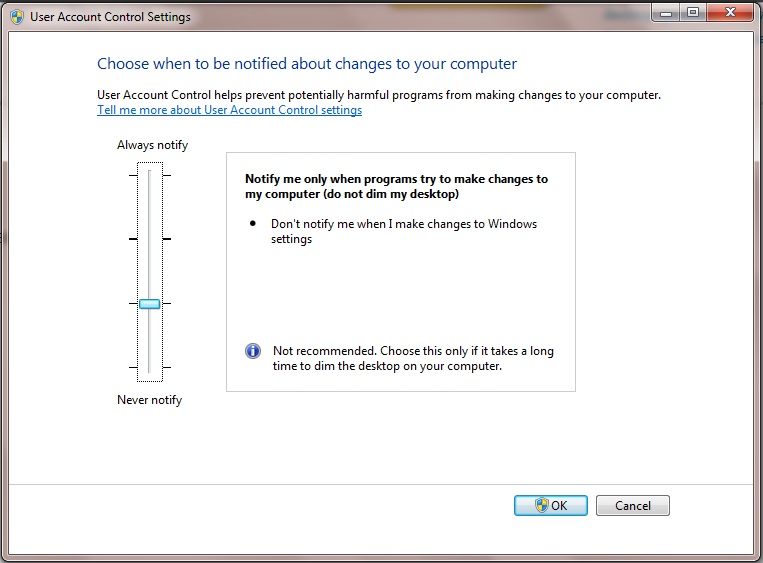
change the UAC(User Account Settings) settings in the windows by changing by typing UAC in the search box in the start menu.. and change the priority to second level..
Check that you do not run Firefox as Administrator.
Right-click the Firefox desktop shortcut and choose "Properties".
In the Compatibility tab, make sure that Privilege Level: "Run this program as Administrator" is not selected.
You also need to check the Properties of the firefox.exe program in the Firefox program directory.
sukumar886. Sorry, but it's nonsense. None of other 'typical' programs requires UAC change (ex. Opera, Chrome, IE, Media Player, Skype, ...). I think that a program needs administrative privileges only for self update. May be it's a bug in FireFox?
buhhu_nyx کی جانب سے میں ترمیمکی گئ
cor-el: Thanks, that helped. Though it's strange that FireFox.exe suddenly get feature 'Run program as Administrator'.