


Create new email account and stop Thunderbird adding folders from existing accounts

I've just added another new email account to Thunderbird, an AOL based account like the others. Thunderbird has created the account but has attached the 'inbox', 'drafts', 'sent', 'archives' from an existing account. is it possible to redirect where an account holds its group of folders?
تمام جوابات (5)
First, if what you say proves correct, then I am clueless. So, just to get some info. When you highlight a folder, rightclick and display properties, the location should display the proper email address, followed by the server name and folder name. Are you stating that the displayed email address is not the same as for the account? Also, please share the thunderbird release number. thanks
Open "Account Settings" via the app menu ≡ button in the upper right corner of the Thunderbird main window. In the left pane of the Account Settings tab select "Copies & Folders" of your new AOL account and verify the settings for sent messages, message archives and drafts and templates.
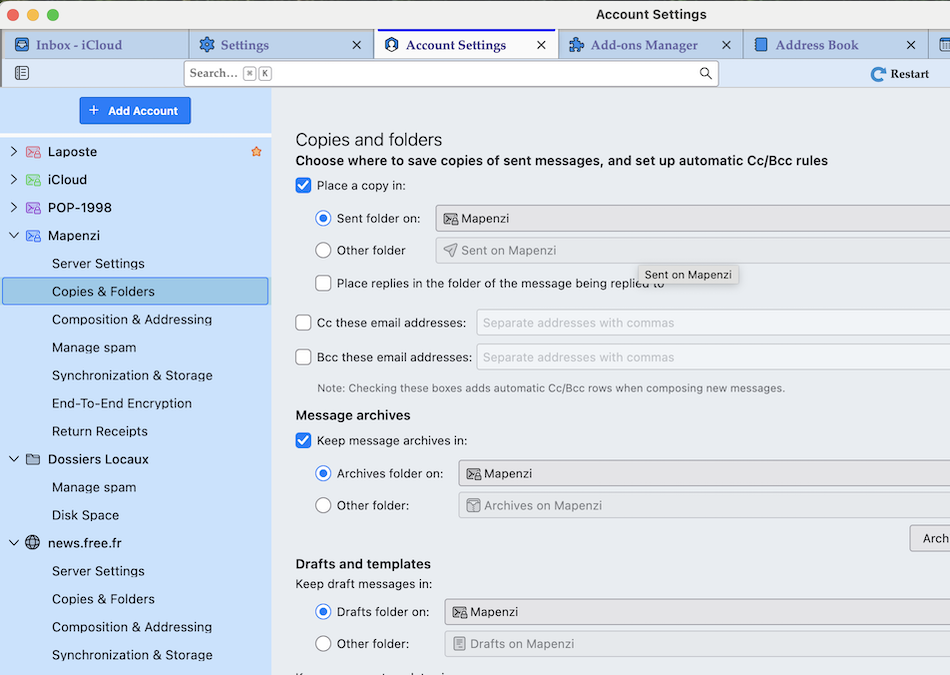
Thanks David. All the folders display the correct email address, and the server name and folder name. However, the actual contents of those folders belong to another email account...... I'm using 153.7.0esr (64 bit)
Thanks Mapenzi. Like I've said to David above, the properties dialogue for each folder display the correct locations. I've tried deleting the account and then adding it again, but it still picks up the contents of another account's folders.
Puzzling. Maybe, if you provide screenshots of the other account's server settings pane and also of the new account's server settings pane, someone here may see something to pursue. thank you.