


English text is sometimes broken when Japanese text is present

I've been using Firefox for a couple months now, and I just ran into this problem today with English text nearby Japanese text: https://files.catbox.moe/diw4y3.png
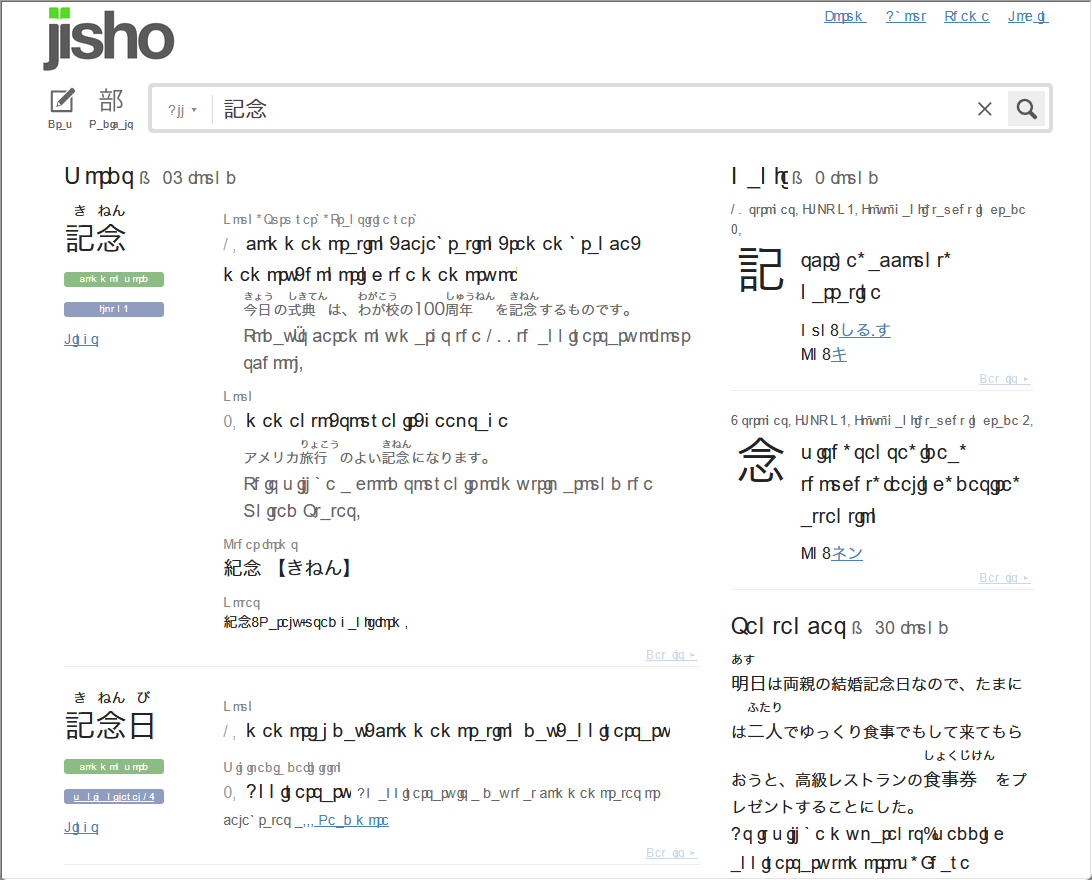
- It's not affecting Japanese text
- It's not exclusive to Japanese websites (it's present in one email in gmail, but not all of them)
- I haven't seen it on any Japanese websites
- It's also present in some add-ons that generate text (Checker Plus for Gmail, Yomichan)
- Turning off all add-ons doesn't fix it, but opening the page in a private window does fix it
Firefox 155.0.1 (64-bit), Windows 11 Pro
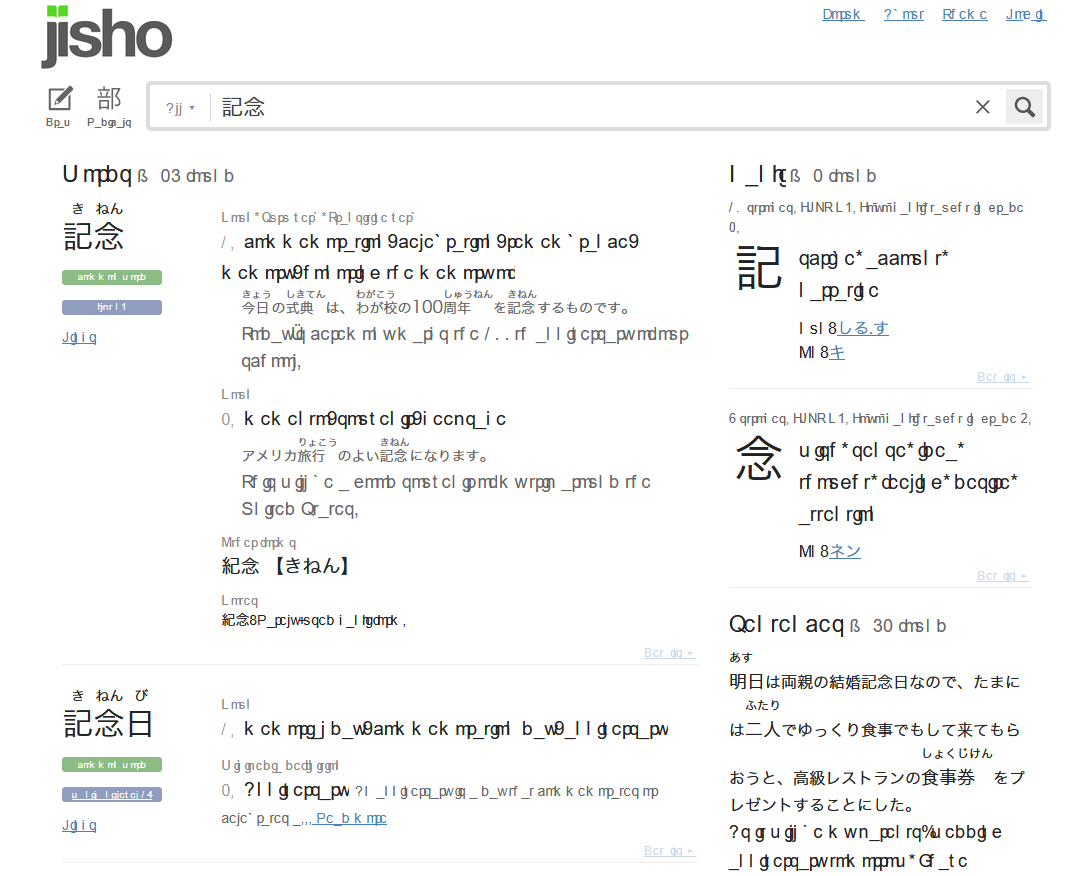
تمام جوابات (1)
If it does not exhibit in private browsing, it means the website is specifying a font that resolves to your local system — and that one might be potentially incompatible, corrupted, missing glyph support etc.
The site pictured specifies:
font-family: "Helvetica Neue", Helvetica, Arial, "Source Han Sans", "源ノ角ゴシック", "Hiragino Sans", "HiraKakuProN-W3", "Hiragino Kaku Gothic ProN W3", "Hiragino Kaku Gothic ProN", "ヒラギノ角ゴ ProN W3", "Noto Sans", "Noto Sans CJK JP", "メイリオ", Meiryo, "游ゴシック", YuGothic, "MS Pゴシック", "MS PGothic", "MS ゴシック", "MS Gothic", sans-serif;
For me it renders with local Helvetica just fine, however your installation might be picking some of the other fonts in the list, in descending order of priority, and that one would be to look at on your system — to potentially remove, or look into duplicates, old versions, or invalid installations of said font.