


Adding my Windows account to Linux

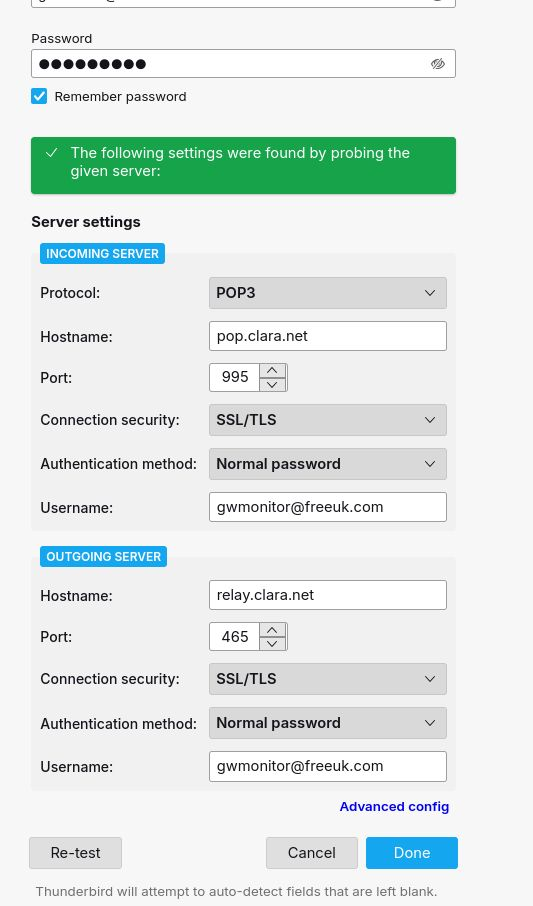
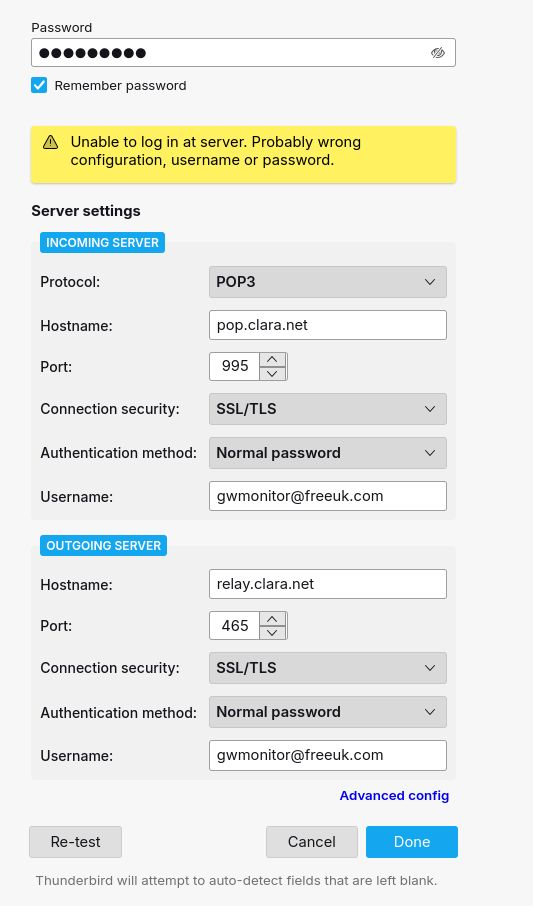
In the process of changing from Windows to Linux, I have entered the details of my email account and it is fine when I press re-test, but when I press done it is not fine anymore. The email is “freeuk.com” which is still active but Freeuk itself isn’t, but the service was taken over by Claranet with a “clara.net” setting, so I imagine that may be relevant. Any help (not too technical please) would be appreciated. Thanks.
تمام جوابات (2)
I suggest entering whatever worked for Windows, but do NOT enter password until prompted.
Thanks for your reply David.
I tried it again and waited for the password prompt and the result was the same. I didn’t used to do anything on Windows.
In my list of App Basics there are “Profiles”, with a link to “about profiles”, but the other one “Profile Directory (local drive)” with the “open directory” doesn’t do anything that I could see, and I can’t find it in my Linux folder. I guess I haven’t got a profile on the new PC.
If it’s any help, I’d installed TB ordinarily thinking I could update the profile after, but the ‘Ask Leo’ video I watched said to custom install it so I uninstalled it in order to custom install. It doesn’t seem to want me to and therefore I finished up with the email configuration that is ok when TB tests it but not ok when it tries to connect.
I installed TB using a Flatpack (I think, which is how Linux works) and it immediately asks me for my name, email address and password, without the option of custom installing. When I enter those I get the boxes (attached earlier) because it “checks common servers” and doesn’t find mine (freeuk.com), so I enter the claranet server details and the same boxes whenever I choose “Done”. Do you think it’s because it’s Linux? Any advice would be welcome.
Thanks, Steve