


Windows 10 reached EOS (end of support) on October 14, 2025. If you are on Windows 10, see this article.

تلاش سپورٹ

Avoid support scams. We will never ask you to call or text a phone number or share personal information. Please report suspicious activity using the “Report Abuse” option.

مزید سیکھیں
Open

How do I refuse the VPN?

Agent virtuel replied
TASchmearer

I have automatic updates and my browser recently updated and there is VPN link on my browser wanting me to use it, but it doesn't give me the option to say no. I already have a VPN that I use through MalwareBytes that I use and another that I'm not using through Protonmail. For some reason since the VPN link showed up on my browser I have websites that I use every day that won't load. I want to refuse the VPN and see if that helps, but my only option is a Get Started link. How do I get rid of that?
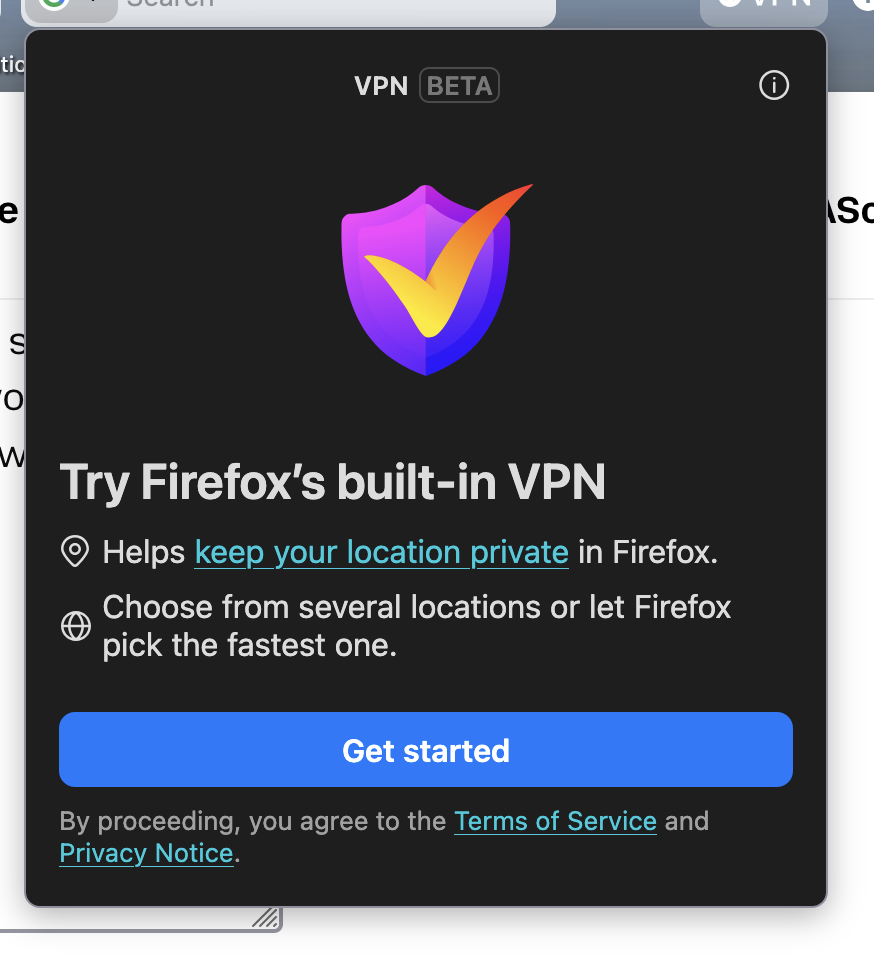
I have automatic updates and my browser recently updated and there is VPN link on my browser wanting me to use it, but it doesn't give me the option to say no. I already have a VPN that I use through MalwareBytes that I use and another that I'm not using through Protonmail. For some reason since the VPN link showed up on my browser I have websites that I use every day that won't load. I want to refuse the VPN and see if that helps, but my only option is a Get Started link. How do I get rid of that?
منسلک شدہ اسکرین شاٹٹس

تمام جوابات (1)

Hello

Use built-in VPN in Firefox https://support.mozilla.org/en-US/kb/built-in-vpn

For information https://support.mozilla.org/en-US/questions/1576925#answer-1812490

You can try, the preference, browser.ipProtection.enabled, value, false

1 - Go to configuration editor https://support.mozilla.org/en-US/kb/about-config-editor-firefox 2 - Enter a search term browser.ipProtection.enabled You can double-click on the preference to set the value to false

ایک سوال پوچھیں

You must log in to your account to reply to posts. Please start a new question, if you do not have an account yet.